Commodity Trading Read and Draw Candlesticks Commodities Charts in MetaTrader 4 Online
Commodity Draw Candlesticks Commodities Charts in MetaTrader 4 Platform
Drawing Candles Commodities Charts on MetaTrader 4 Platform
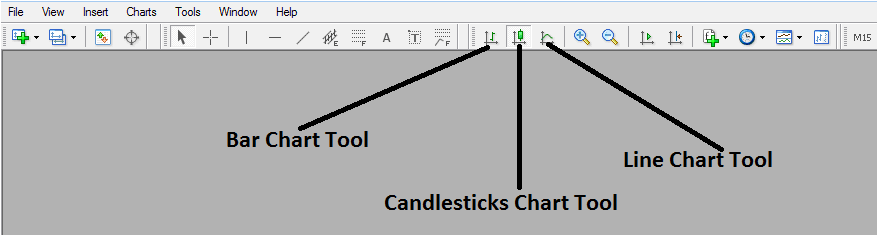
To draw Candlesticks Trading Charts on the MT4 Commodity Trading Platform, select the charts drawing tools within the "MT4 Toolbar" - shown below and select the candlestick commodities chart tool bar button:
Read and Draw Candlesticks Commodities Charts in MetaTrader 4 Platform
To view this charts tool-bar on MT4 navigate to 'View' Next to file at the tops left corner of the MT4 Platform, Click 'View', Then Click 'Tool bars', Then check the 'Charts' Button. The above commodities charts tool bar will pop.
Once the above charts toolbar, appears you can then choose the type of commodity charts you want to convert to & trade with, If you want to view using the bar commodities chart format, click the bar commodities charts tool button key as displayed above, for line commodity charts format click the line commodities charts tool button key, for Japanese candles commodity charts format click the "candlesticks commodities charts tool button".
Read and Draw Candlesticks Commodities Charts in MetaTrader 4 Platform