
Awesome Oscillator Gold Trading Analysis & Awesome Oscillator Trading Signals
Awesome Oscillator (AO) is a 34-period simple moving average that is drawn through the middle points of the bars (H+L)/2, & then this is subtracted from the 5-period simple moving average.
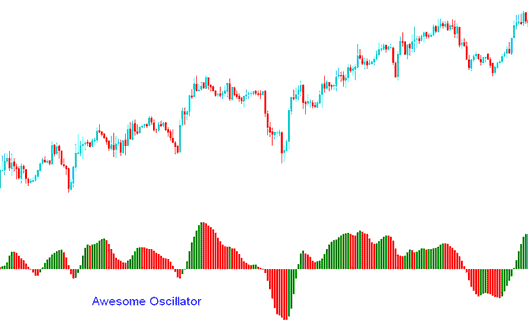
Awesome Oscillator
XAUUSD Analysis & How to Generate Signals
Buy Trading Signal
A buy trading signal generated once oscillator moves above the Zero-line.
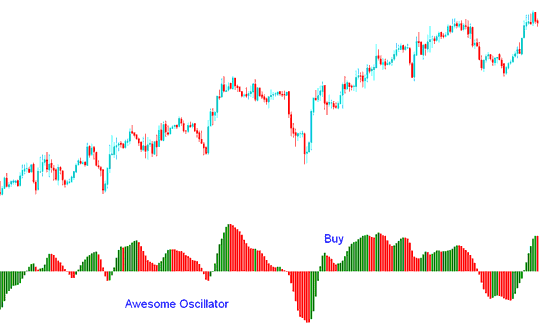
Buy Trading Signal
Another buy signal generated when indicator is above the Zero mark & the color of the bars change from red to green and the green bar is higher than the red bar forming a V or U shape. The signal is confirmed after three green bars are formed.
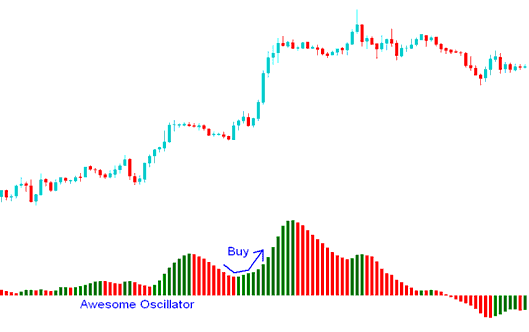
Buy Trading Signal
Sell Trading Signal
A sell signal is generated once the oscillator moves below the Zero line.
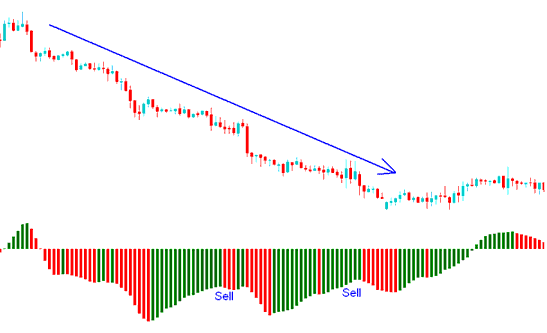
Sell Trading Signal