How Do I Draw Candlesticks Charts in MT4?
XAUUSD Candlestick Pattern Indicator MetaTrader 5
Drawing Candles XAUUSD Charts in MT4 Platform
To draw Candlesticks Trading Charts on the MT4 Gold Trading Platform, select the charts plotting tools within the "MT4 Toolbar" - shown below and select the candlestick chart toolbar button:
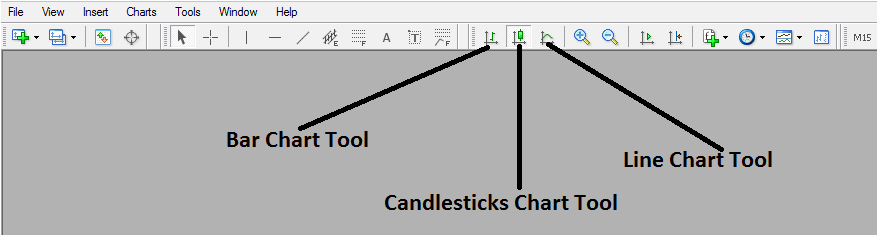
Drawing Candlesticks Charts on MT4
To view this charts tool-bar on MetaTrader 4 navigate to 'View' Next to file at the top left corner of MT4 Platform, Click 'View', Then Click 'Toolbars', Then check 'Charts' Button Key. Above charts toolbar will appear.
Once above charts toolbar, pops up you can then select the type of gold charts you want to convert to & trade with, If you want to view using the bar chart format, click the bar charts tool button as shown above, for line charts format click the line charts tool button key, for Japanese candles charts format click the "candles charts tool button".
