Place and Add ADX Indicator
This tutorial shows how to add the ADX technical indicator to MT4 charts. For more, check out the section on ADX Technical Analysis.
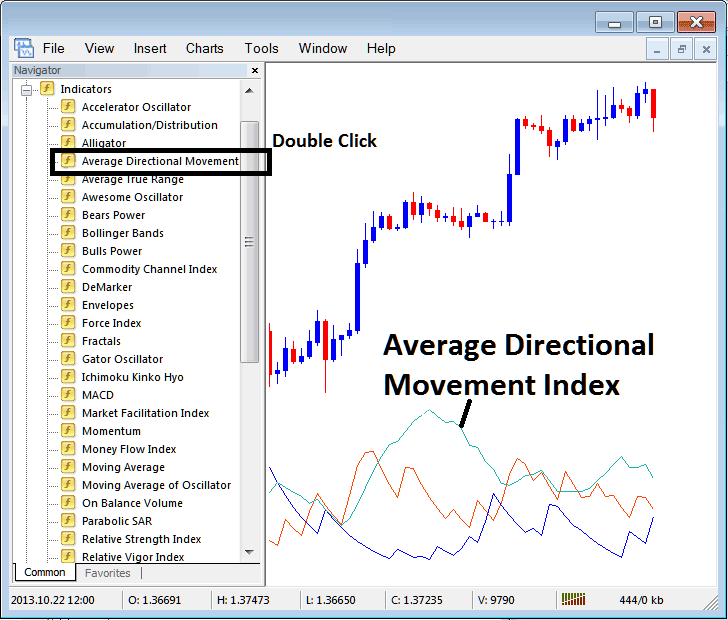
How to Set Indicators on MetaTrader 4 Charts
Step 1: Open The Platform Navigator Window Panel
To access the Navigator panel in MT4, go to the "View" menu and select the "Navigator" option. Alternatively, use the shortcut keys Ctrl+N or click the "Navigator" button on the Standard Toolbar for quicker navigation.
On Navigator panel, select 'Technical Indicators', (DoubleClick)
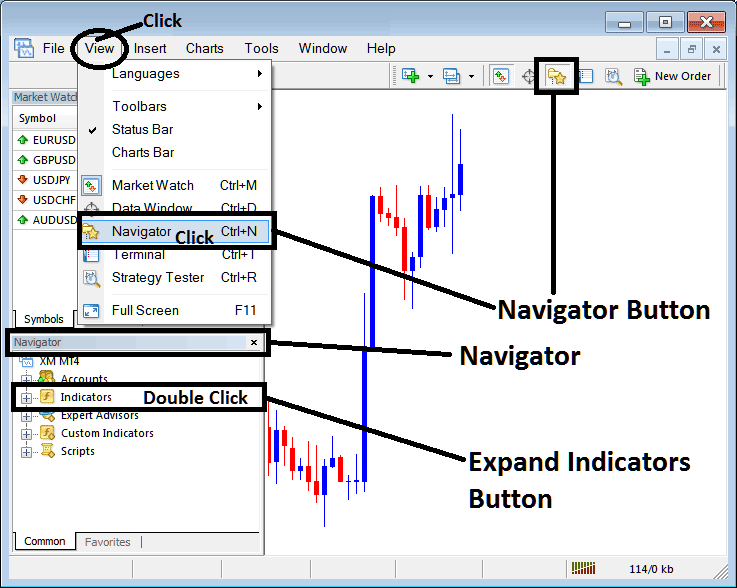
Step 2: Expand the Technical Indicators Menu in the Navigator
Open the indicator menu by clicking the plus sign button or double-clicking the "indicators" menu: then, this button will change to a minus sign and show a list like the one below.
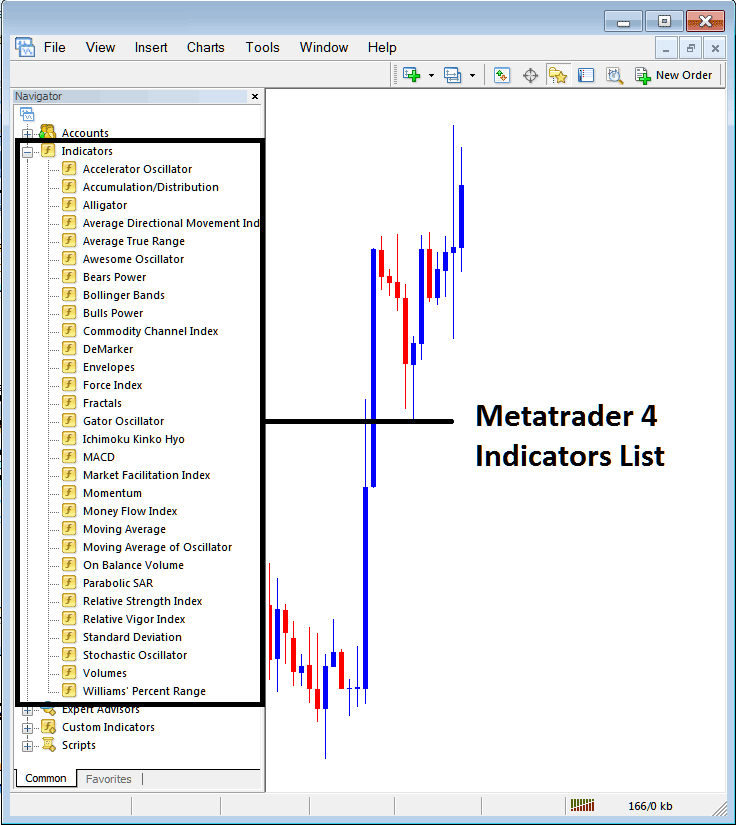
From Above window you then can add any indicator you want on stocks chart.
Placing and Adding Average Direction Movement on a Chart
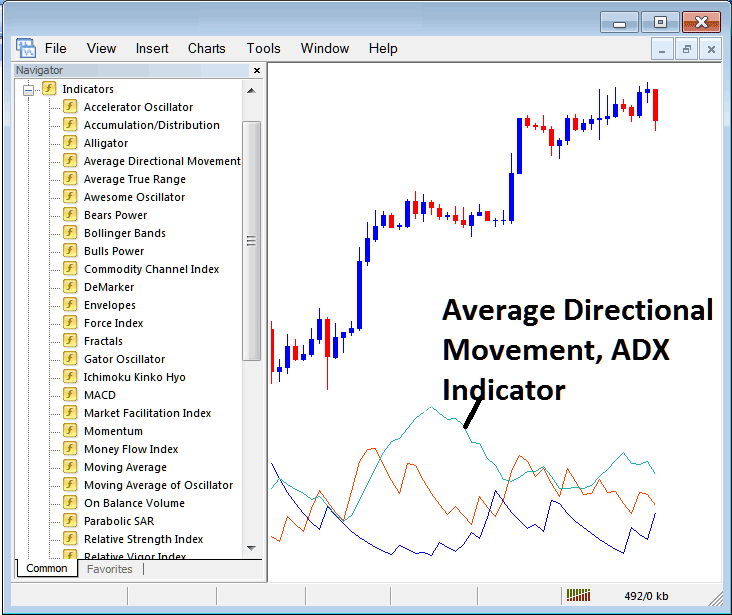
Step 1: Click on the ADX button from the list of indicators in MetaTrader 4, as illustrated below:
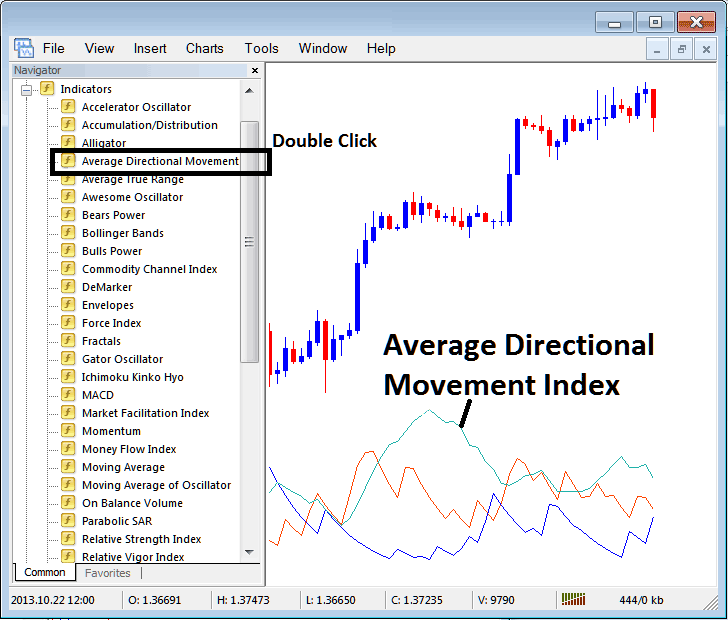
Step 2: DoubleClick the ADX Button, & press ok to set the technical indicator to the chart like shown below:
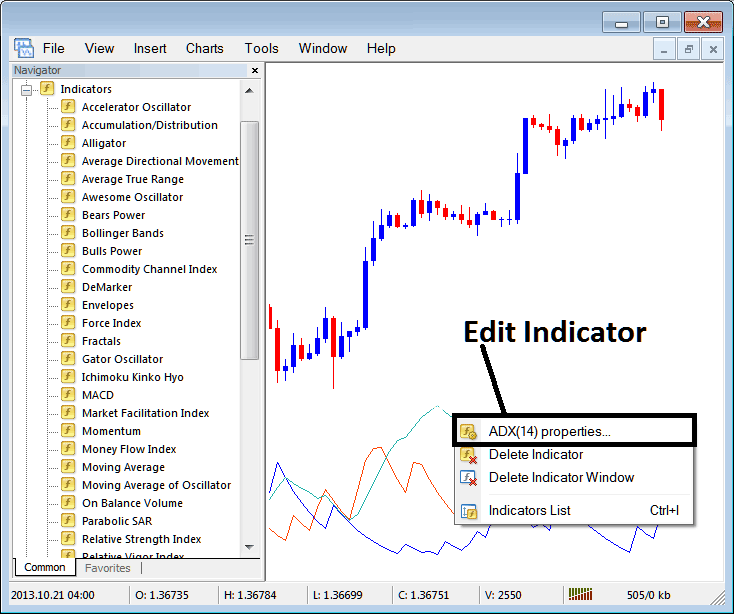
Edit ADX Settings
To change ADX settings, right-click on ADX, pick “properties,” edit the indicator's properties in the pop-up menu, and click OK when you're done.
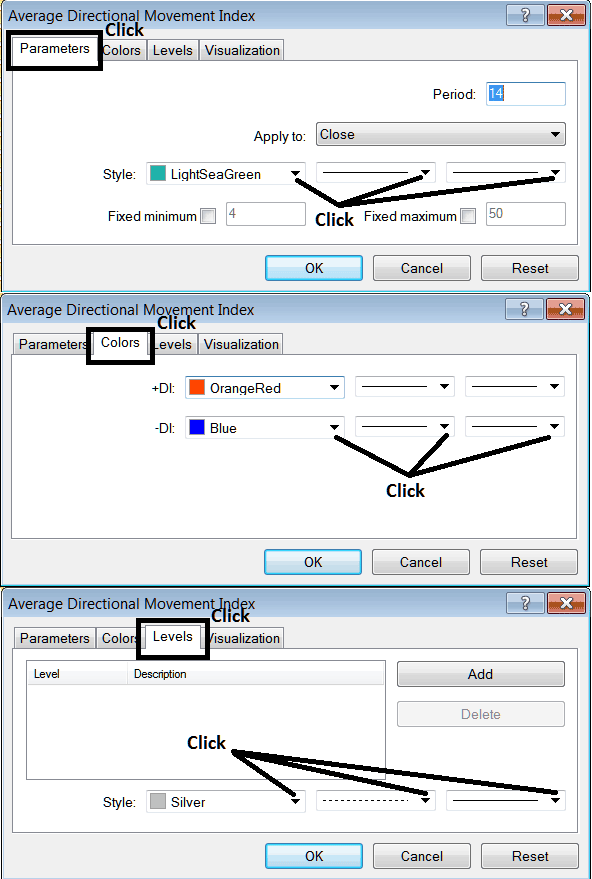
The following window popup appears & ADX settings can be altered and edited using this window pop-up.
More Courses & Tutorials:
- Index Moving Average Support and Resistance Levels Trading Methods
- What's the Meaning of Reversal Setups?
- Example Indices Strategy Templates
- MetaTrader DJ30 Indices
- DAX MT4 DAX Platform Software
- Factors to Consider When Choosing/Selecting a Stock Index Broker
- How to Trade US100 Lesson Guide for US 100
- Index Stop Loss Order Setting Summary
- Example of How to Know When a Stock Index Down Trend is Starting
- Index Login to MT4 Stock Index Trade Account
