Place Bulls Power Technical Indicator on Stock Chart in MT4 Platform Software
This Tutorial will describe how to place the Bulls Power Technical Indicator on a Trading Chart on the MetaTrader 4 Platform. For Analysis: Technical Analysis of Bulls Power.
How to Set Technical Indicators in MT4 Indices Charts
Step 1: Open The Software Navigator Window
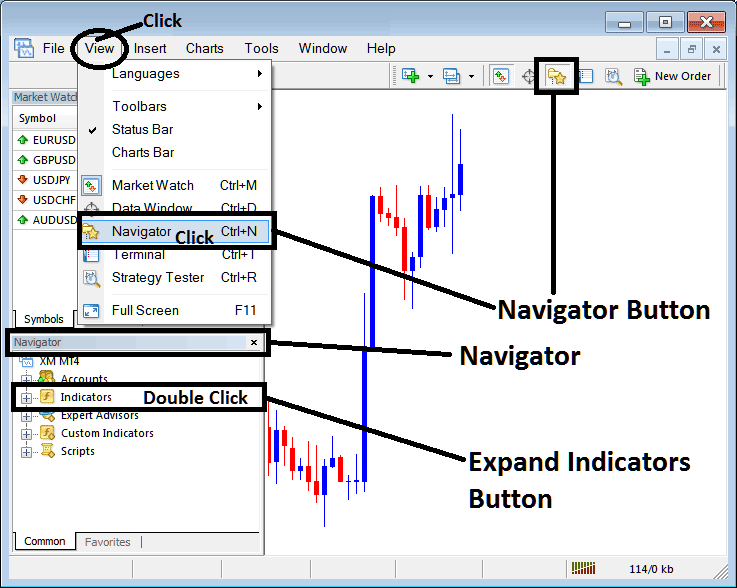
Open Navigator panel like shown & illustrated below: Navigate to "View" menu (click it) and then choose & select "Navigator" window (click), or From Standard Tool Bar click the "Navigator" button or press short-cut key board keys "Ctrl+N"
On Navigator panel, select 'Technical Indicators', (DoubleClick)
Step 2: Expand Trading Technical Indicators Menu on the Navigator
Make the indicator list bigger by pressing the plus sign " + " button or double-clicking the "indicators" menu. After that, the button will change to a minus sign (-) and will show a list like the one shown below.
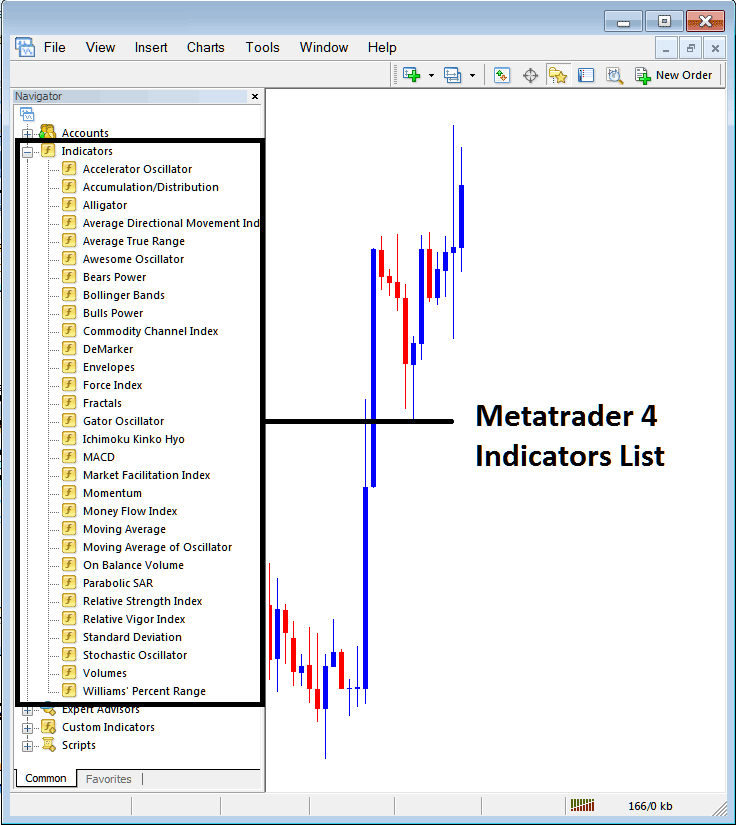
From Above window panel you then can add any indicator that you as a dealer want onto the chart.
Placing and Adding Bulls Power Indicator on Chart
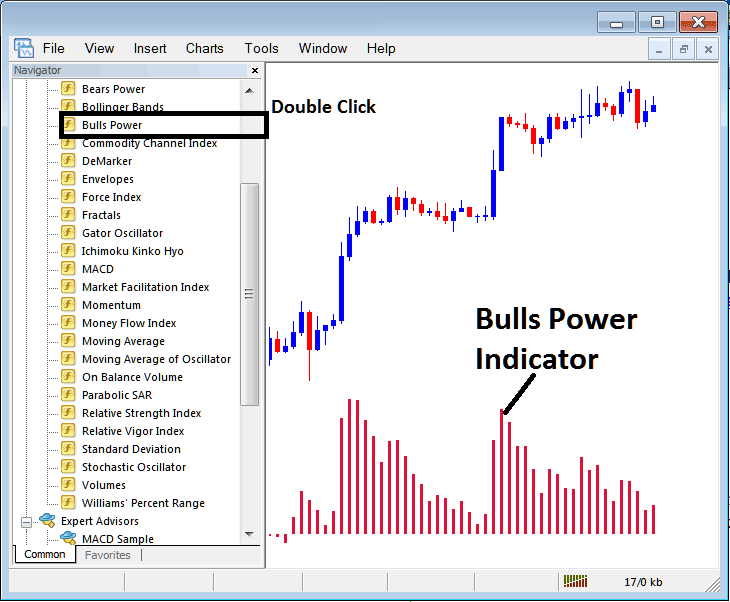
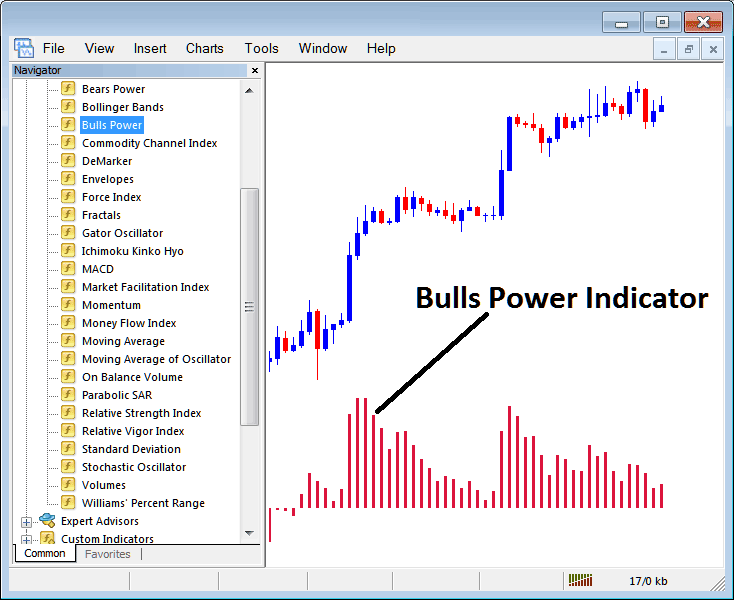
Step 1: Choose Bulls Power in the MT4 indicators list. See the image below.
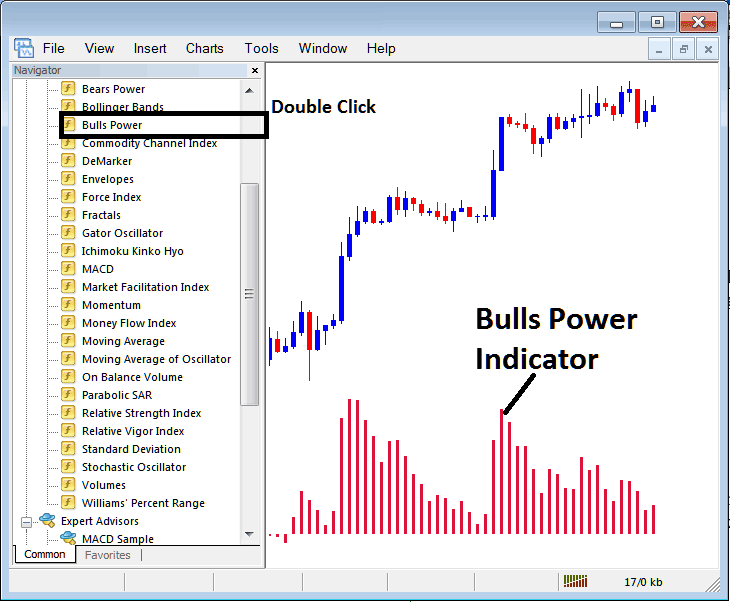
Step 2: Double-click the Bulls Power button. Hit okay to add it to the chart as shown.
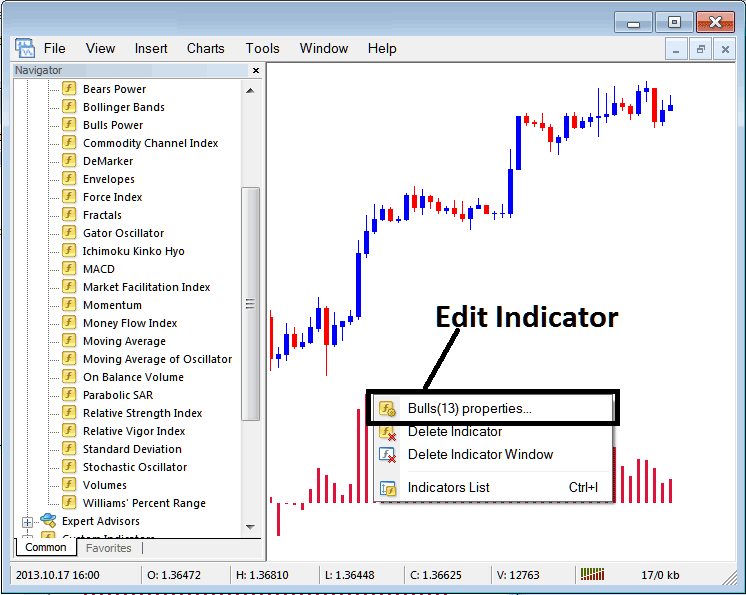
Edit Indicator Setting
To Change Settings, right click in Bulls Power Indicator, select property settings & then edit properties settings using the pop-up menu which pops & click okay once you change setting.
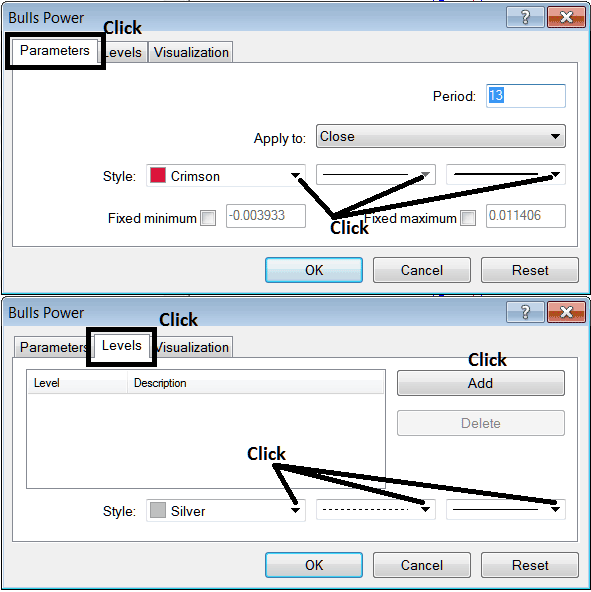
The subsequent window panel pop-up is displayed, allowing for the modification and editing of Indicator settings using this panel pop-up.
Learn More Topics & Tutorials:
- Spotting Divergence Strategies
- Advantages of MQL5 Signals to Sellers & Providers
- Customizing & Arranging Charts Toolbars in MetaTrader 4 Trading Platform
- Bullish and Bearish Index Trade Signals
- What Time Does DJI 30 Indices Market Open?
- How to Trade IBEX35 Tutorial Lesson to Trade IBEX35 Index
- DAX 30 Signals Trade Strategies
- What's Pips Value for IT40 Index?
- How is HangSeng50 Traded on the MetaTrader 4 Trading Platform?
- What's DowJones 30 Spreads? DowJones30 Spread
