Place Gator Oscillator on Chart on MT4 Platform
This learn indices course will describe how to add the Gator Oscillator on Chart on the MetaTrader 4 Software. For Technical Analysis: Technical Analysis of Gator Oscillator.
How to Place Technical Indicators on MT4 Index Charts
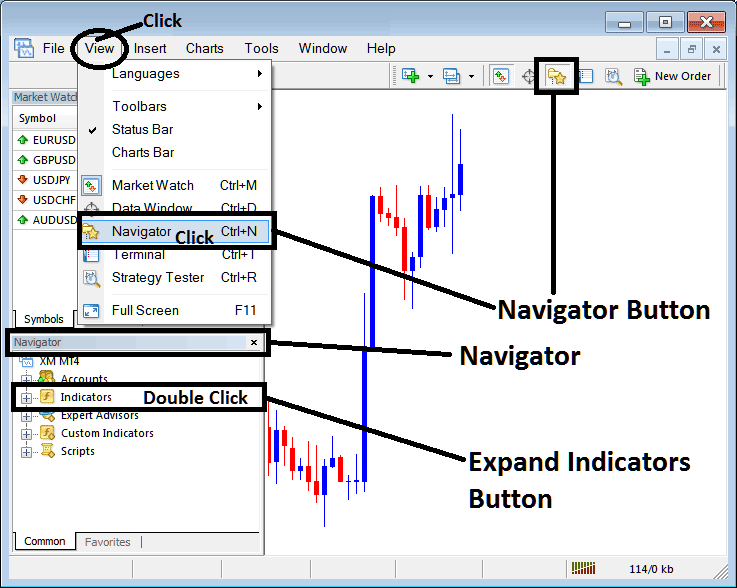
Step 1: Open The Platform Navigator Window
Open the Navigator window panel just as illustrated & shown below: Navigate to the 'View' menu (click it) & then select 'Navigator' panel window (click), or From Standard Tool Bar click on 'Navigator' button or press shortcut key board keys 'Ctrl+N'
On Navigator window, choose 'Indicators', (DoubleClick)
Step 2: Expand Indicators Menu on the Navigator
Open the menu by pressing the plus sign (+) button or click the 'indicators' menu two times, after which the button turns into a minus sign (-) and appears as a list, like what is shown in the picture below.
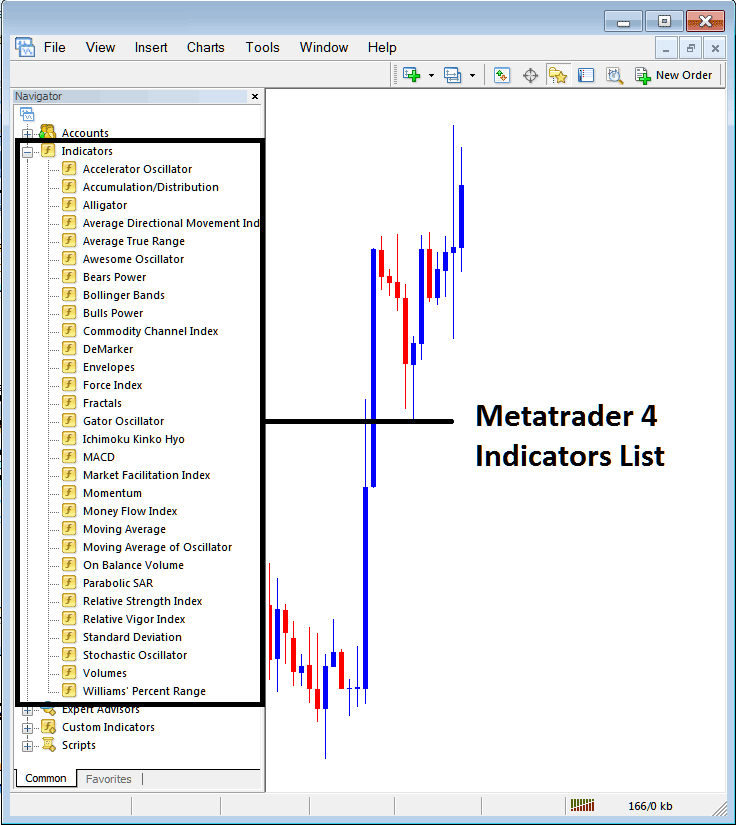
From the Above window then you can add any indicator which you as a trader need onto the chart.
Placing and Adding Gator Indicator in Chart
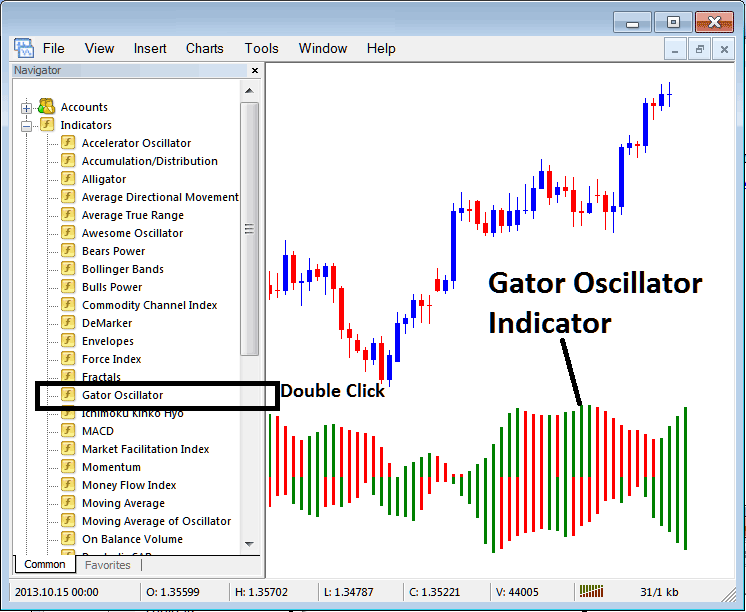
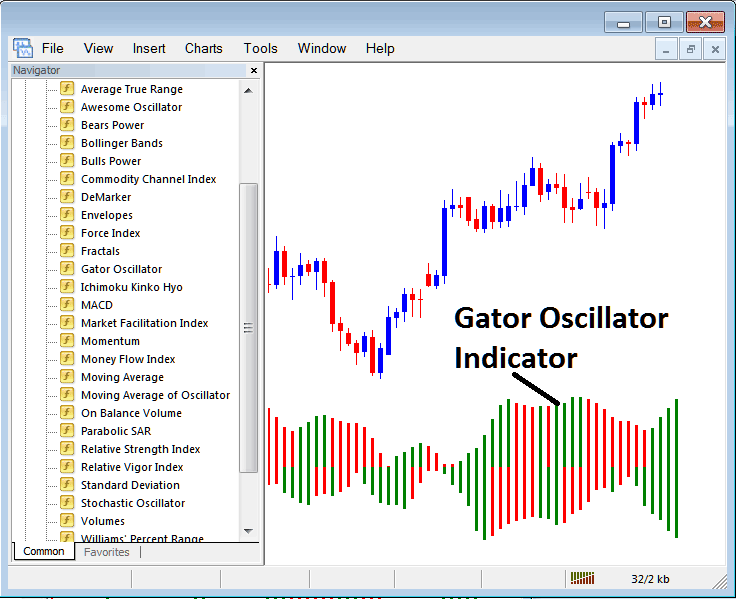
Step 1: Select/Choose the Gator Oscillator button in MT4 list of indicators like is shown below:
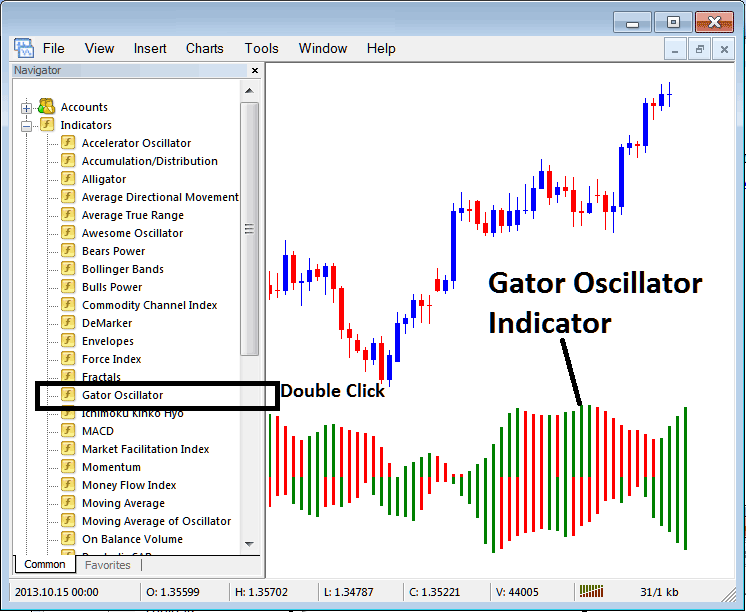
Step 2: Double-click the Indicator button and then click okay to add the technical indicator to the chart, as shown here:
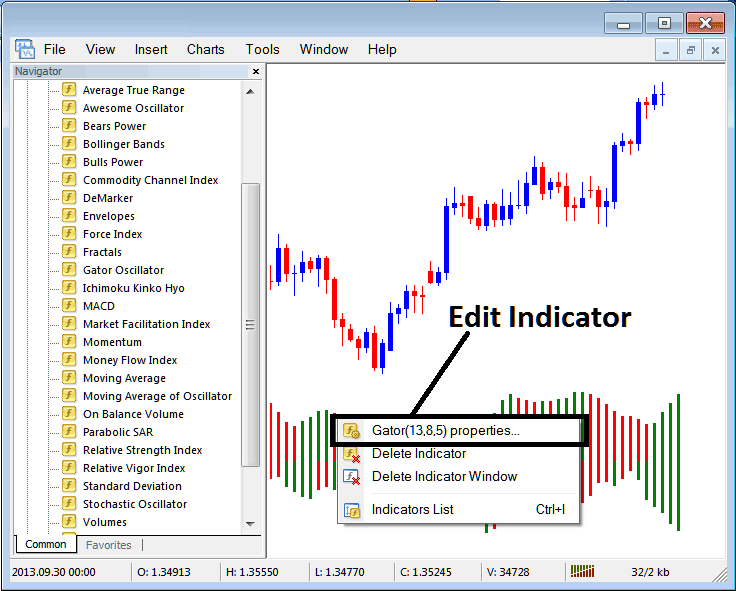
Edit Indicator Settings
To change settings, right-click the Indicator, pick properties, then change the settings using the window that appears, and click ok after changing anything.
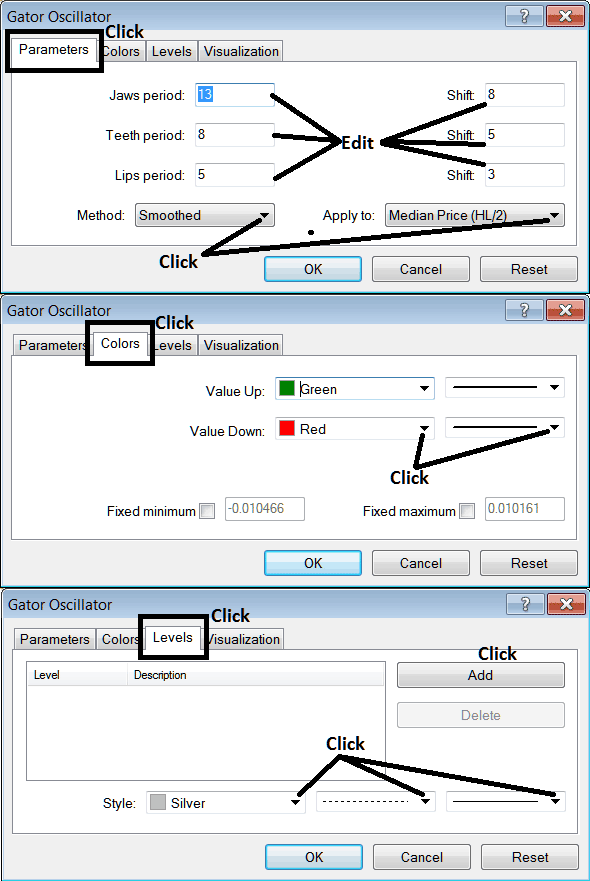
The following window panel pop up pops up and settings can be changed and edited using this panel window popup.
More Topics:
- What is a Candles Chart?
- How to Calculate Pips on SPX 500 Indices
- Best Combination of Indicators Training Guide
- How Do I Trade Index in MetaTrader 4 iPhone Mobile App
- SP 500 Stock Index Trade Definition
- Can You Trade FTSE MIB 40 in MT5 Platform?
- Stock Indices Sell Limit Trade Order Example
- How Do I Analyze MT5 Fibonacci Extension Indicator in MT5 Trading Platform?
- How to Analyze a Upward Trend in Charts
