How to Use MT4 EA Strategy Tester Lesson PDF
The MetaTrader 4 simulator in MT4 lets you test an Expert Advisor's profits. This EA is an auto-trading program. You check the EA's strategy for indices. Then you tweak it until it makes solid gains from auto trades.
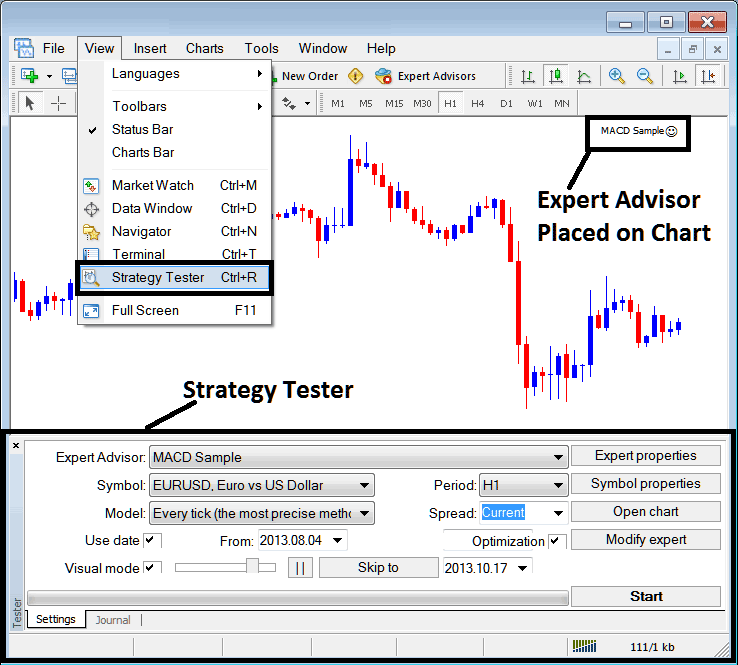
Before you dive into the MT4 Strategy Tester (the one shown below), make sure you attach your stock EA to the MT4 chart. Just open the Navigator window, find your EA, right-click, and pick ‘Attach to Chart.' You'll see it pop up, just like in the screenshots. Don't forget to right-click on the EA, open up the properties, and check the box for ‘Allow Live Trade' before moving on with the strategy tester.
Turn on the strategy tester in MetaTrader 4 from the view menu. It's near the end there. Or hit Ctrl+R on your keys.
The MT4 Method Tester includes settings for Expert-Advisor Parameters that must be configured before testing an automated stock indices system (Expert-Advisor) and before optimizing the EA's profit potential.
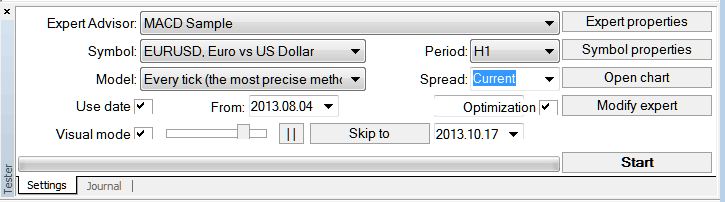
Expert Advisor: Pick the EA to test from those in your MT4 platform.
Symbol: The chart for which you as a trader want to test the stock EA on
Model: Whether to execute based on the tick method, open market prices or control points
Use Date: Set the date to begin the testing & the date to complete testing of the EA
Visual Mode: Choose this setting to observe a simulation of where the stock EA opens and closes trades throughout the testing phase: a slider is provided to accelerate or decelerate the speed within this visual simulation.
Period: Timeframe for which to use illustrations H1 Indices Chart
Optimization: Allow Optimization Settings for your Expert Advisor(EA) Automated Indices Robot
To see if the stock EA works well on a stock chart, you can set things up like the picture above shows, and then use the MetaTrader strategy tester by pressing the 'Start Button'.
Following trade results are generated and an automated trader can select to optimize the stock EA further by changing the Expert Advisors settings.
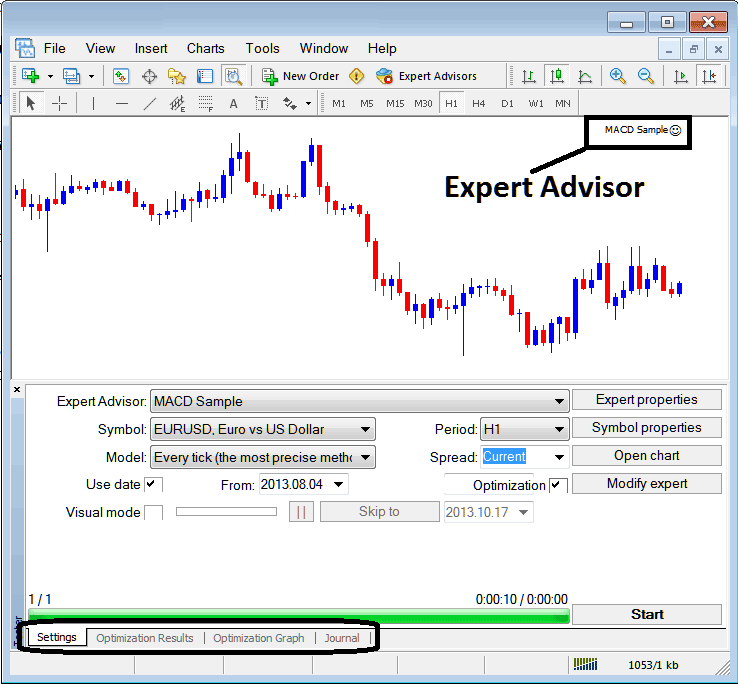
After the stock Expert Advisor's setup is done, the status bar will show progress, and above it, the status bar will show when the stock Expert Advisor's testing is finished.
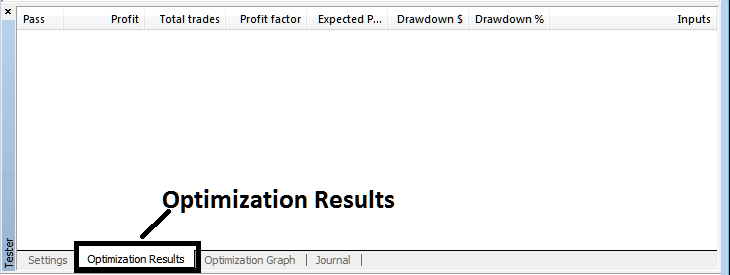
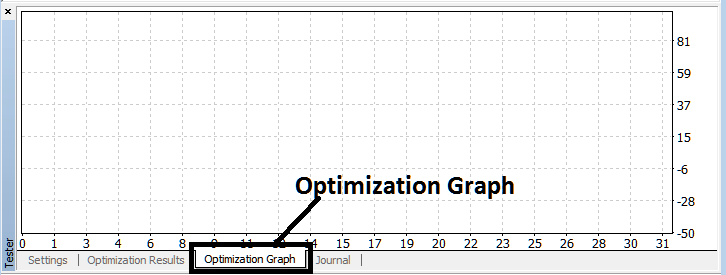
To view the results click on options high lighted above (Optimization Result, Optimization Graph, Journal)
Before initiating the MT4 Strategy Tester for running backtests on an Expert Advisor (EA) designed for Indices, you must navigate to the navigator pane, locate this specific stock EA, double-click it to link it to the active chart, and configure the necessary parameters - which are displayed and illustrated below - by activating the provided settings/checkboxes:
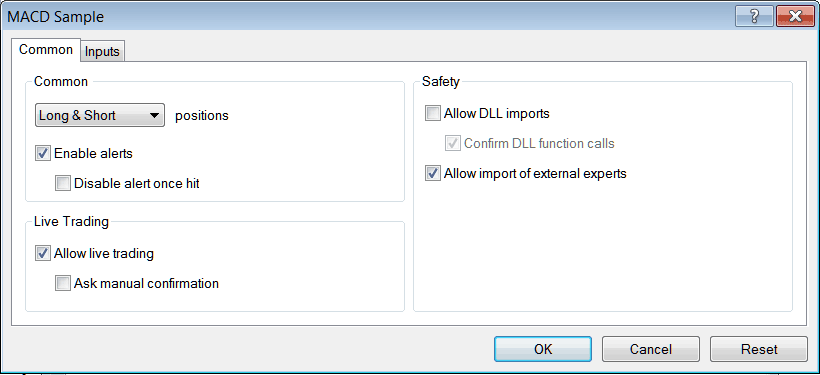
After setting up the above settings then you can test your automated strategy within MetaTrader 4 strategies tester.
Once you Run your EA(Expert Advisor) the Results will be displayed and shown on the following window
MetaTrader 4 Expert Advisor Strategies Tester Optimization Simulation Results
MT4 EA Strategy Simulator Tester Optimization Graph
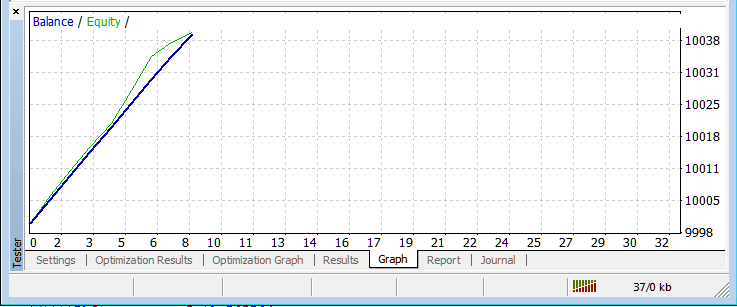
MetaTrader 4 Expert Advisor Strategy Simulator Balance & Equity Graph
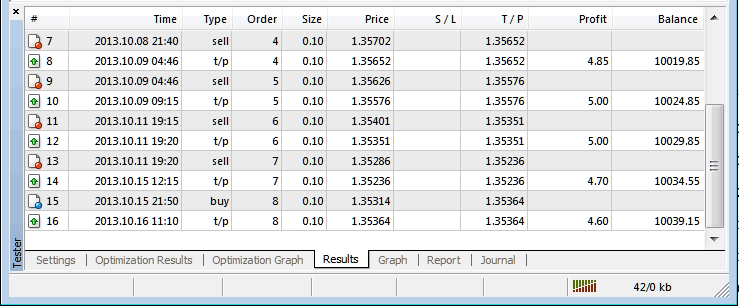
MT4 EA Strategy Tester Profit and Loss Graph
Above is just a brief intro to MetaTrader 4 strategy-tester - automated trading with EA Trading Bots is a wide topic that one will take some time & research to learn about but the main environment to test & optimize the stock EA automated stock bot will be the MetaTrader 4 EA Strategy Simulator.
Note: You can only test an Automated Indices Expert Advisor using data which has been downloaded and saved on your MT4, hence for the date settings select the dates that you have been trading with your MetaTrader 4 to get a graph representation of how your automated stock Expert Advisor would trade.
Study More Guides and Tutorials:
- Bollinger Band Trading Indicator Patterns and Continuation Stock Index Signal
- How to Add EU 50 in MetaTrader 5 EU 50 iPad App
- SWI 20 Indices Trading Trade Method How to Create Stock Indices Trading Strategy for SWI20 Training Course
- How to Add Money Flow Index Technical Indicator in Trading Chart in MetaTrader 4 Software Platform
- S&P 500 Trade Strategies How to Make Strategy for S&P Guide Tutorial
- How to Trade Index with Stochastics Indicator Stock Index Indicator
- XM Index Broker Review
- AS 51 Strategy List and Best AS 51 Trading Method to Trade AS 51
- FTSE MIB 40 Indices Signal Strategy
- What's Margin Requirement for 1 Contract of AUS200 Index?
