Place Moving Average Oscillator Indicator in Chart in MetaTrader 4 Platform Software
This learn trading tutorial will describe how to place Moving Average MA of Oscillator on Chart in the MT4. For analysis: Technical analysis of trading all Trading Indicators.
How to Place Technical Indicators on MT4 Stock Charts
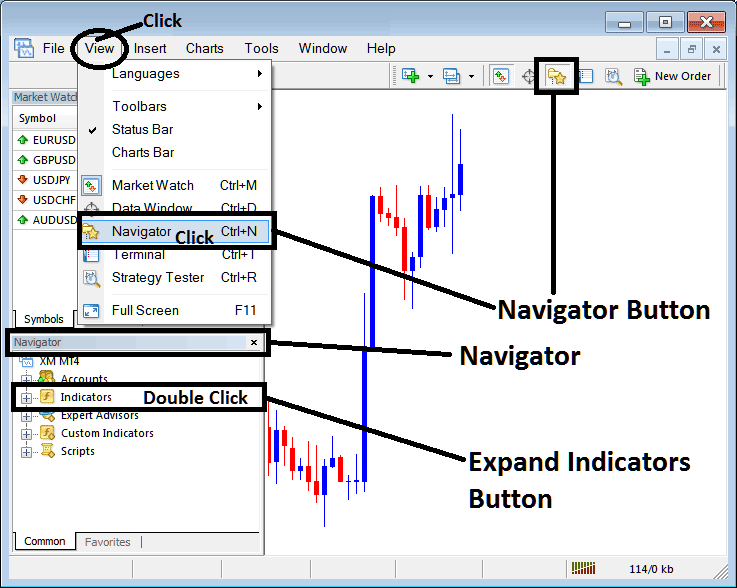
Step 1: Open The Software Navigator Window
Open the Navigator window just as displayed and illustrated below: Navigate to the 'View' menu (click on it) & then select 'Navigator' window (click), or From Standard Tool Bar click on 'Navigator' button or press shortcut key board keys 'Ctrl+N'
On Navigator window, select 'Indicators', (DoubleClick)
Step 2: Expand Indicators Menu on the Navigator
Unpack this listing by engaging the expansion tool marked with a plus symbol ("+") or by double-clicking the 'indicators' heading: subsequently, this specific icon will transform into a minus sign (-) and display a resultant list as shown beneath.
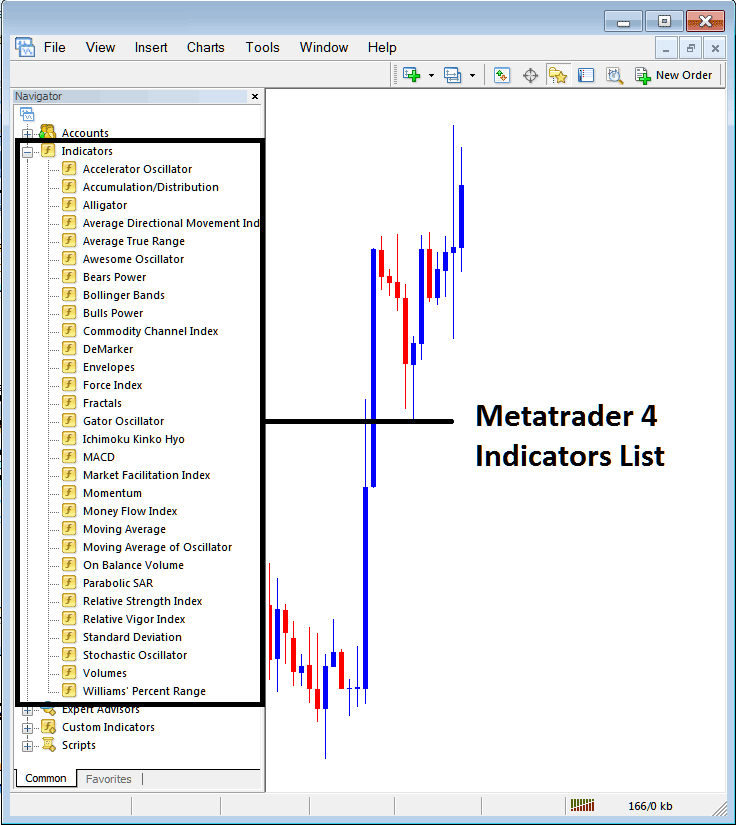
From the previous window, traders can integrate any technical indicator of their choice into the chart.
Placing Moving Average of Oscillator Indicator on a Chart
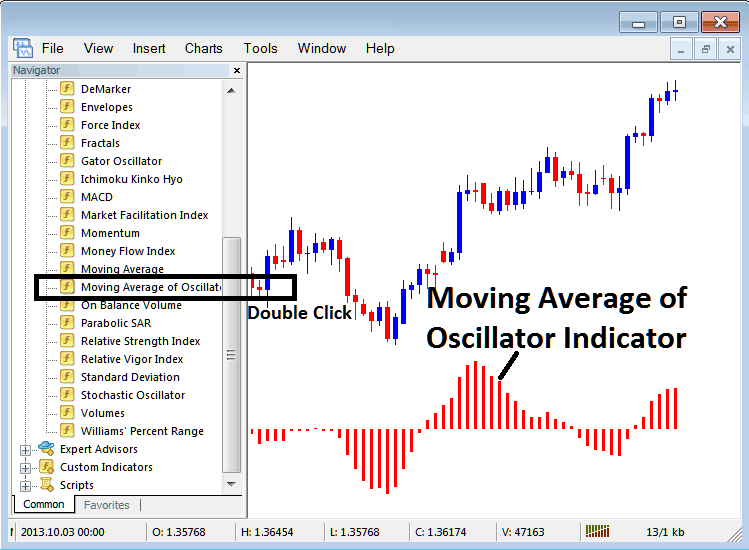
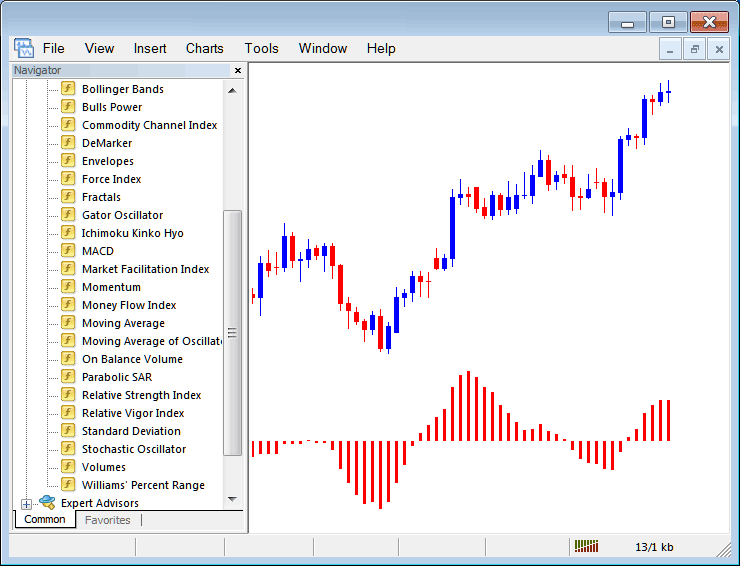
Step 1: Select/Choose the Moving Average MA of Oscillator button on MT4 list of indicators just as illustrated below:
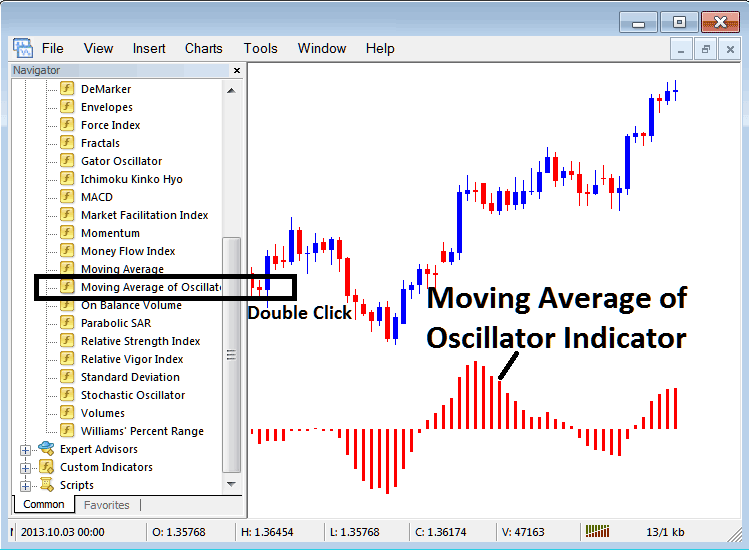
Step 2: Click the Button two times, and then click ok to add the indicator to the chart as shown below.
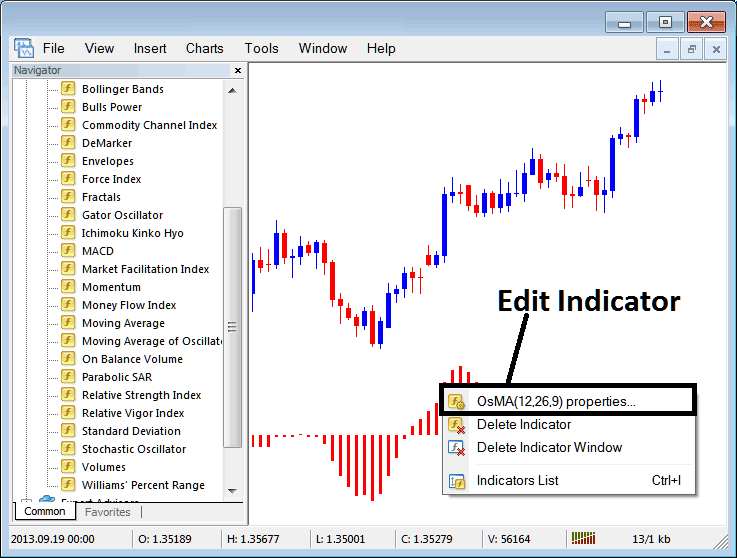
Edit OSMA Indicator Settings
To Adjust Setting, right-click on Indicator, select properties setting & then edit properties settings using pop up menu which pops and click okay button.
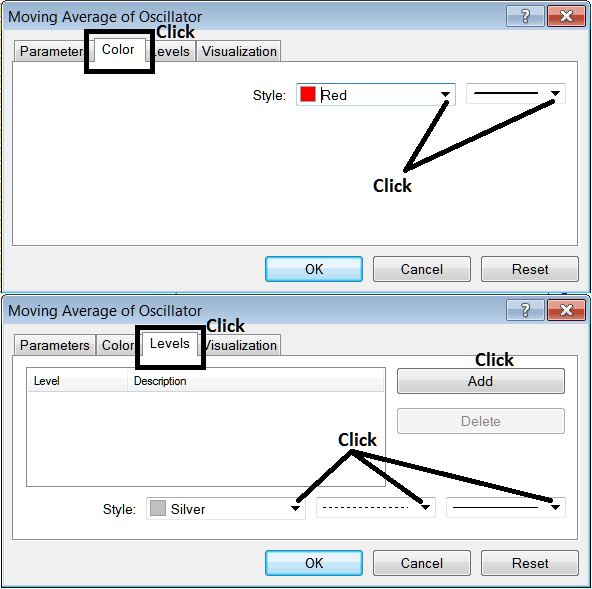
The ensuing overlay window appears, allowing changes and refinements to the Indicator's configuration via this specific pop-up window element.
Get More Lessons and Tutorials & Topics:
- What are Index in Trading?
- What is the Difference Between Stock Indices Cent and Mini Indices Account?
- How Do You Analyze a New Indices Order on MetaTrader 5 Stock Index iPad App?
- WallStreet30 Trade Strategy How to Develop Strategy for Trading WallStreet 30 Training Course
- 20 Pip Indices Price Range MA MA Indices Trading Strategy
- Strategy for Trading SWI 20 Indices
- How Do I Trade Index in MetaTrader 4 iPhone Mobile App
- How Can I Add Nikkei225 on MetaTrader 4 Android Trade App?
- Dow Jones Trading Strategies and Dow Jones Strategy
- What is IBEX35 Spread? IBEX35 Spread
