Where to Find CFD Margin Levels in MT4 Platform
CFD Margin Levels Shown on MT4
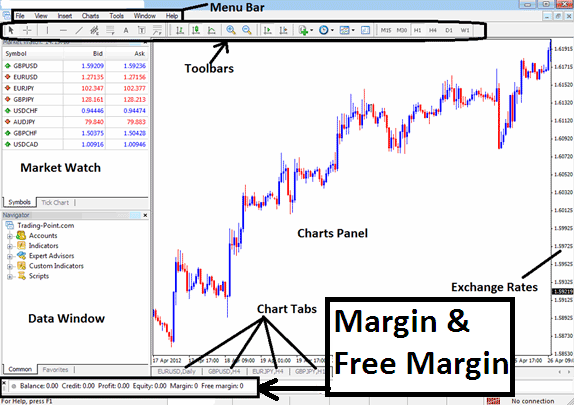
Where to Find CFD Margin Levels in MT4 Platform
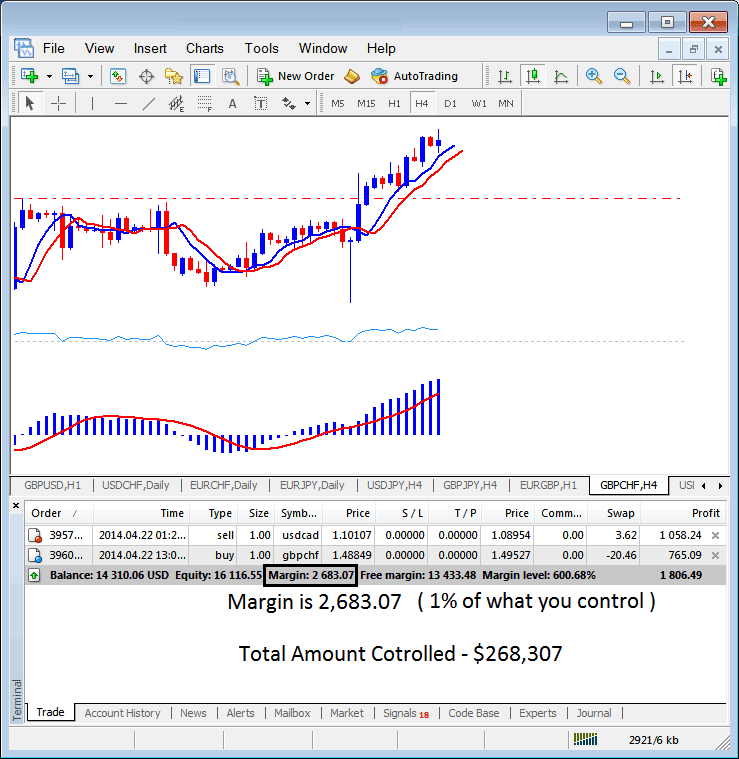
The cfd margin example on MT4 cfd Platform below, the set cfd trading leverage ratio is 100:1, the cfd margin which is 1% is $2683.07, therefore the total amount controlled by the trader is: $268,307 - this is because with this leverage the trader has used little of his money & borrowed the rest, with this set at 100:1, the trader is using 1% of their capital, this 1% is equal to $2683.07, if 1% is equivalent to $2683.07 then 100% is $268,307
MT4 CFDs Margin Calculator - Calculating CFDs Margin in MT4 Explained
In the above image example, the trader is using $2683.07, the total controlled amount is $268,307, but account equity is 16,116.55, therefore used cfd leverage is ($268,307 divide by 16,116.55) = 16.64 : 1
16.64 : 1
In the cfd account above the Margin Used in opening the CFD Trades is calculated on the MT4 trade transactions window.