How to Add EA on your MT4 Platform - How to Activate Expert Advisor in MT4 Software
How to Install EA on your MT4 Platform
Before beginning to trade with an Automated Forex EA you must first attach a forex EA on a MT4 chart.
To attach a forex EA on a MT4 chart - go to the MT4 Navigator Window, then select the forex EA that you want to place on the forex chart - and then right click on it and specify the option "Attach to Chart", once the EA is attached to the MT4 chart it will appear as is illustrated below - Then Right Click on the Expert Advisor, choose properties & then choose the option by Checking "Allow Live Trading" and the Automated Expert Advisor can now start executing trades on the MT4 Forex Trading platform.
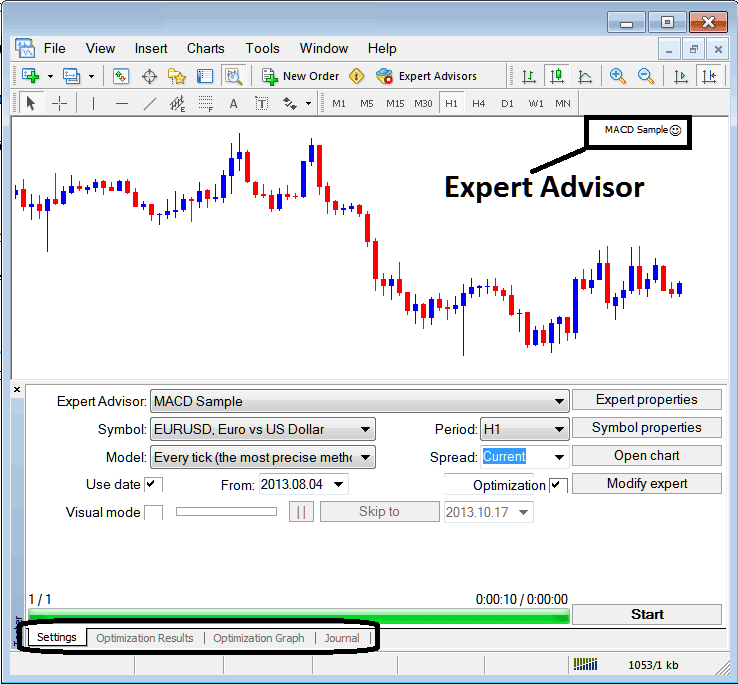
Selecting Forex Expert Advisor you want to Add Among those Installed on your MetaTrader 4 Software
For an EA to Appear on the Navigator Window you must first download and install the EA on your trading platform. To learn how to add a download forex EA before Activating The Forex Expert Advisor follow the MT4 EA install guide below.
If you are a Forex Trader Looking for Expert Advisor Forex Bots, then you can find them on the MT4 EAs Library.
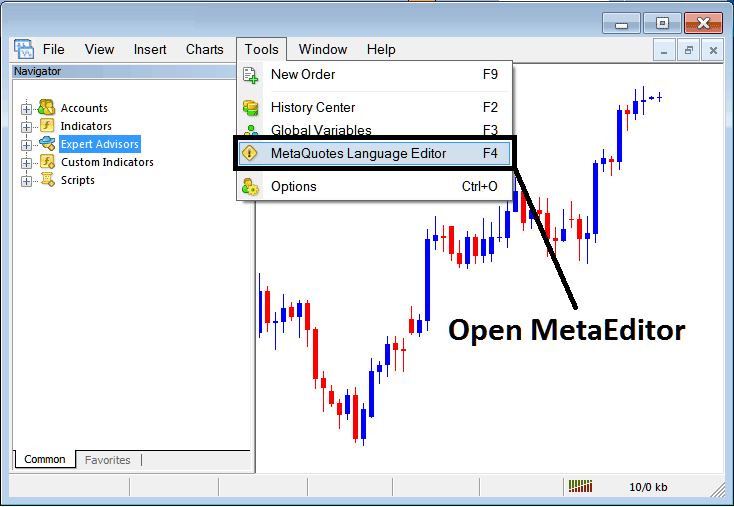
Open MetaEditor in MT4
MetaEditor

After Adding a new MT4 Expert Advisor, a trader will be required to compile this newly added item so that it can now be recognized by the MT4 Forex trading software & for this new item to start to appear on the list of available MT4 EAs.
Adding a New MetaTrader 4 Expert Advisor
Once you have opened the MT4 MetaEditor Work Space as shown above, Short Cut Keys - Press F4, then follow the steps below to add your new MetaTrader 4 EA.
Step1: Go To File Menu, Select "New"
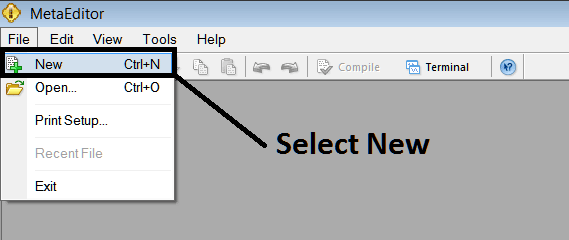
Adding a New Custom EA in MT4
Step2: On the Popup window that pops up select "Expert Advisor"and click next as shown and illustrated below
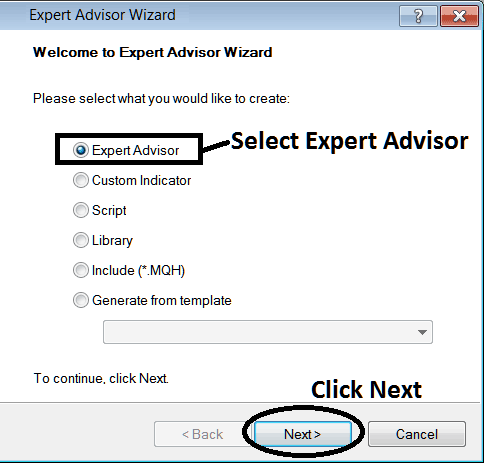
Adding MT4 EA in MT4 MetaEditor
Step3: Enter Name of Expert Advisor as Shown Below and Click Finish