How to Add XAUUSD Expert-Advisor on your MT4 Gold Trading Platform
How to Install Expert-Advisor on your MT4 XAUUSD Trading Platform
Before beginning to trade with an Automated Gold Expert Advisor you must first attach a xauusd EA in MetaTrader 4 xauusd chart.
To attach a xauusd EA in MetaTrader 4 gold chart - go to the MT4 Navigator Window, then select the xauusd trading Expert Advisor that you want to place on the gold chart - & then right click on the it & specify the option 'Attach to Chart', once the Expert Advisor is attached to MT4 gold chart it will appear as is illustrated below - Then Right Click on the Expert Advisor, choose properties and then choose the option by Ticking 'Allow Live Trading' & the Automated Gold EA can now start executing trades on the MT4 platform.
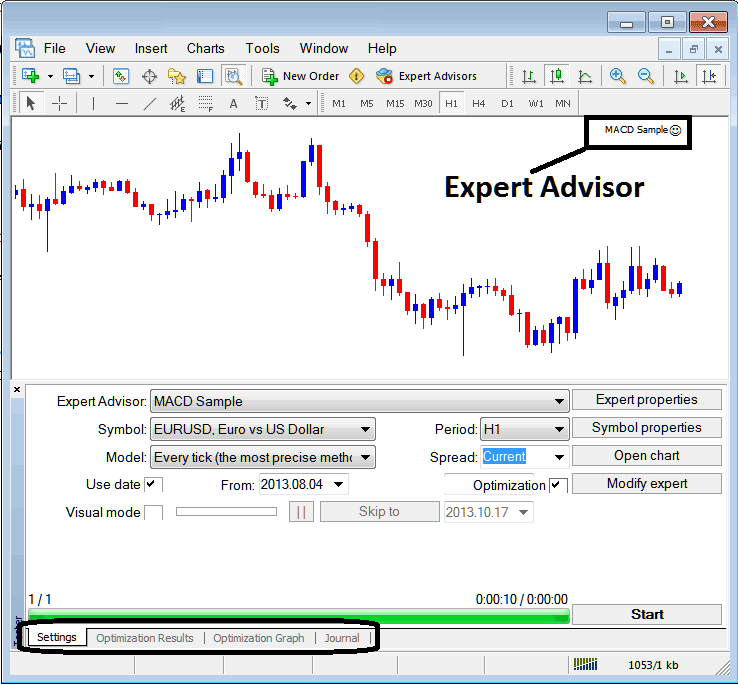
Selecting Expert Advisor you want to Add Among those Installed on your MT4 XAUUSD Trading Software
For an EA to Mobile Appear on the Navigator Panel you must first download and install the EA on your gold trading platform. To learn how to add a download xauusd trading Expert-Advisor before Activating The Gold EA follow the MT4 Gold Expert Advisor install tutorial below.
If you are a Gold Trader Looking for Expert-Advisor Gold Trading Bots, then you can find them on the MT4 Gold Expert Advisors Library.
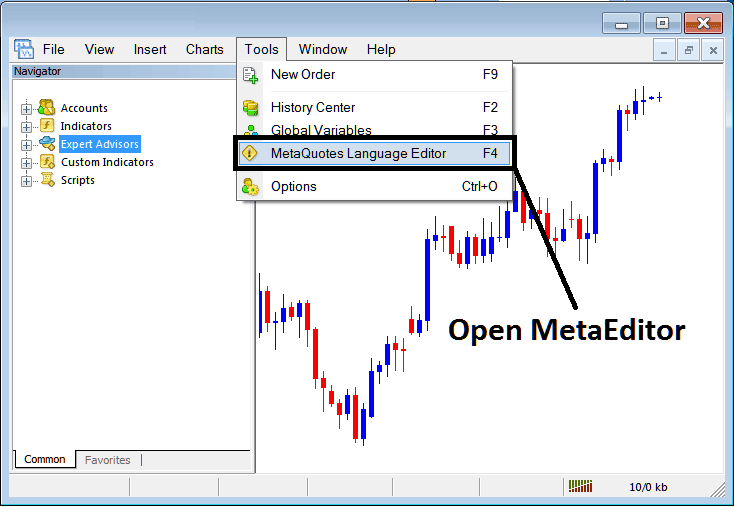
Open MetaEditor in MT4
MetaEditor

After Adding a new MT4 Gold Expert Advisor, a trader will be required to compile this newly added item so that it can now be recognized by the MT4 platform and for this new item to start to appear on the list of available MT4 Gold Expert Advisors.
Adding a New MetaTrader 4 XAUUSD Expert Advisor
Once you have opened the MT4 MetaEditor Work Space as shown above, Keyboard Short Cut Keys - Press F4, then follow the steps below to add your new MT4 Gold Expert Advisor.
Step1: Go To File Menu, Choose 'New'
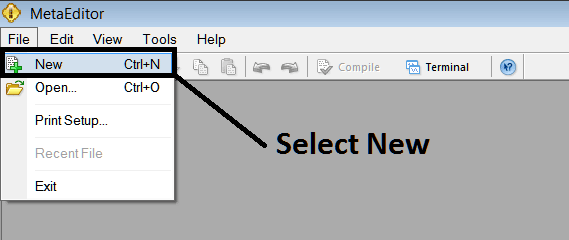
Adding a New Custom Expert-Advisor in MetaTrader 4
Step2: On Popup panel that pops up select "Expert-Advisor"and click next as displayed below
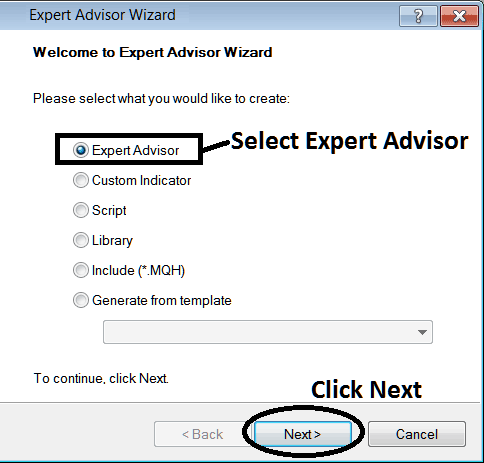
Adding MetaTrader 4 Gold Expert Advisor in MT4 MetaEditor
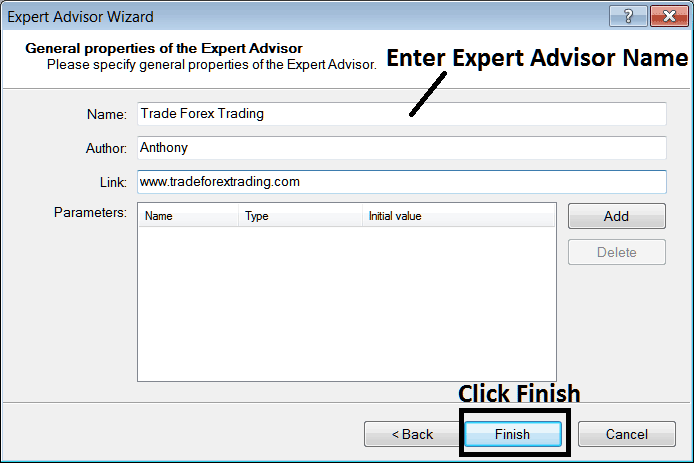
Step3: Enter Name of Expert-Advisor as Shown Below and Click Finish