Place and Add Alligator Stock Indicator on a Chart
This guide explains adding the Alligator indicator to MT4 charts. It covers technical analysis of the Alligator.
How to Add Indicators in MetaTrader 4 Stock Charts
Step 1: Open The Platform Navigator Window
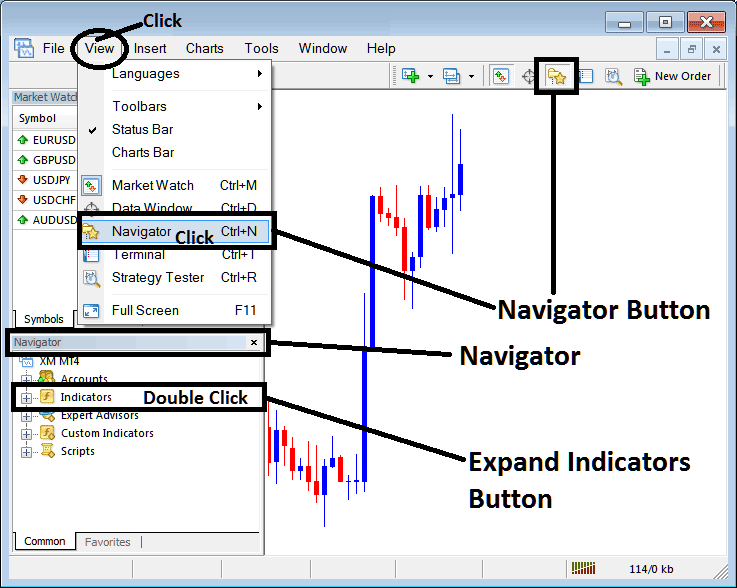
Open the Navigator window panel like illustrated & shown below: Navigate to the 'View' menu (click it) & then select 'Navigator' window (press), or From Standard ToolBar click on 'Navigator' button or press short cut key board keys 'Ctrl+N'
On Navigator panel, select 'Indicators', (Double-Press)
Step 2: Expand Indicators Menu on the Navigator
Open the indicators menu with the plus button or by double-clicking it. The button turns to a minus, revealing the list as shown below.
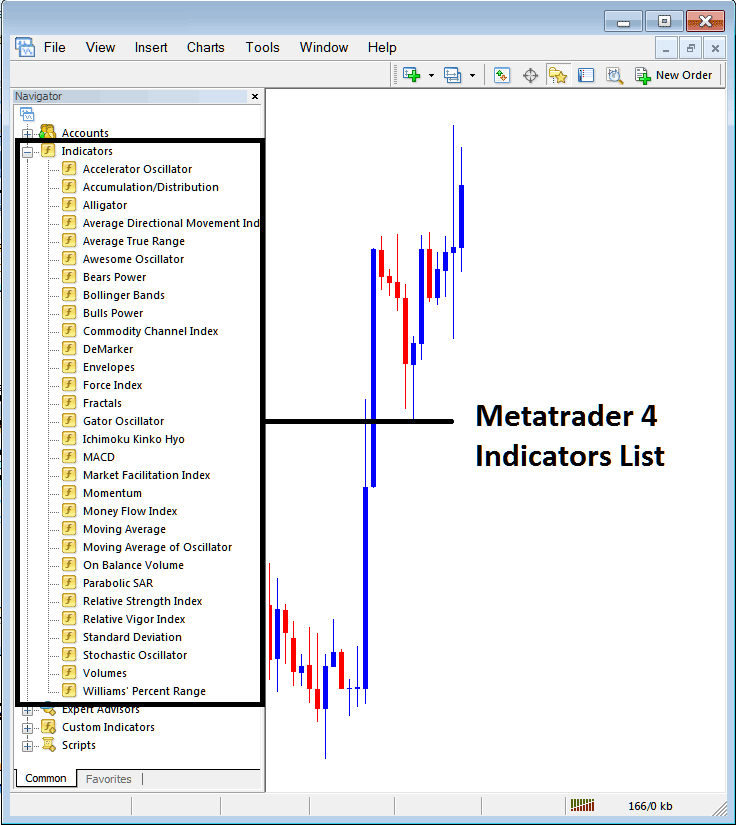
From the top panel, add any indicator you want to your stock chart.
Placing and Adding Alligator Indicator
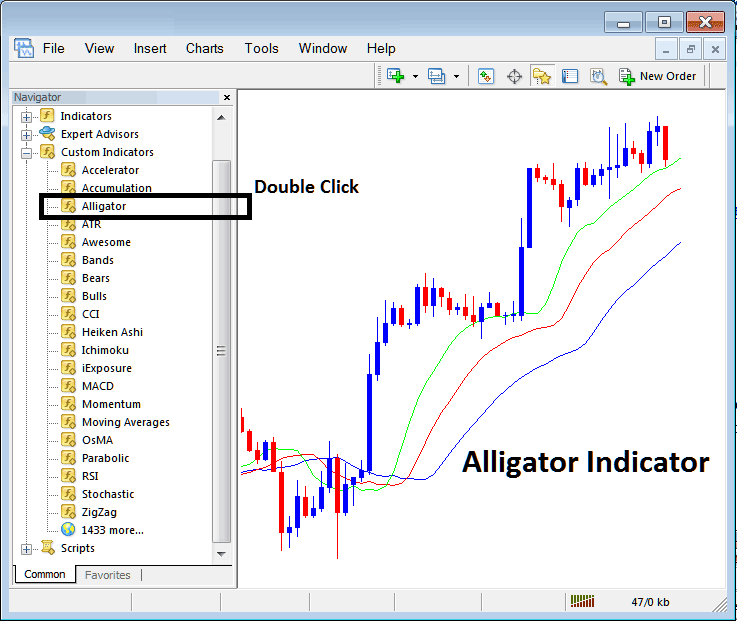
Step 1: Identify and select the 'Alligator' function from the MT4 repository of tools, mirroring the illustration provided in the subsequent explanation of the stock charting concept:
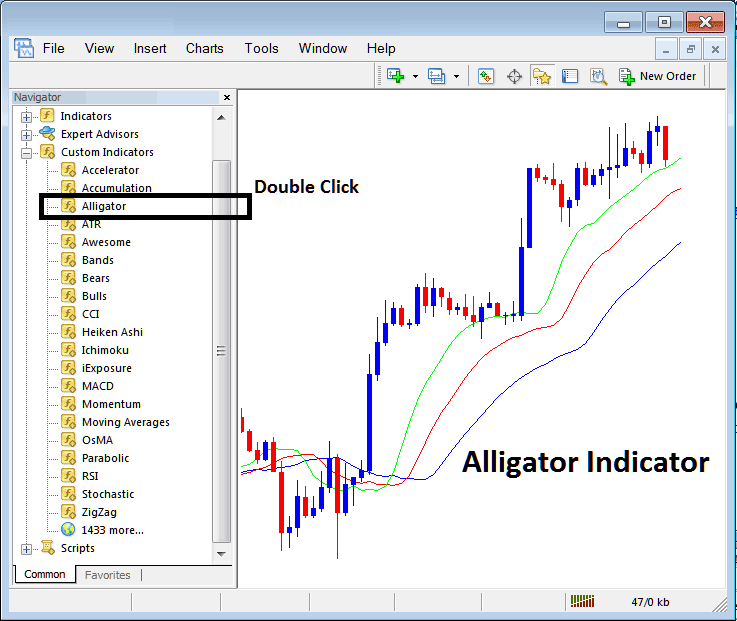
Step 2: Click two times on the Alligator Button, then click ok to put the indicator on the chart as you see below:
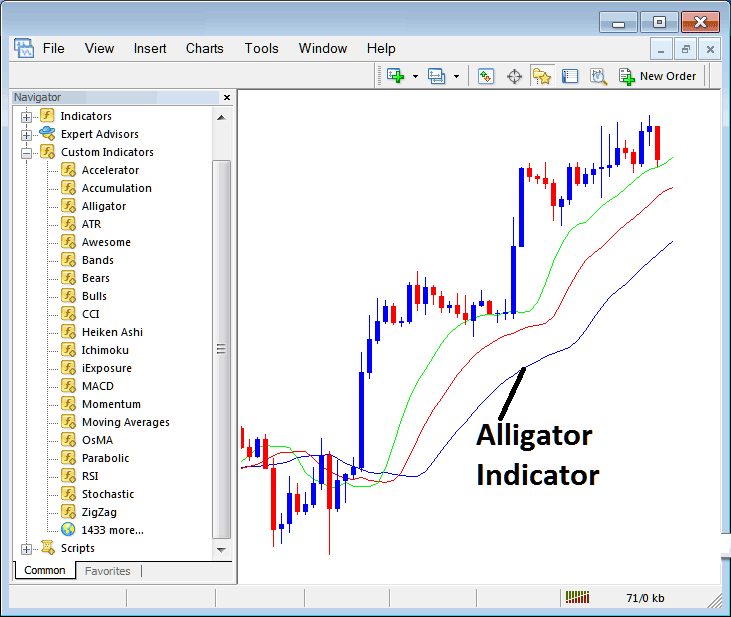
Edit Alligator Stock Indicator Settings
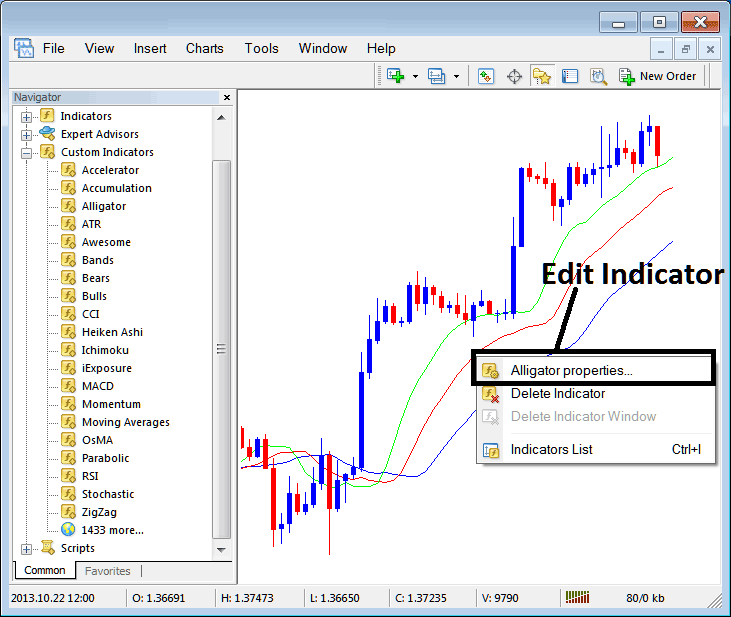
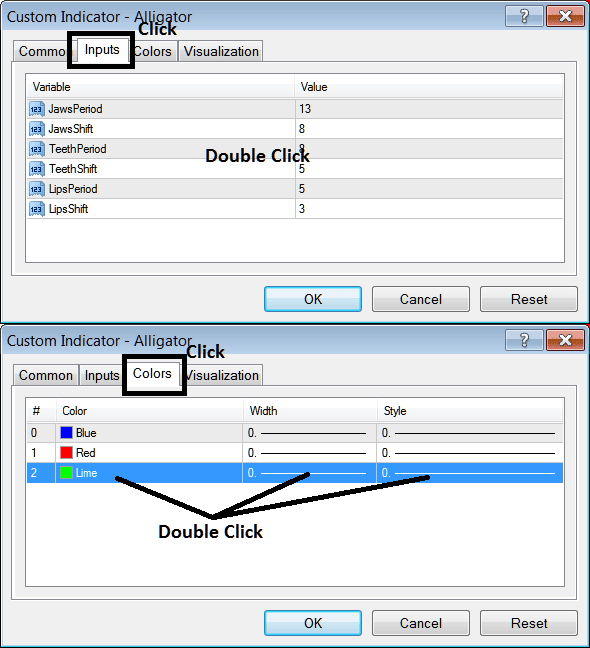
To Change Settings, right-click the Indicator, choose properties, then change settings using the window that appears: click okay after you change the settings.
The following window panel pop up pops up and Alligator settings can be changed and edited from this panel pop up.
Learn More Tutorials and Courses:
- What is AS 51 Index Chart?
- How Can I Add SX5E in MT5 Platform?
- How to Trade FRA40 Course Tutorial to FRA 40 Indices
- Stochastics Indicator Bullish Stock Indices Divergence and Bearish Divergence Stock Index Trading Patterns
- How Can I Add Index Quotes on MT4 Software Platform?
- Hidden Bullish Divergence Example vs Hidden Bearish Trading Divergence Example
- How Can I Add DowJones 30 in MT5 Platform?
- Accumulation/Distribution Stock Index Technical Indicator Analysis Index Signals
