Charts ToolBar Menu & How to Customize it in the MetaTrader 4
The Charts toolbar on the MT4 is illustrated below.
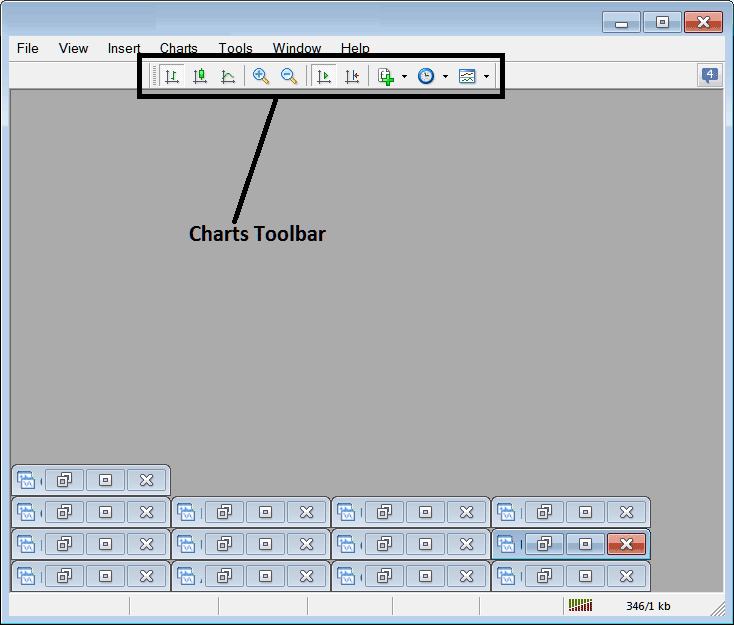
Before we cover each toolbar item, customize it first. Add all trading tools to the bar.
- Right Click at the customize button to the left toolbar (Looks like a stack of many coins) like shown below.
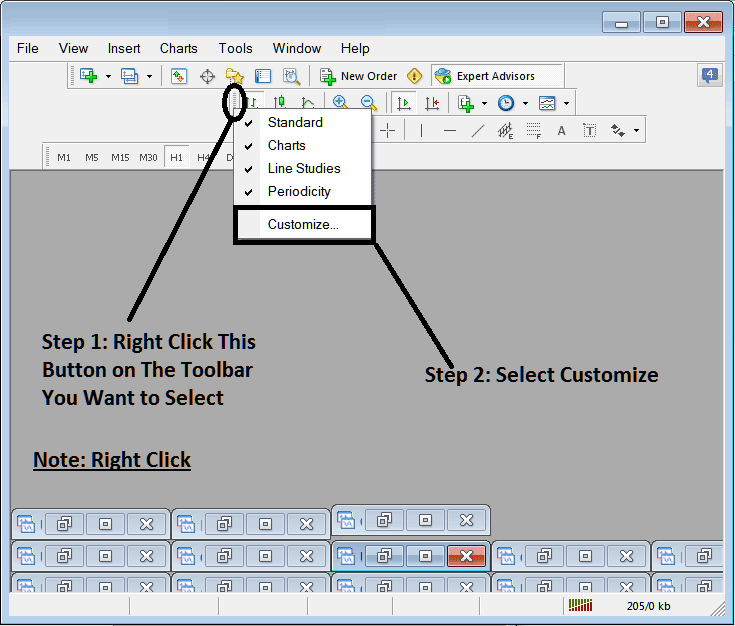
2. Click customize 3. Add all Tools
How to Customize
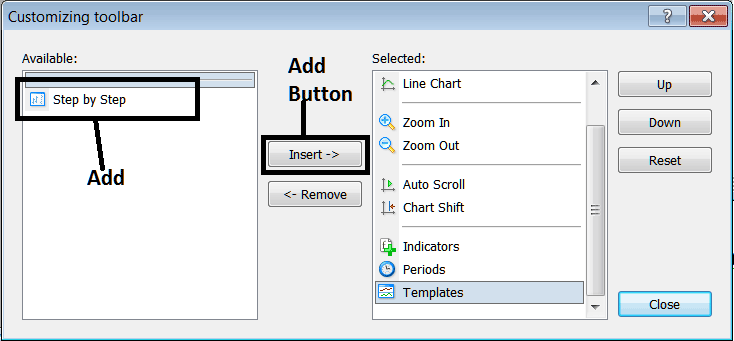
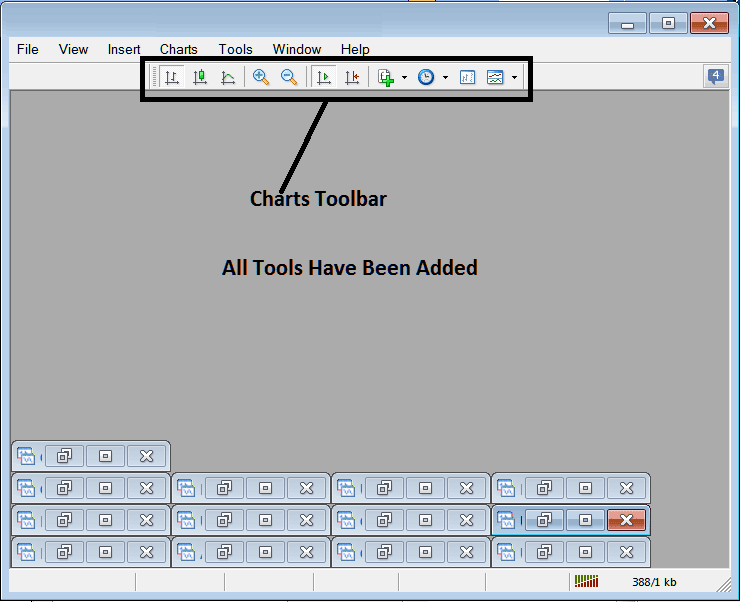
After adding customize panel window will look like:
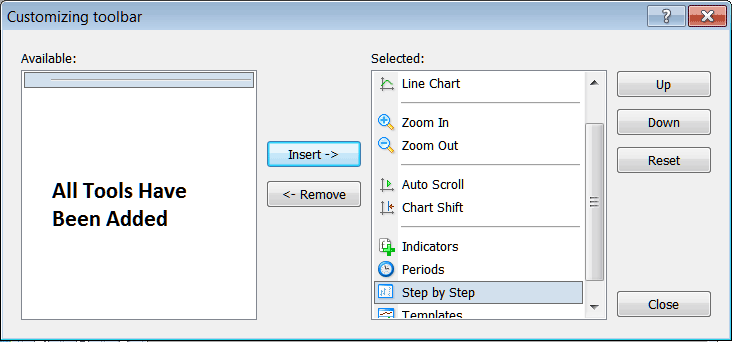
The tool-bar will now look like:
Explanations of Stock Tools Listed
The following course outlines how to trade using each of the buttons numbered below:

1: Bar button, sets the chart drawing technique to Bars
2: Candlesticks button, sets the chart drawing method to Candlesticks
3: Line button, sets the chart drawing technique to Line plot
4: Zoom In, zooms in
5: Zooms Out, zooms out
6: Auto Zoom automatically adjusts the chart to emphasize the most current stock price candlesticks immediately upon activation. This ensures that the visible price workspace displays the real-time candle currently being quoted.
Chart Shift moves the latest candle to the center. It adds space on the right edge of MT4. This aids your chart review.
8: Indicators menu indicates listing of all indicators and from this listing a trader can select a particular trading indicator, double-click on it to set it on the trading panel.
Periodicity lists all chart time frames. Click it to switch from your current one.
Indices Step by Step is a tool for backtesting manual indices systems. Here's how it works: you put your system on a stock chart, scroll back about two months, and then move forward one step at a time. As you go, you jot down every spot your strategy would've given a buy, sell, or exit signal - basically, it's like trading in real time while the prices update.
11: The Templates Button: Used for saving newly configured templates and for loading templates previously saved on the platform.
All the buttons provide short cut instead of traders looking for these option through the long way using main navigating menu, one just clicks a tool & gains quick access to it. The tool-bar will mainly contain the trading tools that are frequently used by a stock index trader within the MetaTrader 4 Software.
Study More Topics and Courses:
- RSI Swing Failure Index Trade Setup Trading Methods
- How to Trade JP225 on MT5 Platform Software
- About Index
- MetaTrader 4 Stock Index Charts Bar & Charts Tabs
- CAC 40 Strategies Lesson Guide
- How is Nikkei225 Traded on the MT4 Trade Platform?
