Place Demarker on Stock Chart on MT4 Platform
This Lesson Tutorial will describe how to place Demarker Technical Indicator on a Trading Chart on the MT4 Software. For Analysis: Technical Analysis of Demarker.
How to Set Indicators in MT4 Stock Charts
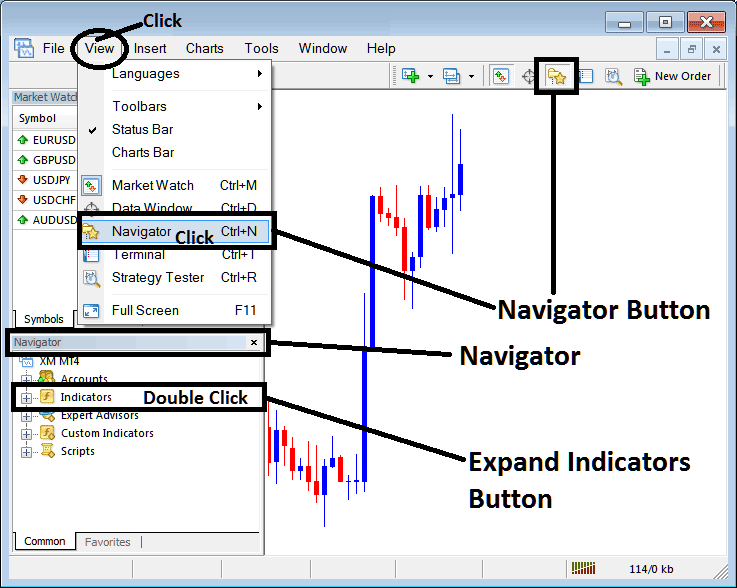
Step 1: Open The Platform Navigator Window
Open Navigator window like is shown and displayed below: Go to "View" menu (click on it) & then choose/select the "Navigator" window panel (click), or From Standard Tool Bar click the "Navigator" button key or press short cut key board keys "Ctrl+N"
On Navigator panel, choose 'Indicators', (Double Click)
Step 2: Expand the Technical Indicators Menu in the Navigator
Make the trading indicator menu bigger by clicking the plus + button tool label ' + ' or double-clicking the "indicators" menu, and then this button will be displayed as a minus (-) and it will show as a list like the one below.
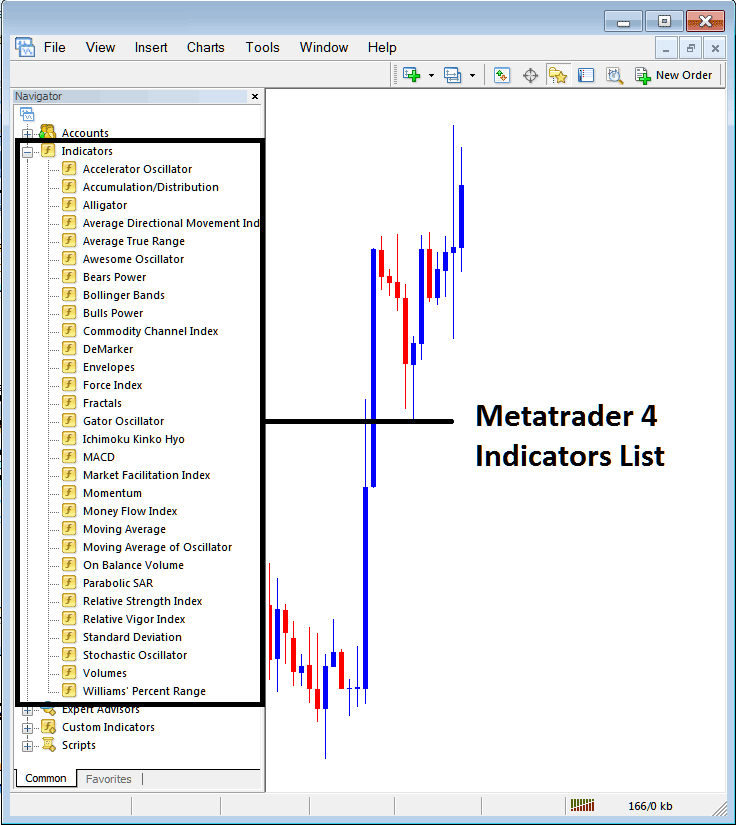
From Above window you can then add any technical indicator you as a trader want onto the trading chart.
Placing Demarker on a Chart
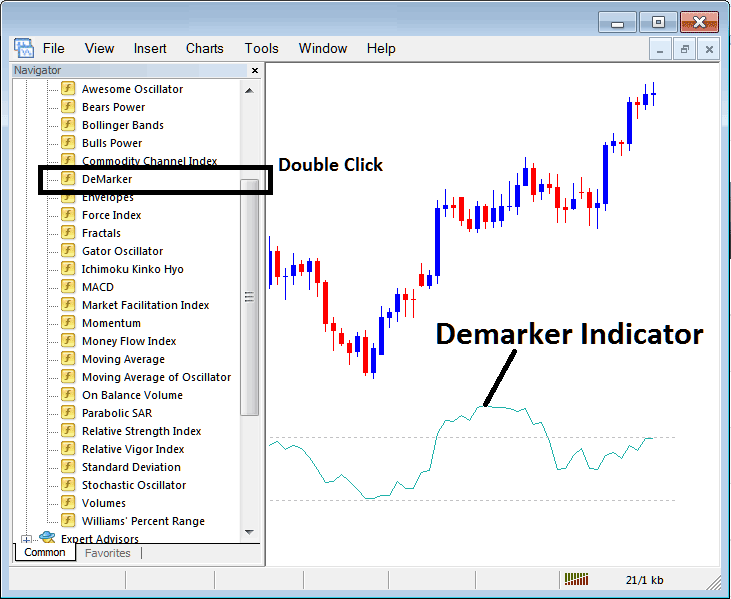
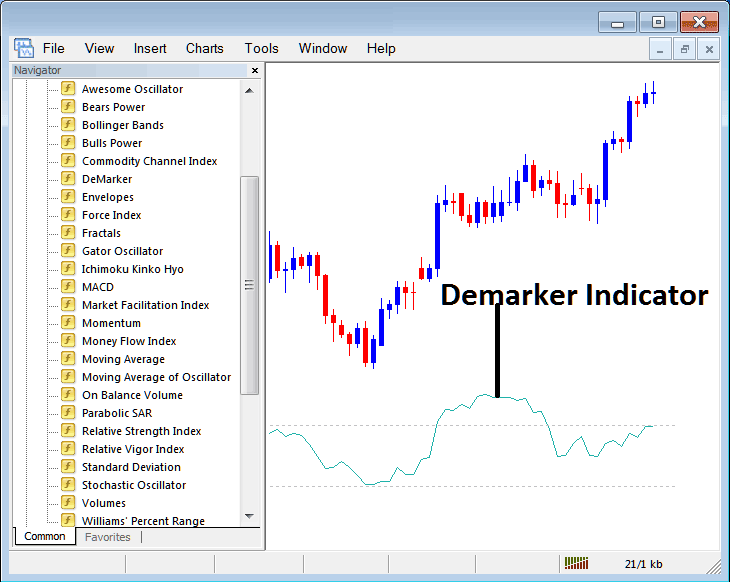
Step 1: Choose the Demarker button on the MetaTrader 4 list of indicators like as shown below:
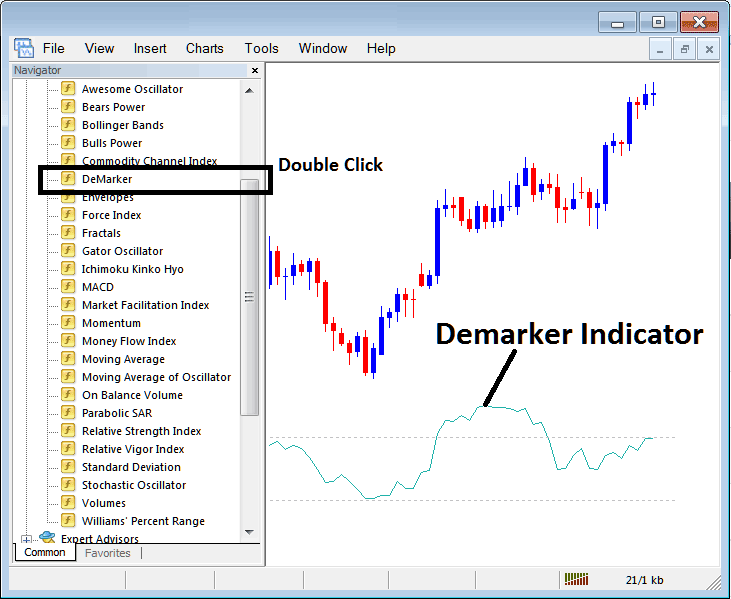
Step 2: Double-click the Demarker button and hit OK. This adds it to the stock chart as shown below.
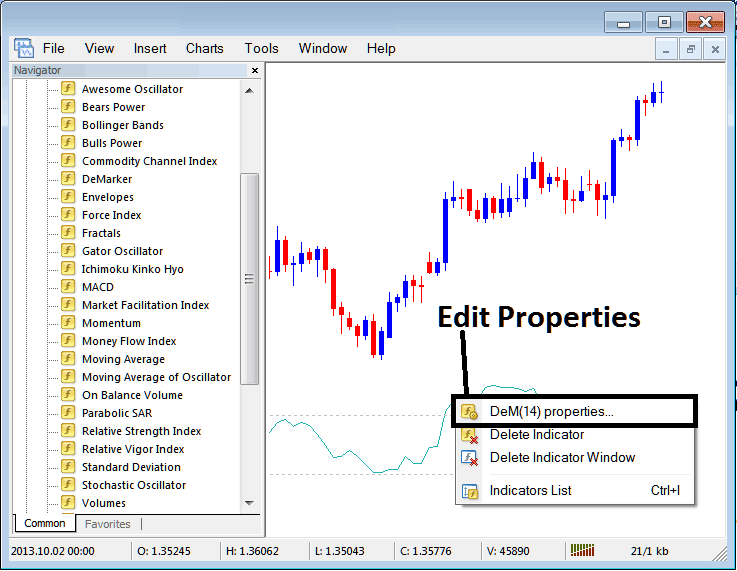
Edit Demarker Settings
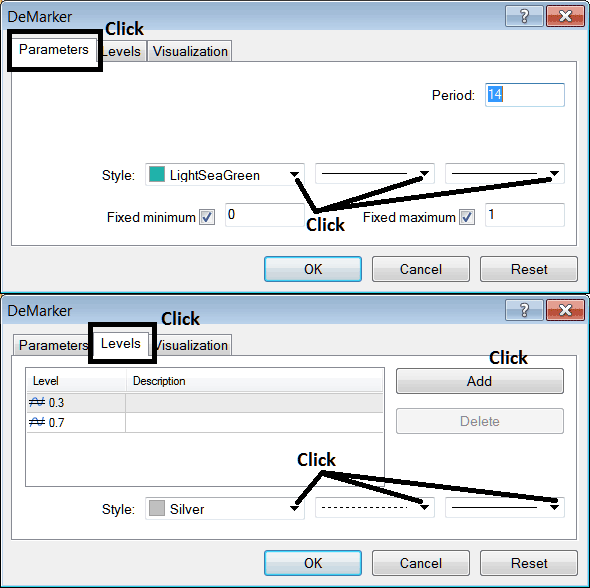
To Adjust Settings, right click in Demarker Trading Indicator, select property settings & then edit properties settings using the pop-up menu which pops & press ok button once you change setting.
The following panel window pop up appears and the settings can be changed & edited using this panel pop up.
Get More Courses and Tutorials:
- How Can I Place SWI 20 on MetaTrader 4 Mobile Trade App?
- How Can I Add FTSE in MetaTrader 4 Android App?
- How to Place SMI Index in MT4 Android App
- How to Place a Stock Index Sell Stop Order in MetaTrader 5 Index Chart
- Index Concept of Support and Resistance Levels to Trade Indices
- MA Envelope Index Indicator Analysis
- SWI 20 Trading Methods How to Develop Methods for SWI20 Lesson
- Moving Average Index Cross-over
