Place Moving Average on Stock Chart on MT4 Platform
This lesson shows you how to add a Moving Average to your trading chart in MT4. We'll look at technical analysis using moving averages.
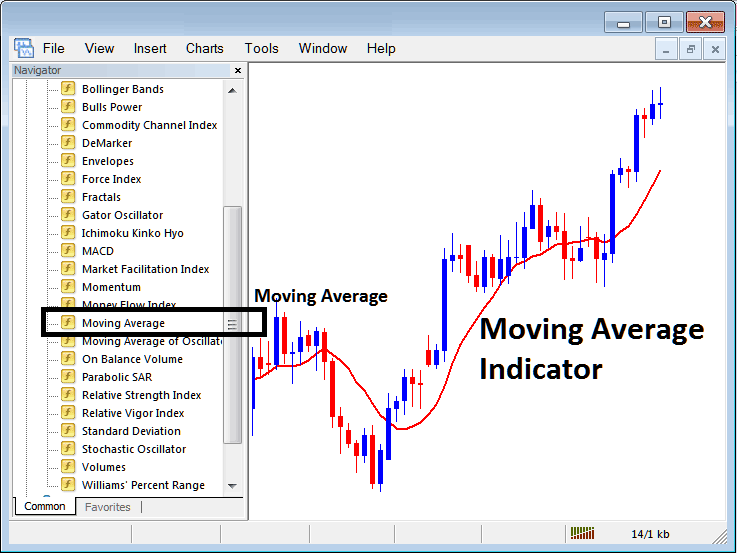
How to Set Technical Indicators on MT4 Indices Charts
Step 1: Open The Platform Navigator Panel
To open the Navigator panel in the MetaTrader 4 platform, follow these steps: Click on the "View" menu and select the "Navigator" option, or use the standard toolbar by clicking the "Navigator" button. You can also use the shortcut keys "Ctrl+N" for quick access.
On Navigator window, choose 'Technical Indicators', (Double Click)
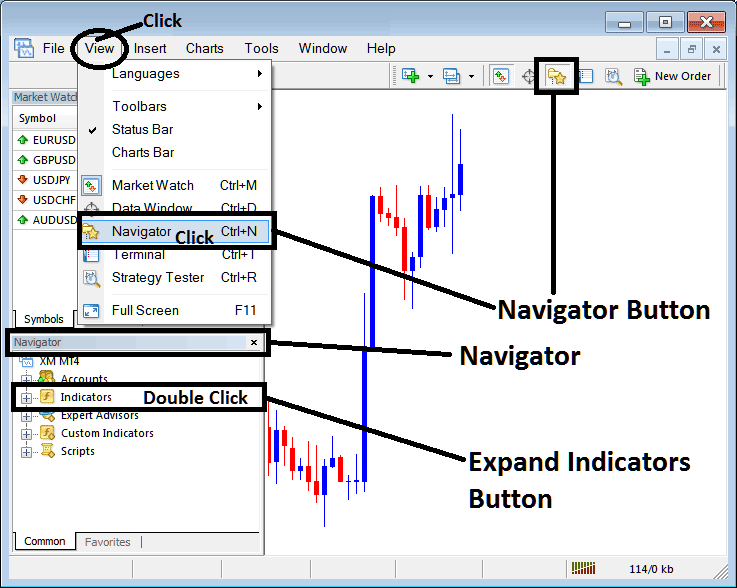
Step 2: Expand Indicators Menu on the Navigator
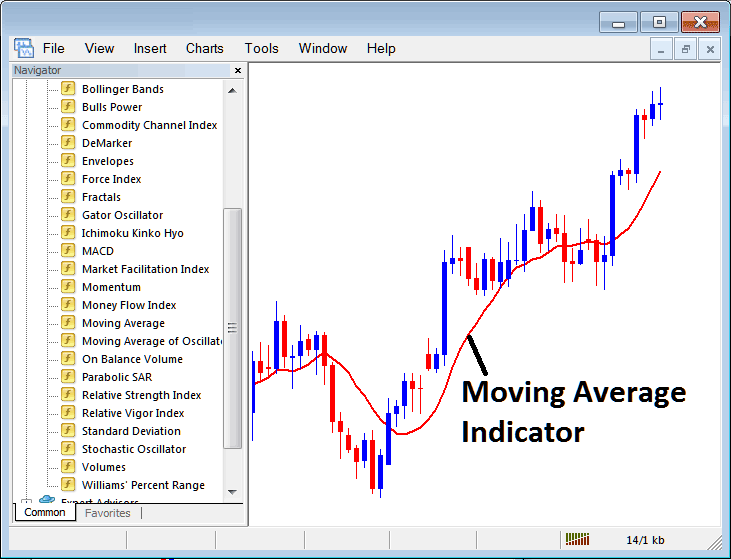
To extend this section of the menu, either click on the expansion tool symbol indicated by a '+' sign or perform a double-click on the "indicators" menu item: this action will subsequently change the symbol to a '–' and display the contents in a listed format, similar to the illustration provided below.
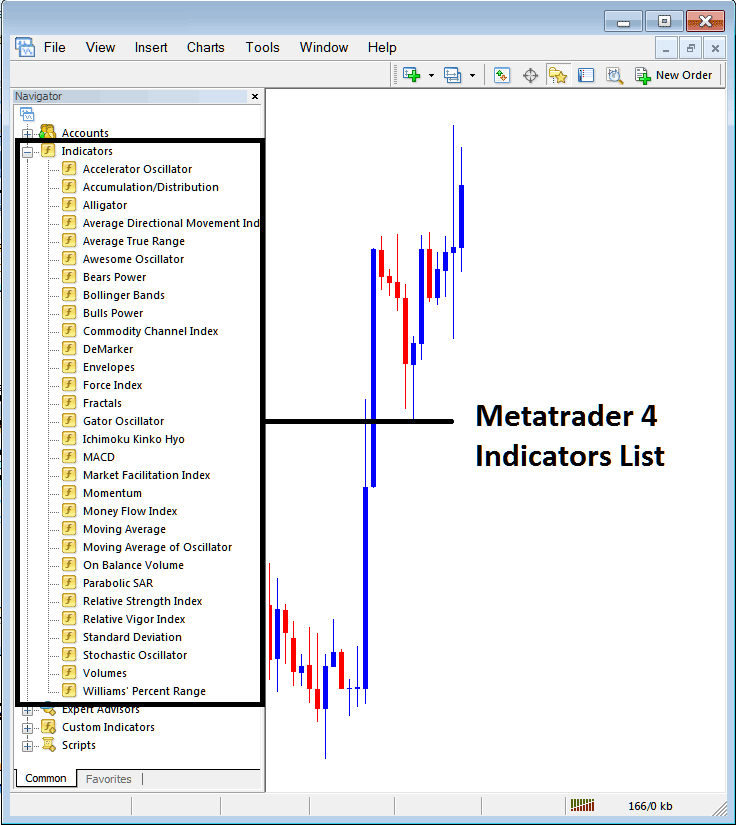
From Above window panel you then can add any technical indicator that you as a trader want on Indices chart.
Placing MA on Indices Chart
Step 1: Select/Choose the Moving Average button key from the MT4 list of indicators as shown below:
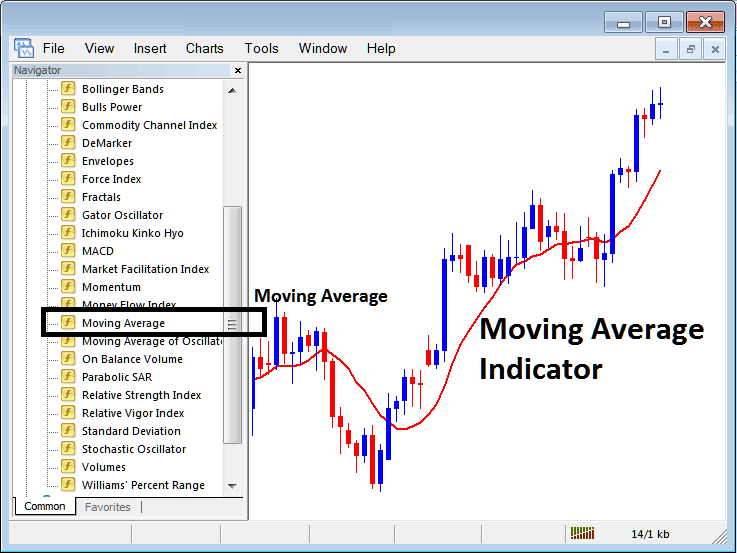
Step 2: Double-click the Moving Average button. Then click OK to add the indicator to the chart as shown.
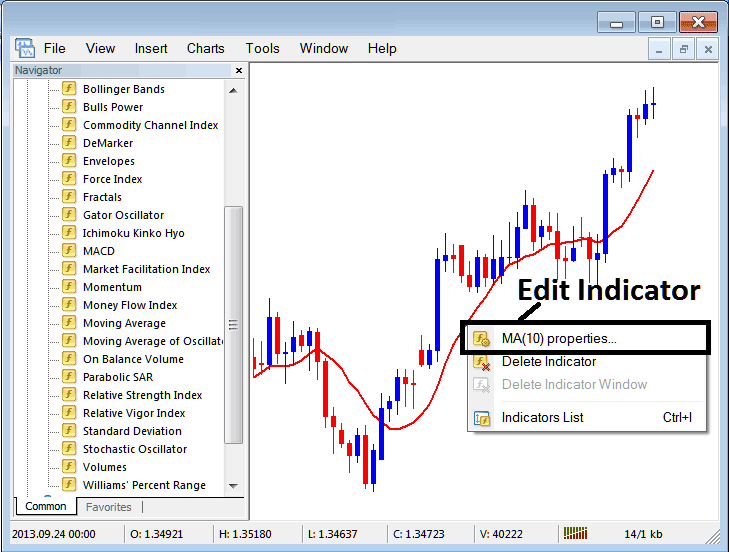
Edit Indicator Setting
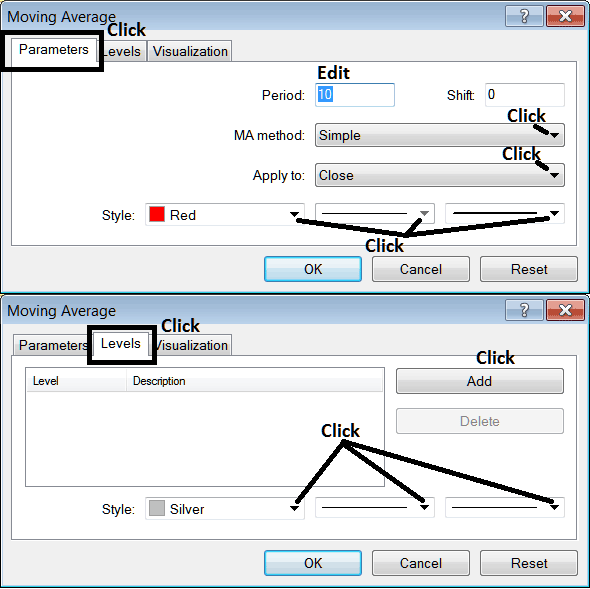
To Alter Setting, right click in Indicator, select properties setting and then edit settings of technical indicator using pop up menu which pops and click ok button key once you change setting.
the subsequent panel popup seems & Indicator settings may be edited using this window pop-up.
Study More Tutorials & Topics:
- What's the Minimum Amount to Trade GER30?
- Awesome Oscillator Index Trade Indicator Analysis
- How to Place DJI30 in MetaTrader 4 Mobile Trade App
- How Do I Set S&P ASX in MetaTrader 4 Android App?
- Common Stock Index Question and Answers About Index
- Index Trading Platform Platform MT4 App
- How to Do Stock Index Practice & Study Indices the Indices Market
