How Do I Place a Sell Stop XAUUSD Order on MT5?
How Do I Place a Sell Stop XAUUSD Order on MT5?
To set a Sell Stop XAUUSD Order on the MetaTrader 5 Platform - Use the "New XAUUSD Order" window panel in MetaTrader 5 software "Tools" menu.
Place New Gold Order in Tools Menu on MT5 Software
A new gold order to buy or sell a trade can be found on the tools menu within the MT5 Platform. The Button key for placing a new gold trade is illustrated below. (MT5 Key board ShortCut Keys "F9")
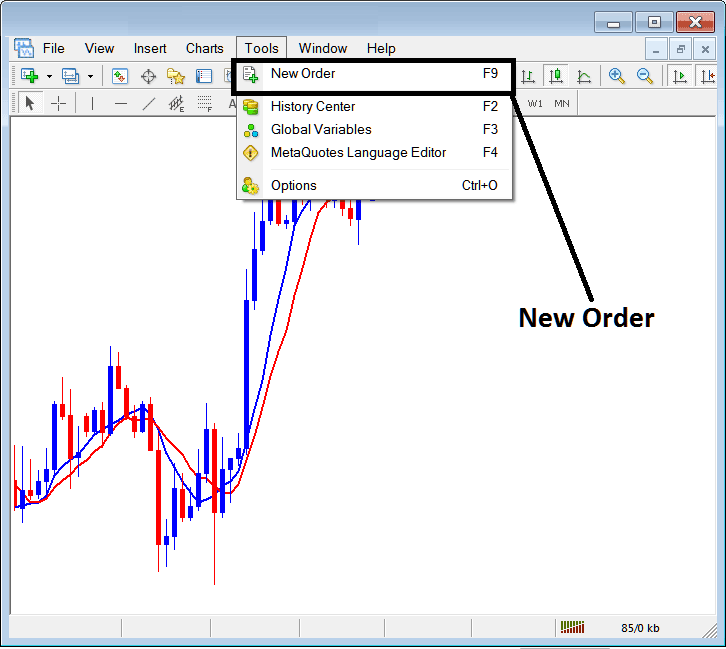
Place a Sell Stop XAUUSD Order on MT5
Placing a New XAUUSD Order
As a gold trader, once you select the new gold order button key as illustrated & illustrated above the following pop up panel will pop-up. This pop up includes all the settings for placing a new trade order.
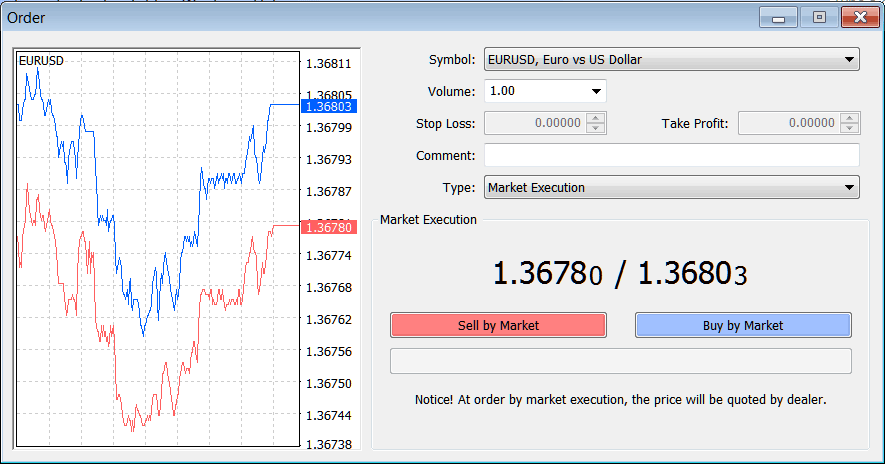
Place a Sell Stop XAUUSD Order on MT5
Select the instrument that you want to set a Sell Stop Gold Order for - then open it is gold chart & from the xauusd chart set the Sell Stop Gold Order using the Sell Stop Gold Order setting procedure described on this example illustrated & explained below:
Trading XAUUSD Open a Sell Stop XAUUSD Order in MT5
- Open a XAUUSD Gold Trading Chart
- Right-Click on Chart to open the Trade "Order" Window
- On the Trade Order Panel, Choose Pending XAUUSD Order as shown below
- Choose Pending order Type as Sell Stop Gold Order as Show below
- After selecting Sell Stop XAUUSD Order - Click "Place" Order & specify the sell stop xauusd price level where the order will be opened
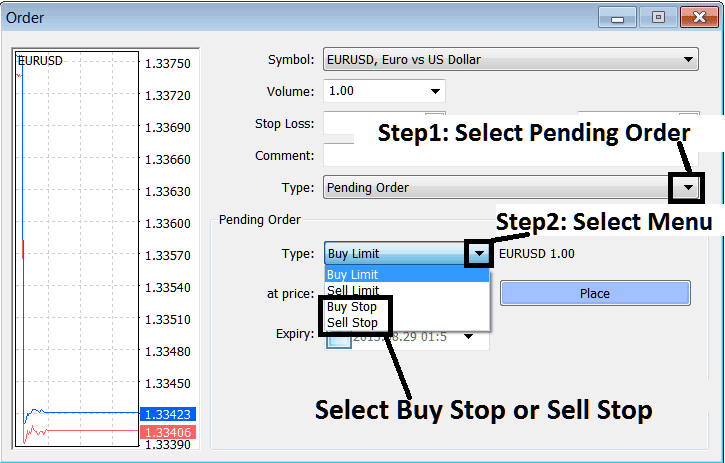
Interpret & Place a Sell Stop XAUUSD Order in MT5 Gold Trading? - How Do I Trade XAUUSD and Place a Sell Stop XAUUSD Order on MetaTrader 5?
Place a Sell Stop XAUUSD Order in MT5
