How to Install MT4 PC Gold Trading Platform
To start trading Gold, a trader will need to first setup the MT4 gold trading software on their Desktop computer and this software is the platform with which they will be using to place xauusd trades in the gold market. The MT4 platform is the top rated software in the gold market
To get MetaTrader 4 Gold Trading Software a trader requires to first of all download the Gold Trading software from an online gold broker - Gold MetaTrader4 Download.
Once you have downloaded the software you will need to go to the download location of your Firefox browser (first maximize the Firefox browser window on the desktop): as a Short Cut press both keyboard keys CTRL + J keys on your keyboard to get the MetaTrader 4 platform download location. Once on this place double click to open the gold software & continue as follows.
Step 1: The following popup panel will open the gold software application click next to continue.
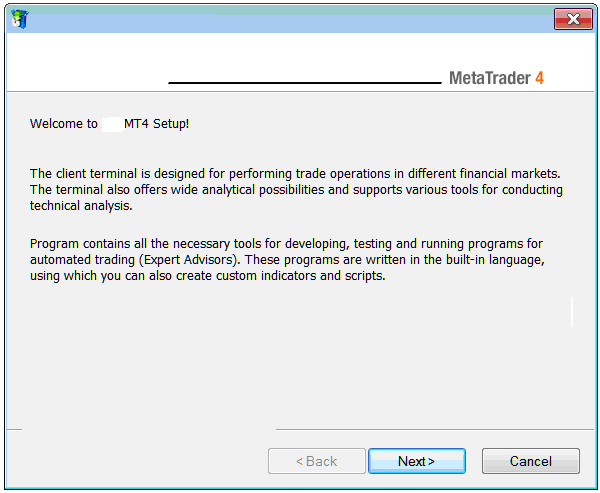
Installing MetaTrader 4 Gold Online Trading Software
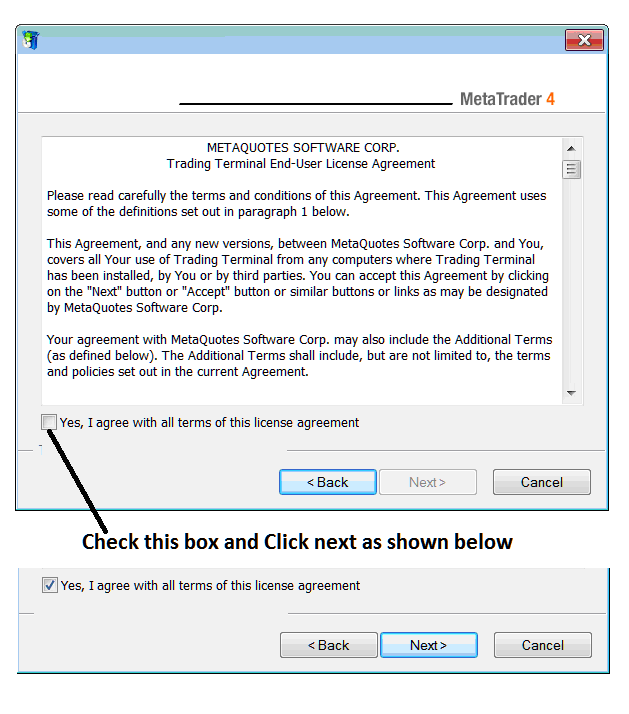
Step 2: Check the box below & click next to continue with the MetaTrader 4 software setup.
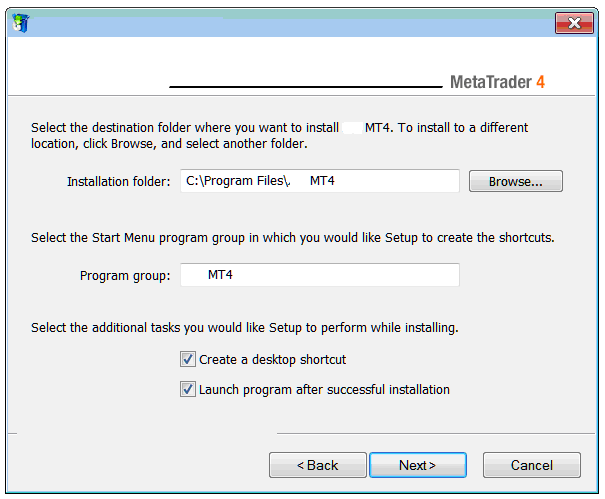
Step3: On the next window you will get the following settings, just click on next to proceed without changing any settings - MT4 software Gold.
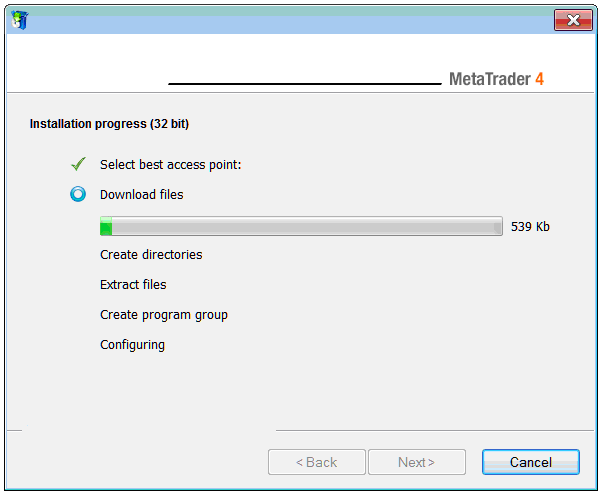
The following progress window will appear showing the progress of Gold Trading software set-up, this might take a few minutes to complete and at this point you will have to wait for the progress bar to complete.
Once the setup progress is done the following popup panel will pop, click on "Finish Button Key" button to complete the installation of the MetaTrader 4 trading software.
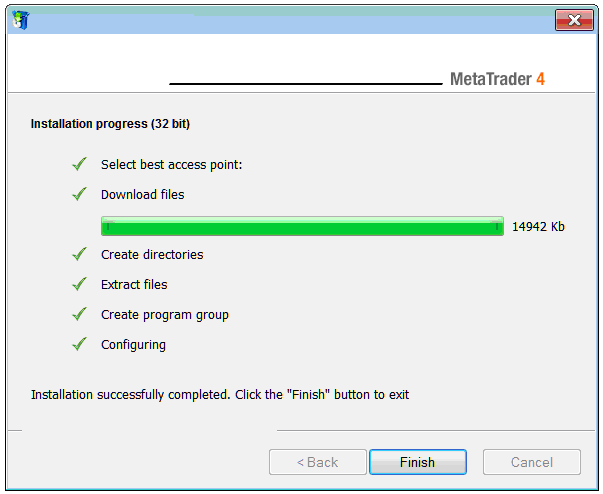
The setup of MetaTrader 4 software for gold trading is now complete and you as a trader can use access it from the desktop, as a desktop icon marked "MetaTrader 4" or clicking begin menu on your PC computer>>> then choose all programs>>> then choose MetaTrader 4.
Once you open the MT4 software, then you can now begin to practice gold trading using a practice account. Next Lesson: How to Open a Practice Account.
