
Templates on the Oil Charts Menu in The MT4 Oil Trading Platform
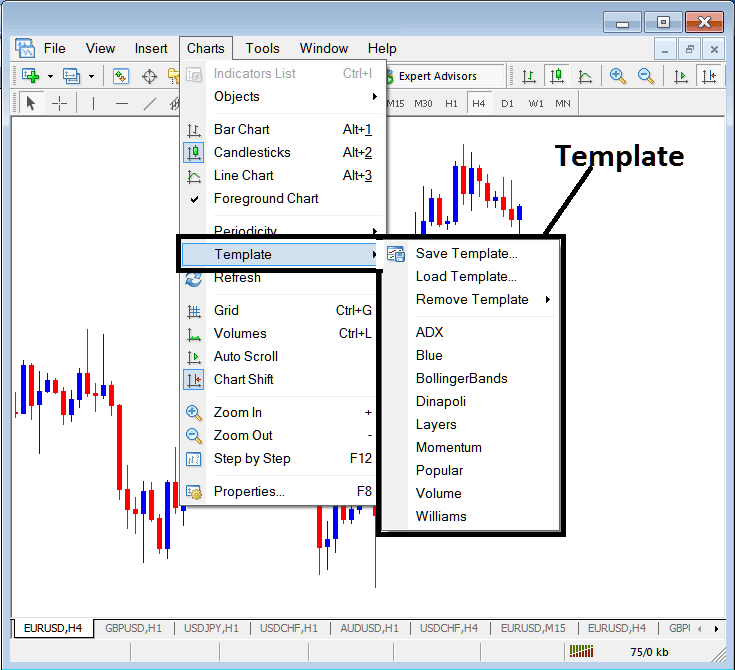
The templates option is provided within the charts menu on the MT4 oil platform. The MT4 template is used by many crude oil traders to save their oil systems, this way they can load the oil system on a new trading chart direct from this template option without having to put the crude oil chart indicators one by one every time they open a new chart. MT4 Change Template - traders can also use these MT4 template option to save more than one oil templates and they keep changing from one template to another when trading on MT4 crude oil charts
The Templates Option in MT4 Software is Shown Below:
Save a Oil Trading System as a Template on the MT4 Software
For example as a trader you may come up with a trading system shown below.
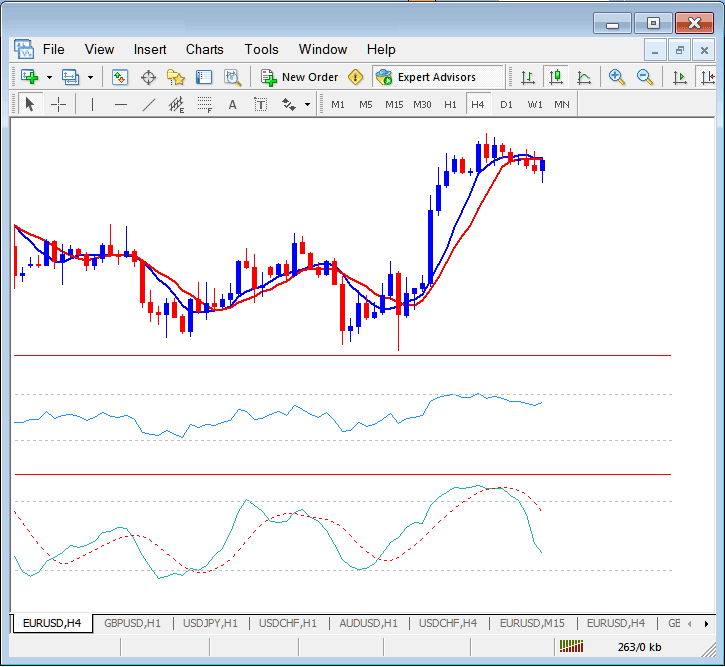
This system takes 5 minute to set up, It would take you 5 minutes to set it on every oil chart you open. But the MT4 oil chart template will save you this time by saving this oil system as a oil MT4 template and to place this MT4 oil chart template on another oil chart you only need to load the template on the MT4 software.
To save the above oil system you will open the templates button within the charts menu in MT4 platform and use the save template option.
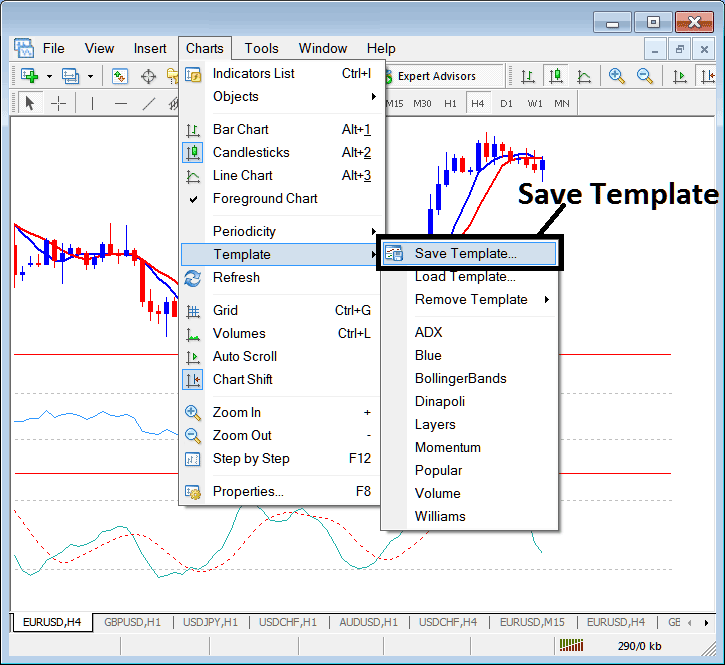
After selecting the save template button the following popup will appear and you as a trader can use save MT4 oil chart template and give it a name as shown below.
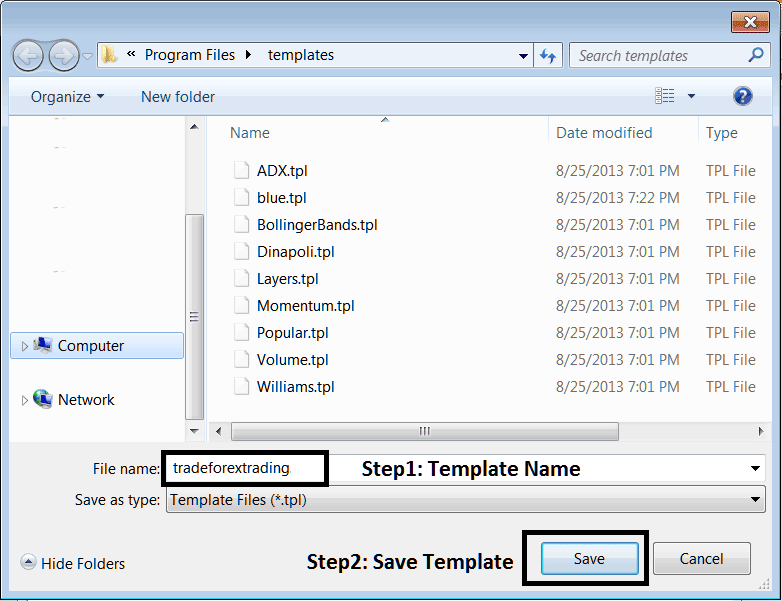
The first step is to give the MT4 oil chart template a name, we name our MT4 template as tradeforextrading and click the save button.
Load a Template in MetaTrader 4 Platform
To load a template on the MT4 platform, go the charts menu on the MT4 platform select the templates button and select the submenu item for load template. This will load the named template on to the new crude oil chart as displayed and shown below.
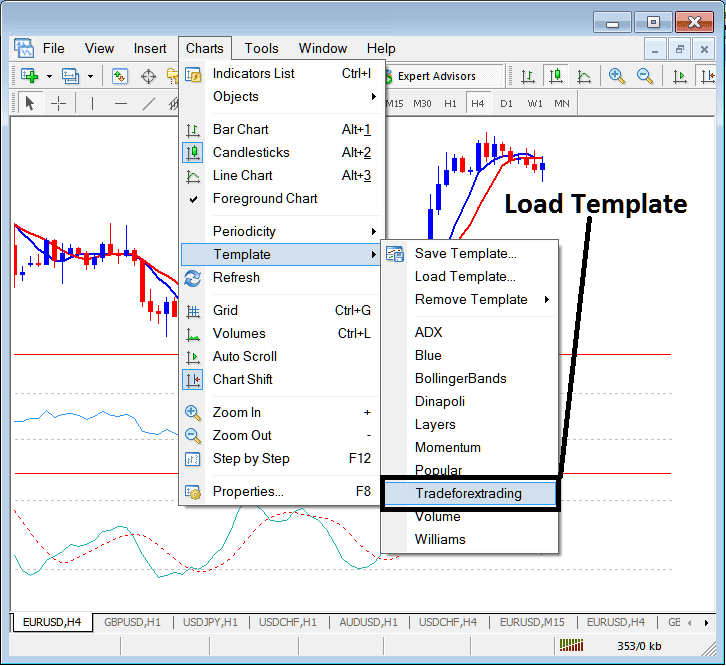
The named template on the MT4 platform is shown on the list above: this is a short cut for the available templates that have been saved on the MT4 platform. Another option can be to use the 'Load Template', which is the second option marked as 'Load Template' on the template menu sub items on the MetaTrader 4.
MT4 Change Template Remove Template
The third option in the MT4 template sub menus is the remove template; this sub menu item will remove any MT4 oil chart template that is loaded on the crude oil chart.




