Place ADX Indicator
This Tutorial will explain how to place the ADX indicator on Metals charts on the MT4 Platform. For Technical analysis: ADX Technical Analysis.
How to Place Metals Indicators in MT4 Metals Charts
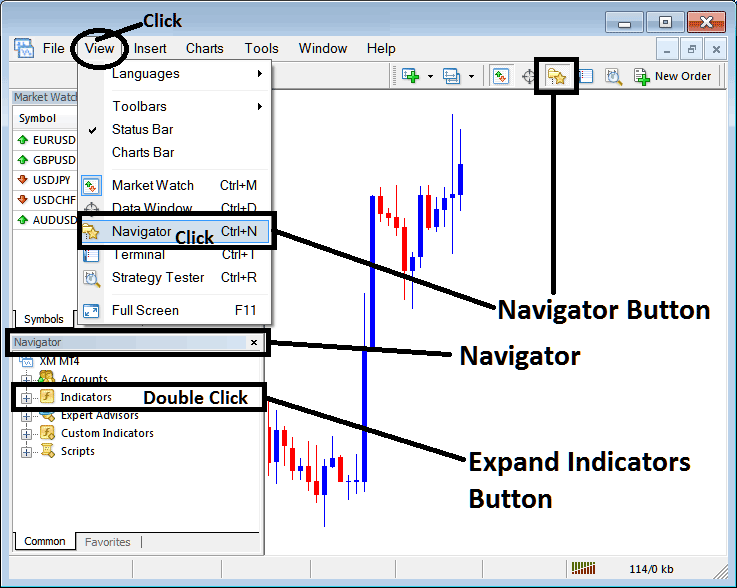
Step 1: Open The Platform Navigator Panel
Open the Navigator window as illustrated and shown below: Navigate to ' View ' menu (click it) and then select ' Navigator ' window (click), or From the Standard Tool Bar click the 'Navigator' button or press keyboard short cut keys 'Ctrl+N'
On the Navigator window panel, select 'Indicators' , (DoubleClick)
Step 2: Expand the Metal Technical Indicator Menu on the Navigator
Expand the indicator menu by clicking on the expand button key marker (+) or double click the 'indicators' menu, after this the button key will appear as (-) and will now explain and display a list as illustrated and shown below.
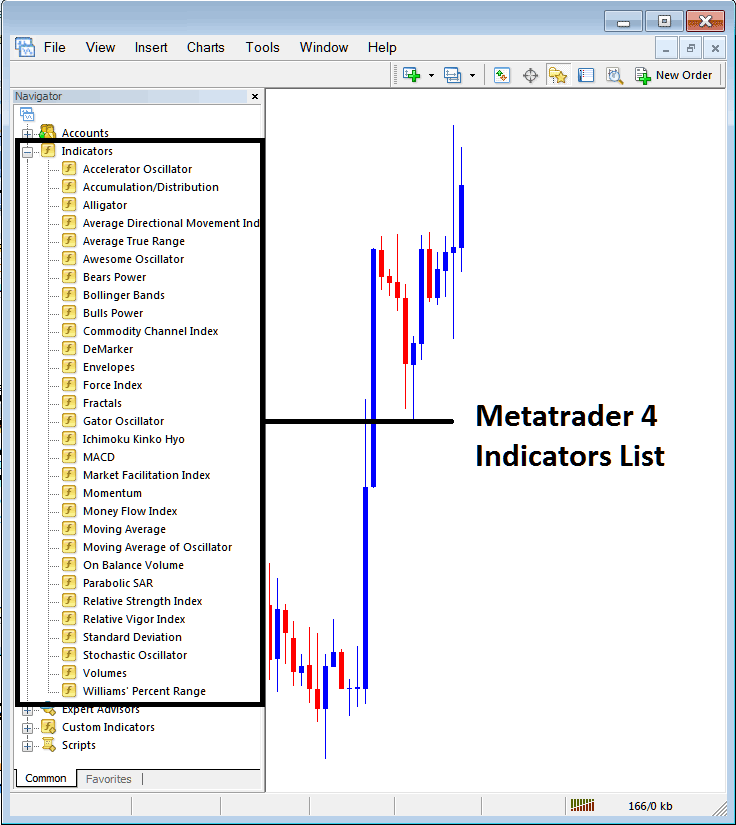
From the Above window you can then place any trading indicator that you want on the metals chart.
Placing Average Directional Movement on a Metal Chart
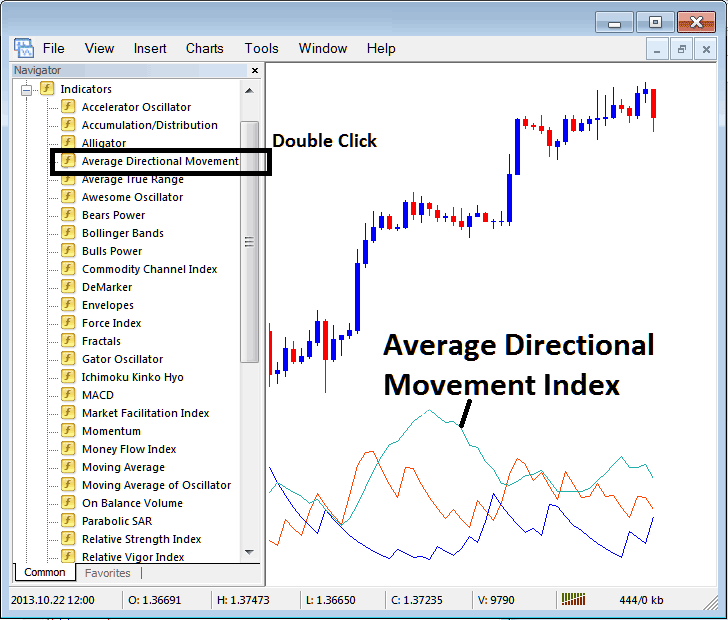
Step 1: Select the ADX button on the MT4 list of technical indicators as shown below:
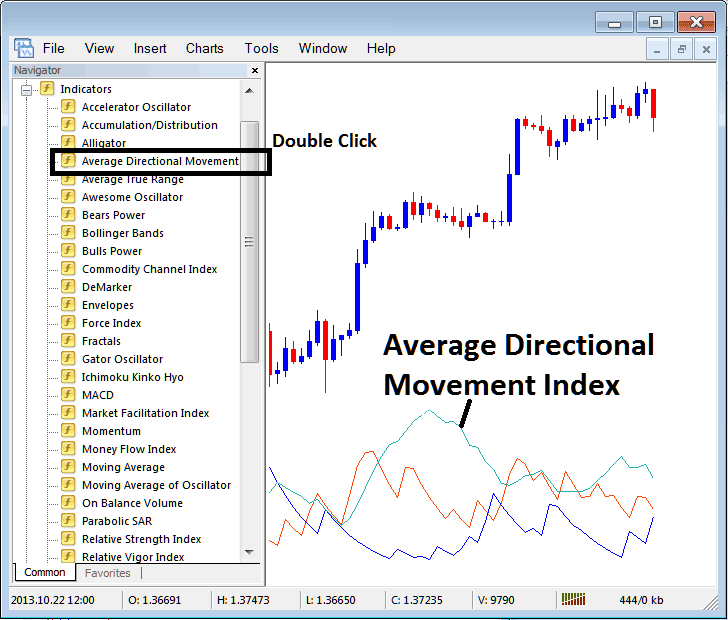
Step 2: Double-click the ADX Button, and click ok to place the indicator on the chart as displayed below:
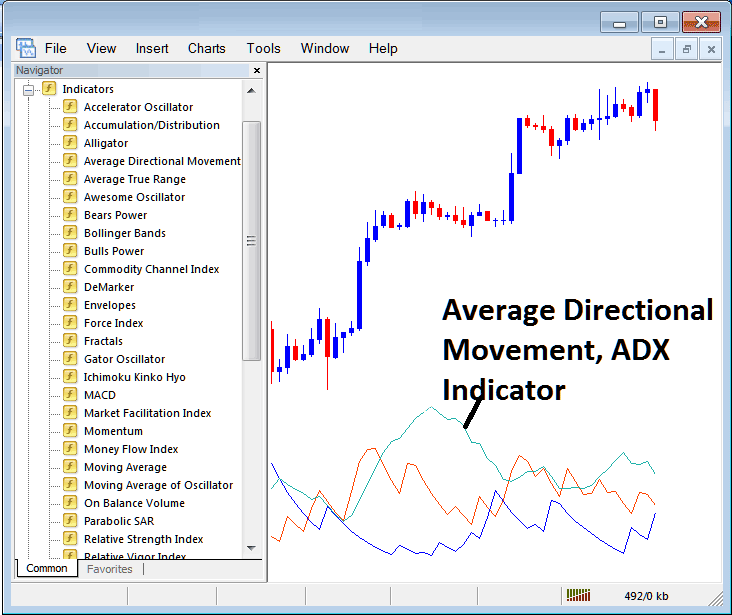
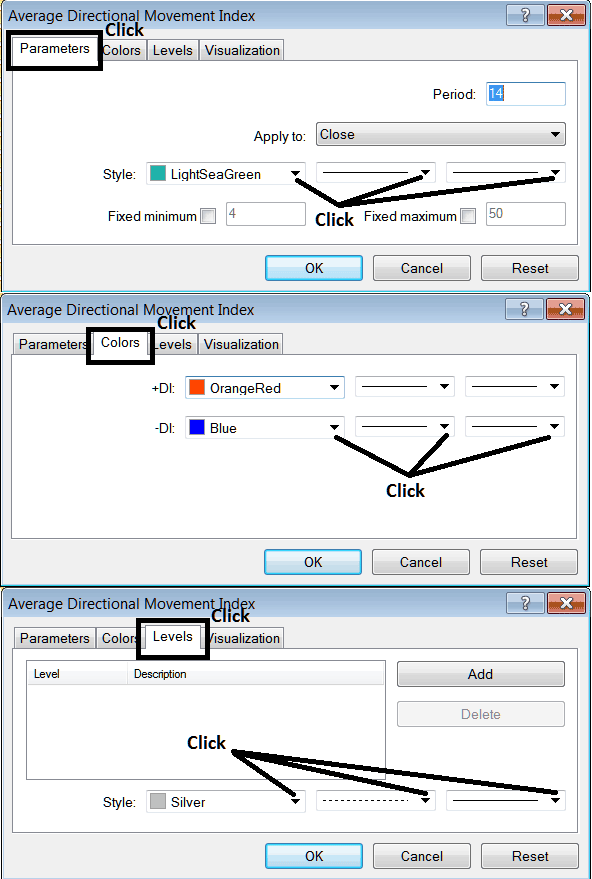
Edit ADX Metals Technical Indicator Settings
To Alter the Settings, right click on the ADX, choose properties setting and then edit properties of the indicator using the pop up menu that appears and then click ok button key once you've changed the settings.
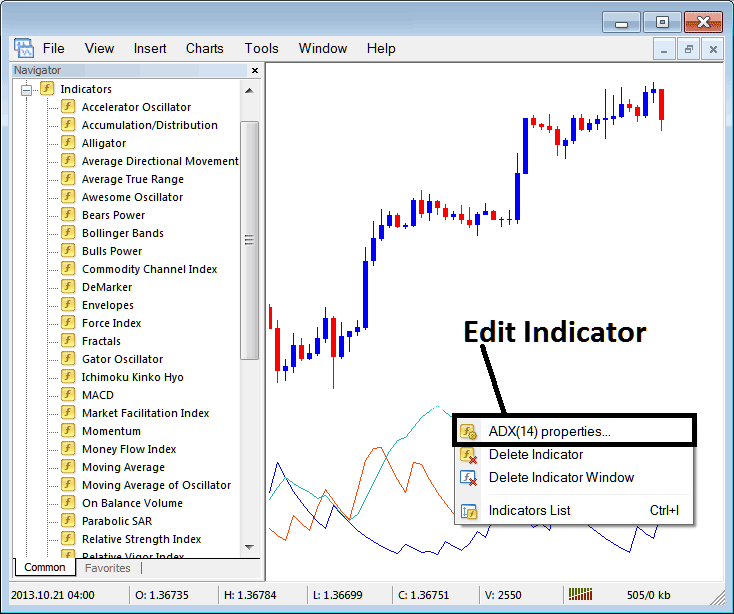
The following window panel pop-up pops up and ADX settings can be edited from this window pop-up.