Line Studies Toolbar Menu on MT4
Sometimes traders will say "oh, I can not find Fibo expansion tool on my MT4 where can I get it?"
The thing is that all these line studies are located on the line studies tool bar: however, by default not all are set to display, therefore a trader must know where to get these tools that are not shown by default on the MT4 Silver Trading Software. So how can a trader add a tool, to the line studies tool bar shown below?
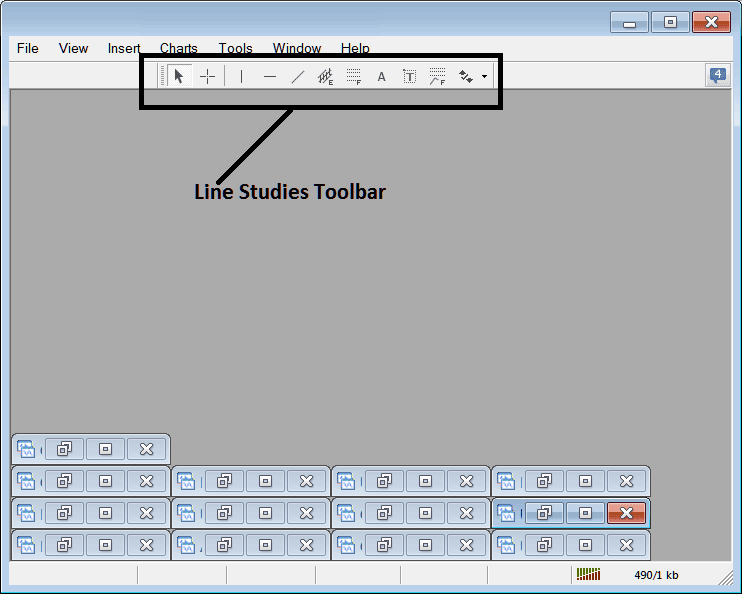
Customize a Toolbar on Silver Trading Software
To add a tool not listed above a trader has to follow these steps
- Right Click at the toolbar button key to the left of this(Looks like a stack of coins)as shown below
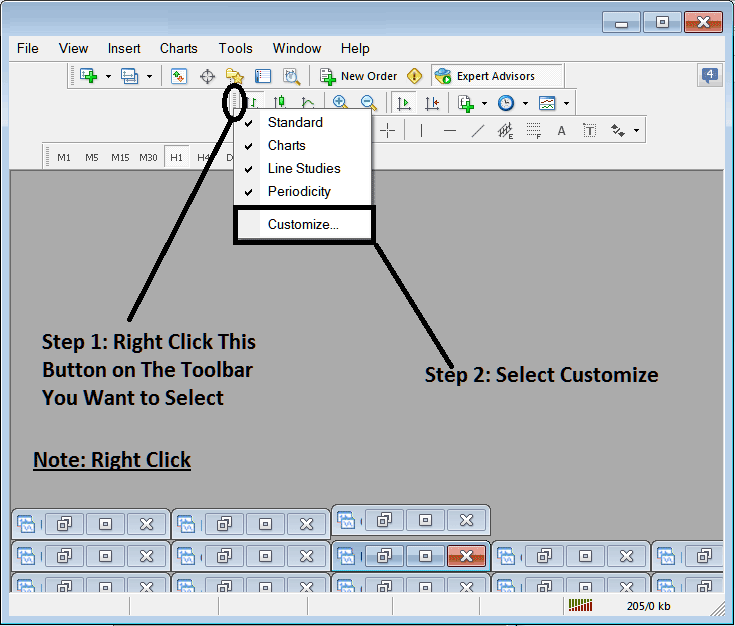
3. Click customize 4. Add all Tools
Following customize window pop up will appear:
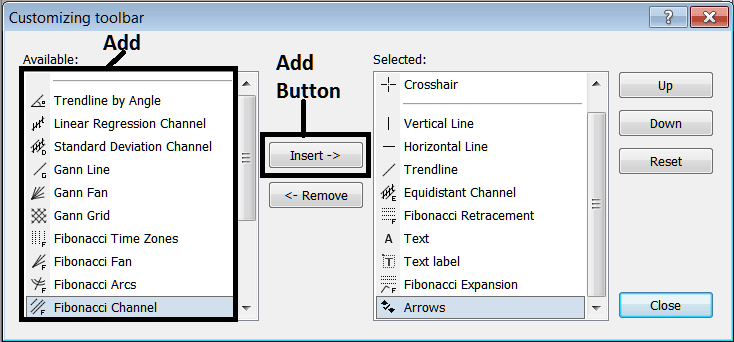
Select all the tools from the left window & add them: After adding this will look like:
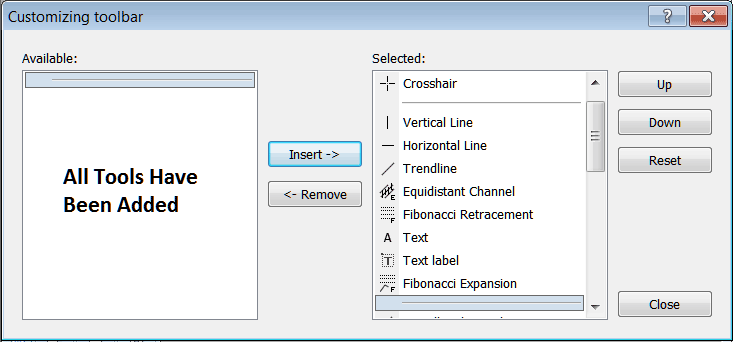
The tool bar will now look like:
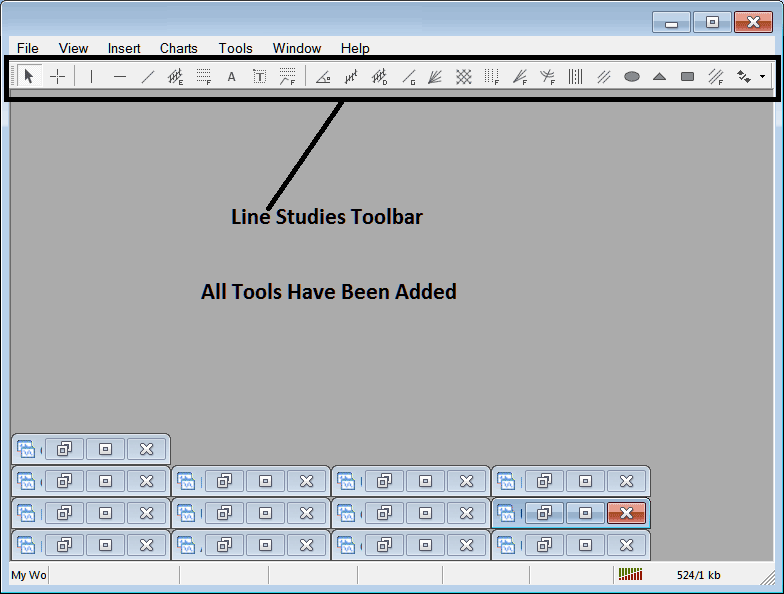
Explanations of Each Tool
Following is the explanation of each tool on this tool bar.

1: Choose mouse as cursor, change mouse to the default cursor
2: Choose Cross-Hair cursor, a type of cursor that maps coordinates to the axis of the charts
3: Draw a vertical line
4: Draw a Horizontal line
5: Draw a silver trend line
6: Equidistant Channel
7: Silver Trading Fibo Retracement
8: Text button
9: Text Label Button Key
10: Silver Trading Fibonacci Expansion
11: Silver Trend by Angle
12: Linear Regression Channel
13:Standard Deviation Channel
14: Gann Lines
15: Gann Fan
16: Gann Grid
17: Fibonacci Time zones
18: Fibo Fan
19: Fibo Arc
20: Cycle Lines
21: Andrew's Pitchfork
22: Insert Ellipse
23: Insert Triangle
24: Insert Rectangle
25: Fibo Channels
26: Draw Arrows
How to Remove Tools from XAGUSD Trading Platform
As a trader you will not require all these buttons & you can hide some of them by clicking on the customize button, then select some of the items on the right window & then select hide.
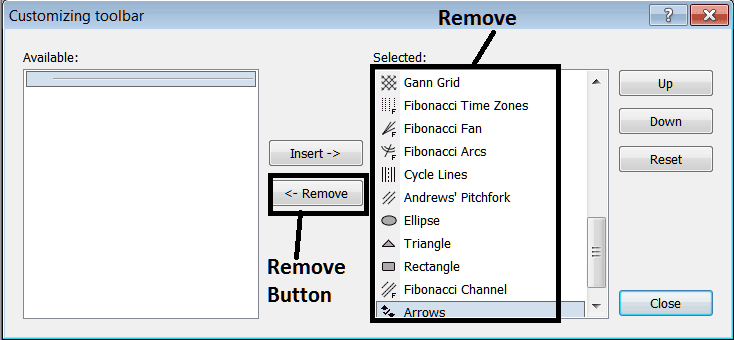
Remove the above tools by clicking on them & then clicking the remove button key, so as to save space on your MT4 xagusd trading platform workspace.