Drawing Bar CFDs Charts on MT4 Software
The third option on the charts menu in MT4 platform is the "Bar CFD Chart" button. This button key is used to select the drawing technique of cfd instrument movement as cfds price bars.
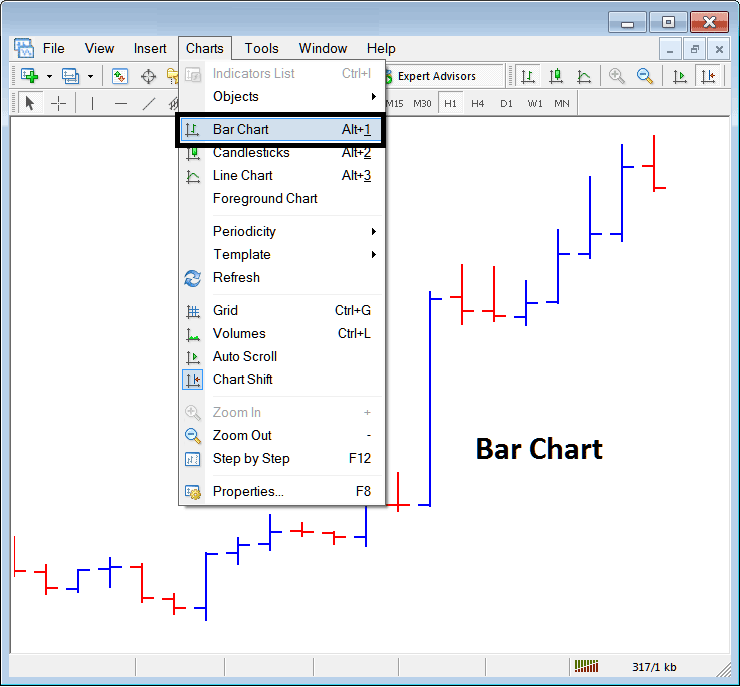
To trade on cfd charts a trader may prefer to use the Bar CFD Charts. The above menu button shows how a trader can select this option on the MT4 platform.
These are drawn using color coding:
- Red bar - CFD Price went down
- Blue bar - CFD Price market went up
These bars also have horizontal line to the left & to the right: these are used to show opening (left horizontal dash) & the closing (right horizontal dash).
The highest point shows the high of the cfd price
Lowest point shows the low of the cfd price
These 4 points Open, High, Close and Low are Known as O.H.C.L, abbreviation of the first letter for these Four levels, these 4 O H C L areas will be represented on every single bar.
These charts aren't very popular among CFD traders as they are not very appealing in terms of technical analysis and traders tend to favor other types.