Help Button Key Menu in MetaTrader 4 Software
The help menu button in the MT4 is used to help traders navigate the MT4 CFD Platform. Help menu is shown below.
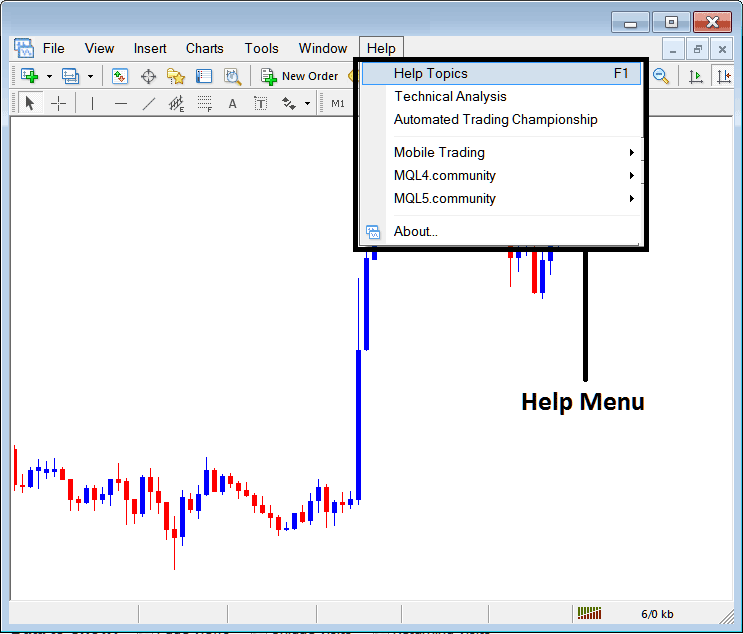
Help Topics
Help topics is the first option in the MT4 platform help topics and contains a list of topics explaining how to trade with MT4.
Technical Analysis in CFD Trading
Once a trader opens this menu item then they are connected to the Technical analysis lessons and guides that are listed on the MQL5 website. Open your platform and click this link to go to MQL5 technical analysis.
Automated CFDs Trading Championships
Got a super Expert Advisor, this is the place to go, Click this link on your MetaTrader 4, sign up to the championships & win the prize money of $80,000 dollars, what is more once you win then you get a list of traders lining up to buy you profitable EA and make extra cash.
Automated trading championship is a contest sponsored by cfd brokers on the MQL4 & MQL5 web sites where coders of Expert Advisors automated trading programs can register and have their Expert Advisors compete with other EA CFD Robots. Note the trader will trade on live cfds accounts not practice cfd accounts put real money, about 10 thousands minimum, and then setup the EA before the start of the Automated trading championship contest & Leave the EA to trade alone for 3 months without changing any settings for period of these three months, the most profitable Expert Advisor will win $80,000 but guessing from the contest winners that rake in upto $800,000 dollars, the millionaires make more with their Expert Advisors than the prize money. Plus some traders even offer to buy some of the top rated automated Expert-Advisor software programs for an amount of up to $10,000.
Mobile CFD Platforms
Want to get a mobile trader version of the MetaTrader 4 CFD Software and trade with it on the go on your, iPhone, Android or Windows mobile, then the link below provides the link to download these mobile platforms directly from your MT4 CFD Software Desktop Version.
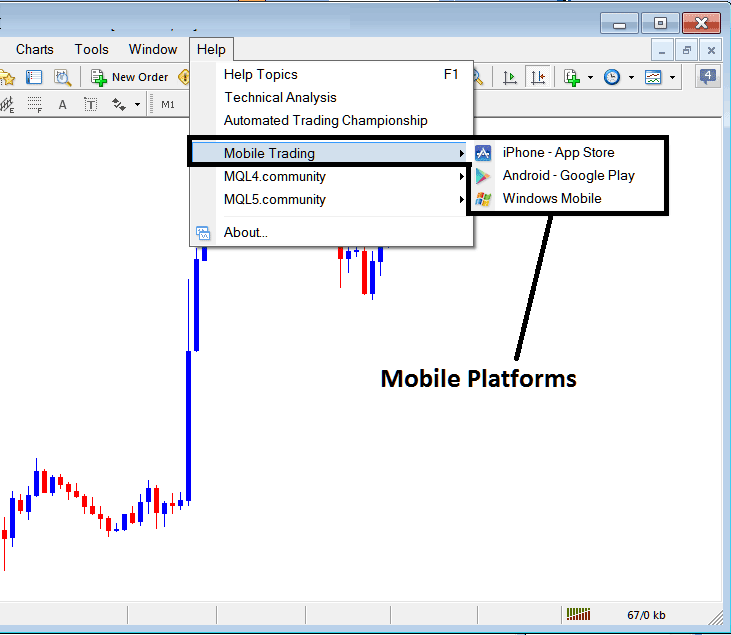
MQL4 CFD EA Bots Community
This is a link to the MQL4 coding community where a trader can go and get a Library of Expert Advisor from this community as well as a list of cfd signal providers for MT4 CFD Software.
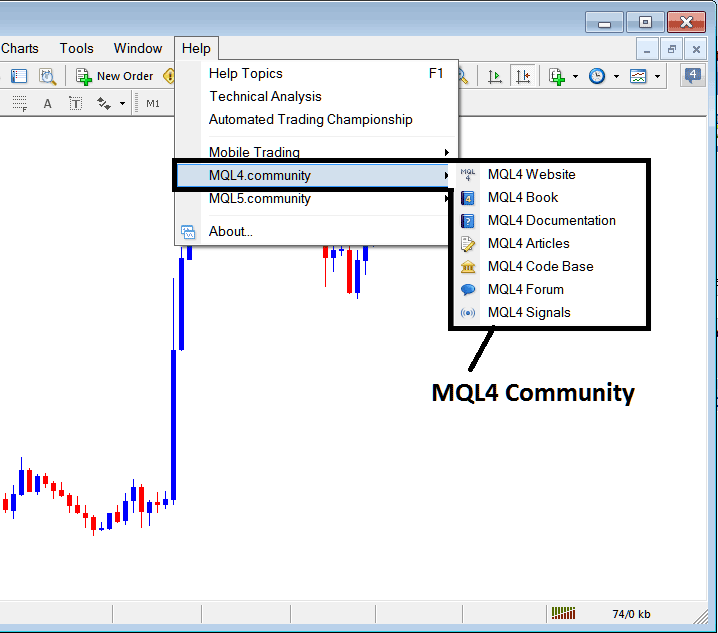
The following resources are also provided on the MQL4 CodeBase forum submenu items:
- Web Site
- Code Base
- Trading Signals
Depending on what your interest is, whether Expert Advisors, cfd trading signals or finding a forum of EA Coders you can select any of the above links to visit the coding CodeBase Community.
MQL5 CFDs EA Bots Community
This is a link to the MQL5 coding community where a trader can go and get a Library of Expert Advisor from this community as well as a list of cfd signal providers.

For the following are also provided for MQL5 CodeBase Community
The following resources are also provided on the community submenu items:
- Code Base
- Market
- Trading Signals
Traders can also get signals from within their Software platform or EAs from the MQL5 EA Market.
About
The Last menu item on the Help Menu is the "About" Button, Provides information about the build & version of your MT4 as well as the information of your cfd broker from who you downloaded the platform from.