Print Setup & Printing CFDs Chart From MT4 CFD Platform
As a trader you might want to print a CFD chart maybe to interpret it later, or simply as a means of keeping a record or a journal of your trades.
On the MT4 platform, there's an option provided for printing of these charts. These print button keys are provided on the "File" Drop down menu of MT4, as displayed below.
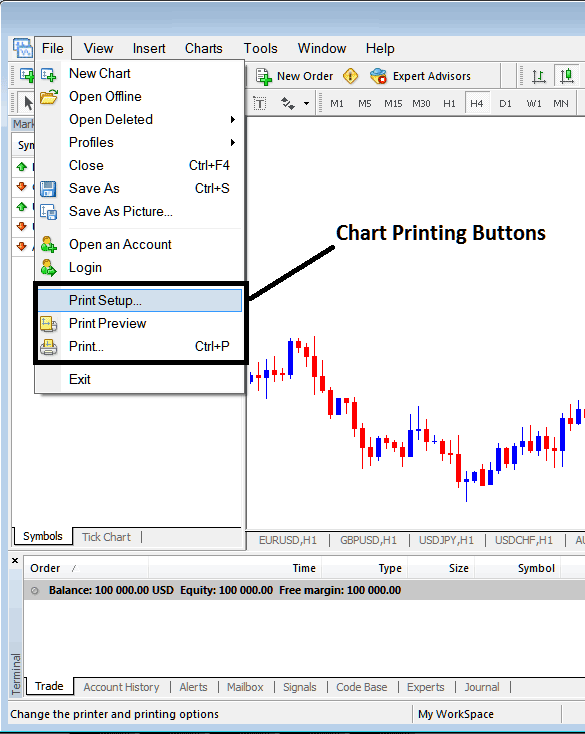
To preview the print document you can use the 'Print Preview' Button. To print a CFDs Chart just click the "Print" button or press keyboard shortcut keys, CTRL+P to directly print the chart from the MT4 software.
Print Preview of how the printed chart will look after it's printed.
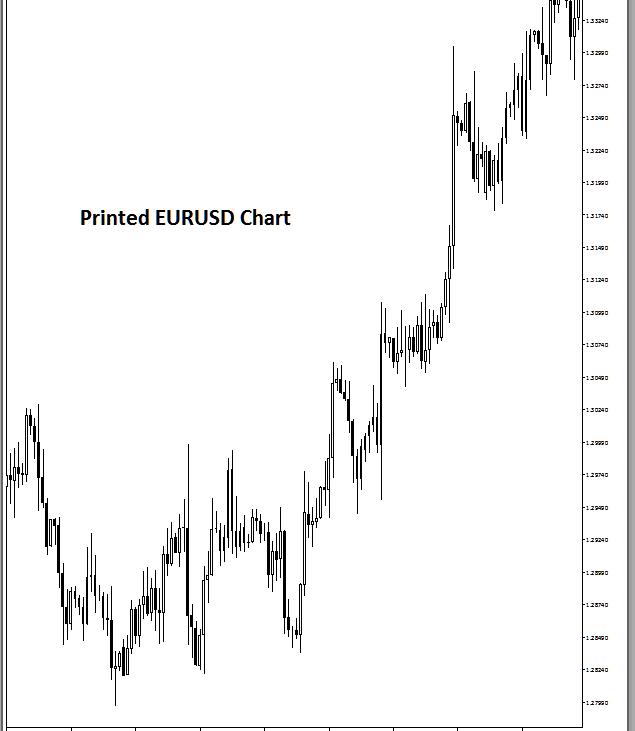
How to print MT4 cfd charts, for the purpose of keeping a trade journal & using the printed chart to analyze the cfd market later.