MT4 Metals Trading Software Guide
MT4 Data panel shows information about a metals price, for a specified candlestick period. For example the charts below, shows how to choose the data window from the view menu options.(Ctrl+D is shortcut key for displaying the data window without having to access it from the view menu)
Data Window - MetaTrader 4 Metals Platform
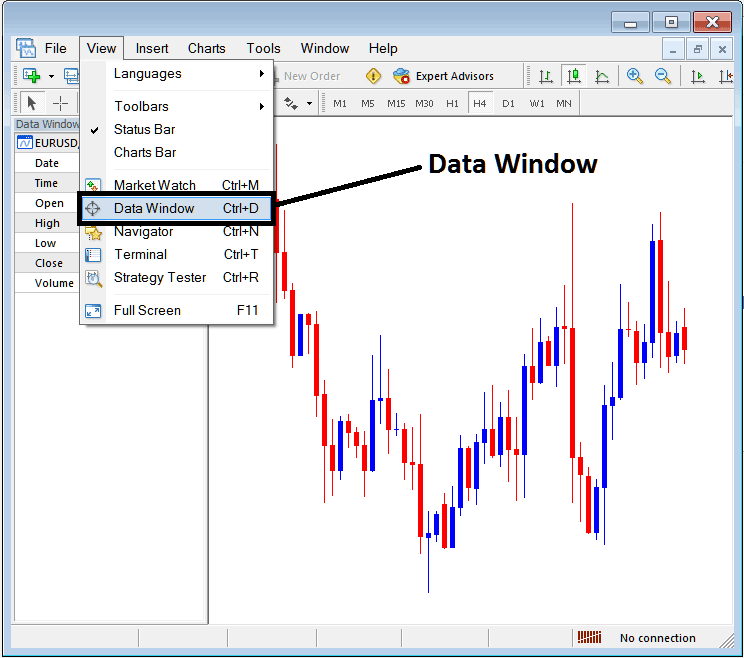
Once the data panel is selected it will display, the following information about a metals price.
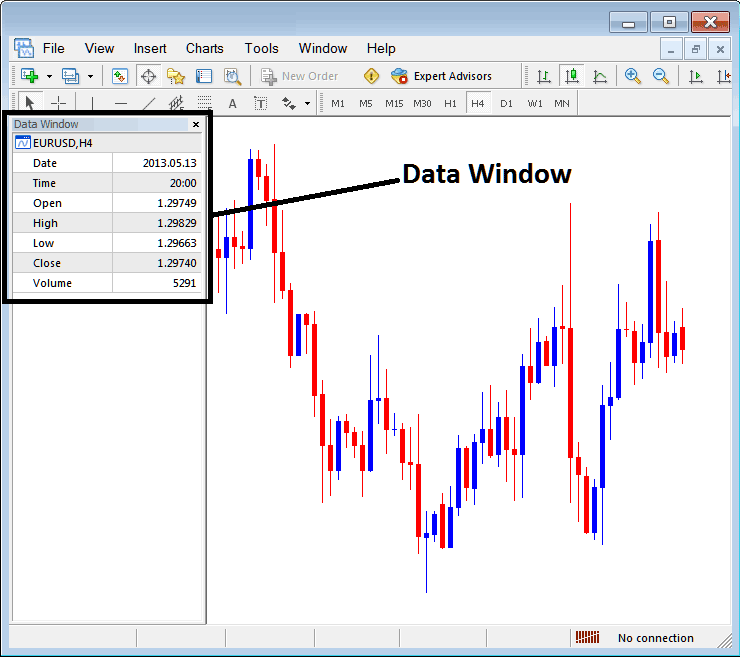
The following data for metals trading is shown:
- Metals Chart
- Date
- Time
- Open Metals Price
- High
- Low
- Close Metals Price
- Volume
This data will show information for a particular candlestick, by scrolling your mouse over the candlesticks on a Metals chart this data will change to reflect the metals price candlestick that the mouse has pointed at.
The data widow is not popularly used in the MT4 Metals Trading Software as compared to the other MetaTrader 4 metals chart windows. However as a trader you can use this data panel to extract and display information and data about any metals price candle and the metals prices associated with this candlestick such as the opening metals price data, closing metals price data and high & low of metals price.
Because most traders can obtain this information directly from the charts, then the traders might prefer to use the information that is readily available on the Metals chart within the MetaTrader 4 metal platform software interface.
Another method to get this data is to use the Cross Hair Mouse Pointer, To get the Cross Hair Mouse Pointer a trader only requires to press down and hold down the wheel mouse button and the cross Hair will appear. If your mouse does not have a wheel button, please go and buy another one so that you can trade the MetaTrader 4 cross hair. And from this Cross Hair a trader can get the metals price data as shown below.
Cross Hair Tool - MT4 Metals Platform
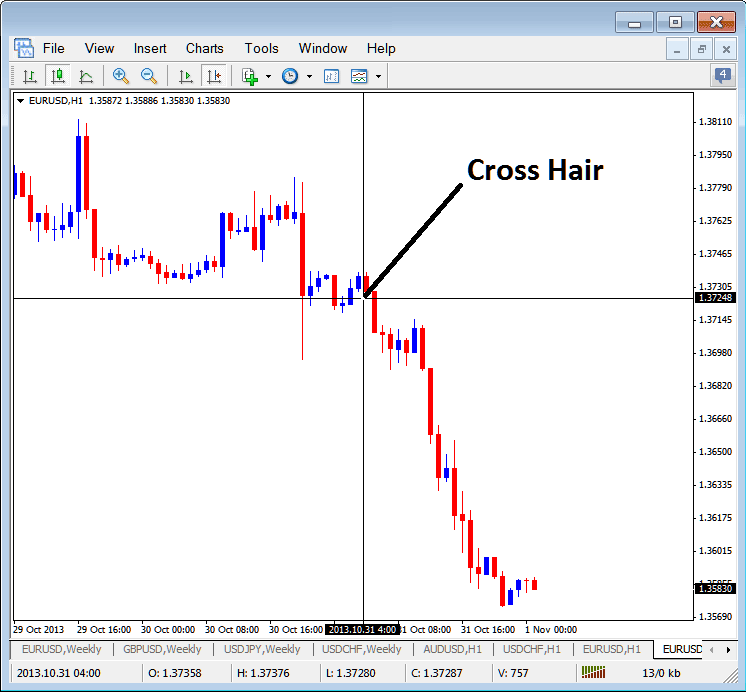
From the Cross Hair above the vertical line will show data on the date for the current candlestick, the horizontal line will show metals price at that particular point on the chart. For the above example of Metals chart you can see that the date is 2013.10.31 4:00GMT and the Metals Price is shown for the selected point. The Open, High, Low, Close and Volume as well as Date is Shown Just below the Charts tab at the bottom of the MetaTrader 4 Metals Software, Marked as O: H: L: C: V: therefore the cross-hair is a short-cut technique of viewing data instead of going to the Data Panel of the MetaTrader 4
A trader can even click one point, hold down the mouse and move the mouse to another chart point to measure the pip movement of metals price from point a to point on the Metals charts in the MT4 Metals Trading Software as Shown below.
Using Cross Hair Tool to Measure Pip Metals Price Movement
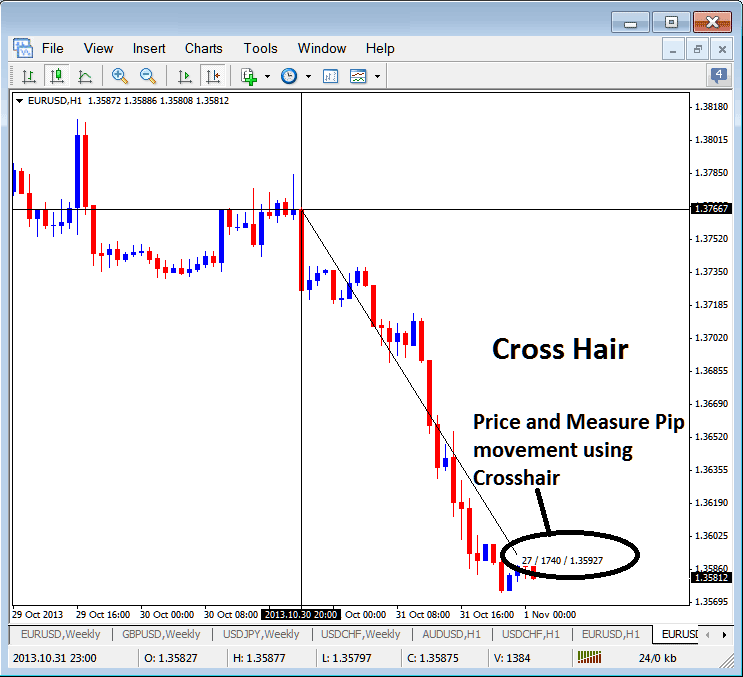
Cross Hair Data Tool on MT4 Platform