Chart Time Frames on MT4 Software
Periodicity just means chart timeframes, in MT4 this toolbar is used to select which chart time-frames to trade with.
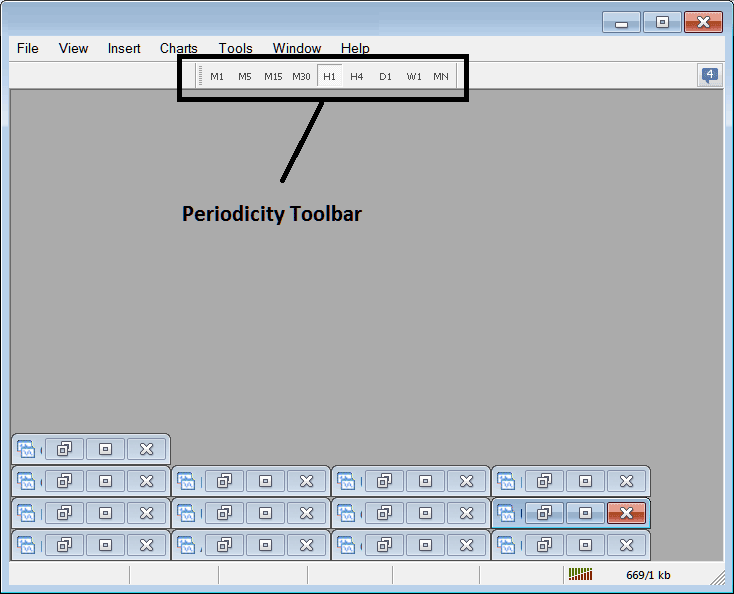
The timeframes listed are:
- 1 Minute - M1
- 5 Min - M5
- 15 Minutes - M15
- 30 Minutes - M30
- 1 Hour - H1
- 4 Hours - H4
- Daily - D1
- Weekly - W1
- Monthly - MN
As a trader you only require to trade with only about 3 chart timeframes, for example let's say a trader only requires the 15 minute, the 1 hour and the 4 hours time frame, then on the periodicity toolbar a trader can hide all the others that are not required using the following technique.
How to Customize
To add a tool not listed above a trader has to follow these steps
- Right Click at the tool-bar button to the left (Looks like a stack of coins), displayed below
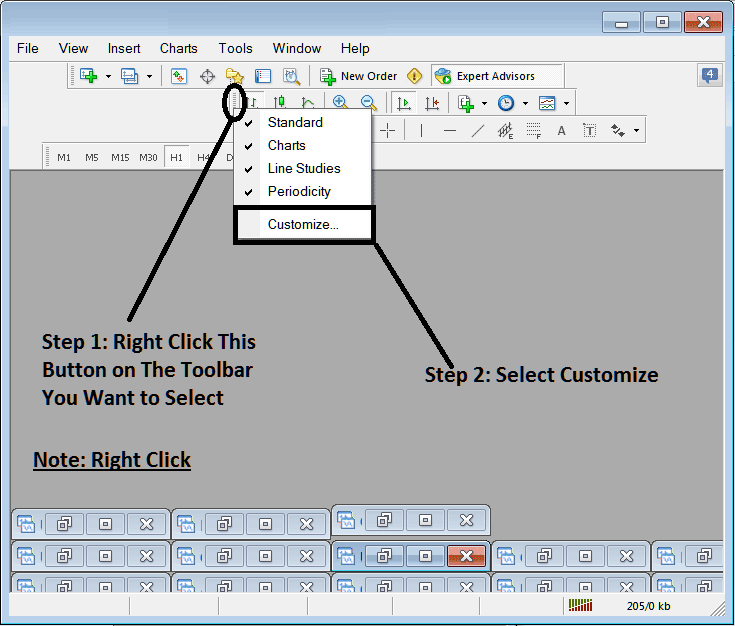
2. Click customize
After following the above steps the customize window pop up will appear as illustrated and shown below:
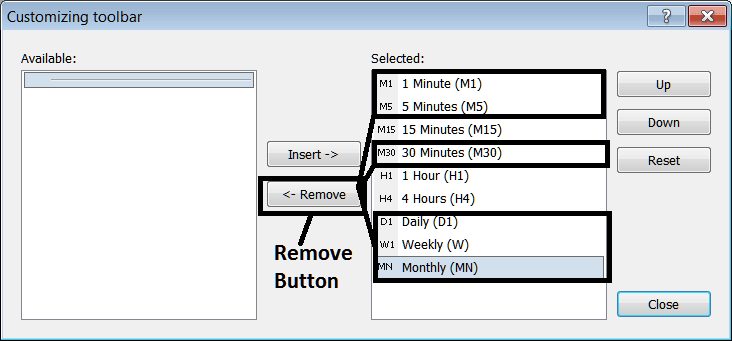
Select as shown above and click remove button key.
The window pop up will then look like:
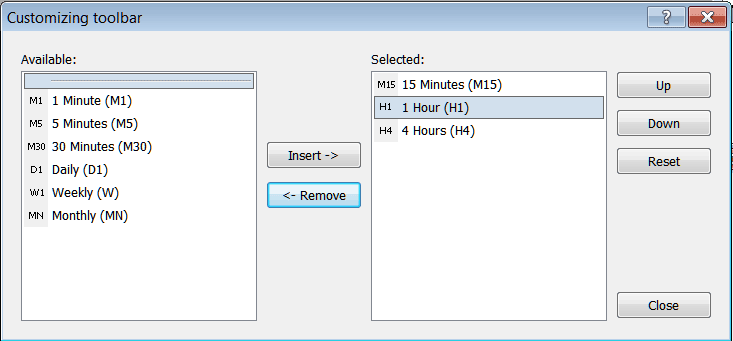
On the platform the periodicity tool bar will now look like the example shown below:
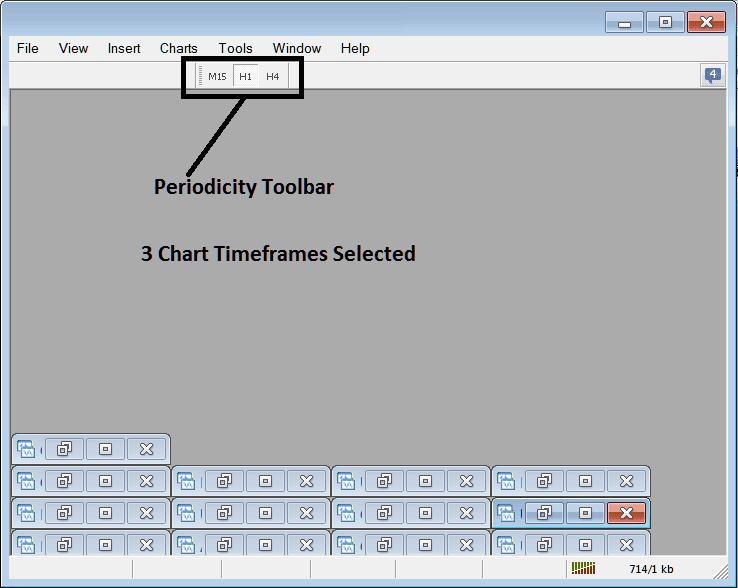
Using the above setup as a trader you can save space within your MT4 metal trading platform work space by hiding the time-frames which you are not trading with.