Opening a Deleted Chart on MetaTrader 4 Software
On the MetaTrader 4 Metals Trading Software when trading if you get to delete a metals chart or open one that has been deleted unintentionally, you can use the option of 'Open Deleted' located on the file dropdown menu as the third option on this list.
For example if you had opened a Metals and had put a set of indicators on this chart, but you had not saved this set of indicators, then you can just use this option to open the charts named Metals, note there may be 2 or 3 or more of the deleted Metals Trading on the list and you will have to open each until you get the one that you are looking for. Like the metal trading example illustrated and explained below there are 2 Metals deleted charts.
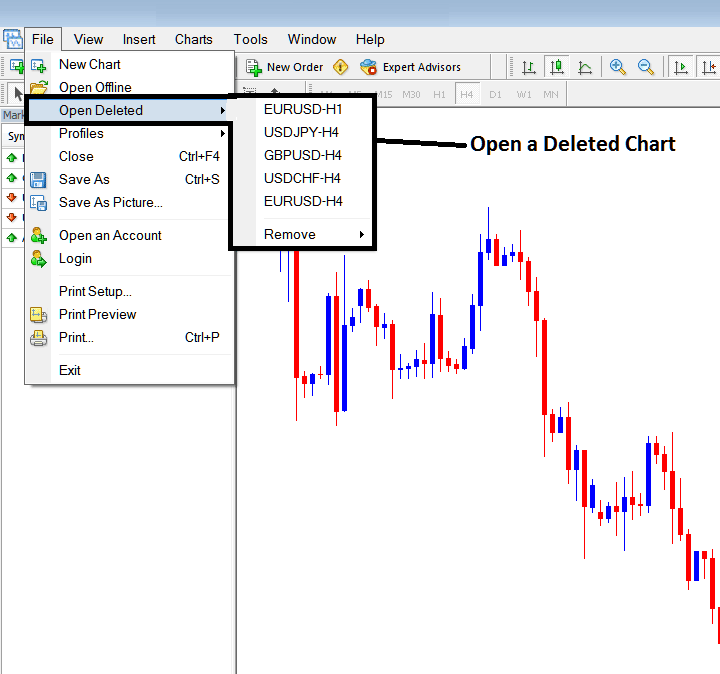
For example by clicking open the deleted chart of Metals will open this deleted chart that had been closed previously.
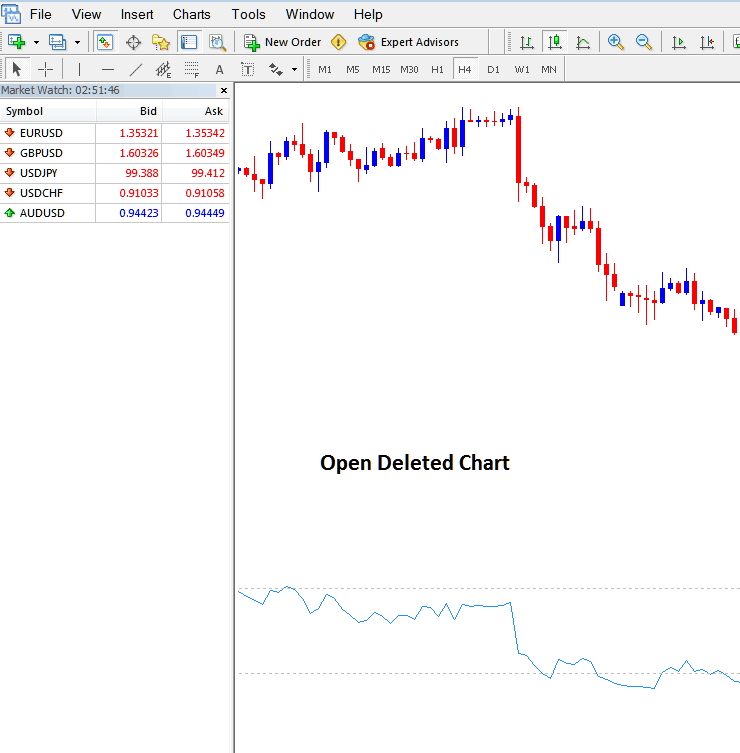
Procedure of opening a deleted chart from the MT4 "File" Drop down navigation menu.
If you have deleted many trading charts this list will include all of these charts & they will be arranged from the most recent onwards, & as a trader you may have to scroll either up or down in case there are many deleted ones saved within this option.