MT4 Status Bar
One quick method to check the real time internet connection between your MT4 metal software & the server of your online metals broker is to check the MT4 status bars on the MT4 platform interface - MT4 Connection Bar in MT4 Status Bar.
On the metal examples illustrated & described below the MT4 Connection Bars on MT4 Status Bar is Shown:
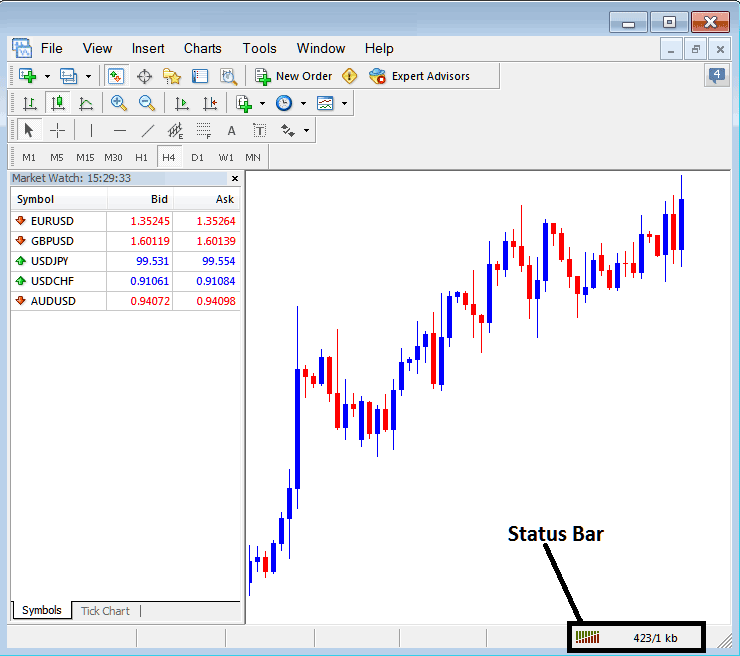
The MT4 status bar is used to show if there is a connection to the trading servers or not, if there's a connectivity to the trading server, then a trader can place trades to the online metals market using MT4 metals charts. When there is a connection MT4 metals charts can then keep updating - if MT4 Metals Charts on your metals trading platform are Not Updating - you should first check the connection using the MT4 Metals Trading Platform Connection bars on MT4 Platform Status Bar.
Green Bars - on the Connection bars in MT4 Platform Status Bar shows there is a connection, next to the green bars there will also be the kilobytes downloaded & uploaded indicated as a figure.
Red Bars - Connection bars on MetaTrader 4 Status Bar show that there is no connection & trades to the brokers' server can't be opened.
Red bars may also mean that your internet connection is down, therefore if you are using a connection like dial up and red bars come up, then maybe it is your internet connection, and not necessarily the broker's server. A common question by metals traders is - Why are MT4 Metals Charts Not Updating? if your MT4 metal charts are not updating then you may need to first check the connection of the MT4 metal trading platform to your metals broker using this MT4 connection bars on MT4 status bar - MT4 Metals Charts Not Updating.
To show the status bars on the MT4 platform, a trader needs to use the "Status Bar" button on the "View" menu options as shown below, Click to check, once the option is checked the MT4 status bar will appear at the bottom right corner of your MT4 Metals Trading Platform.
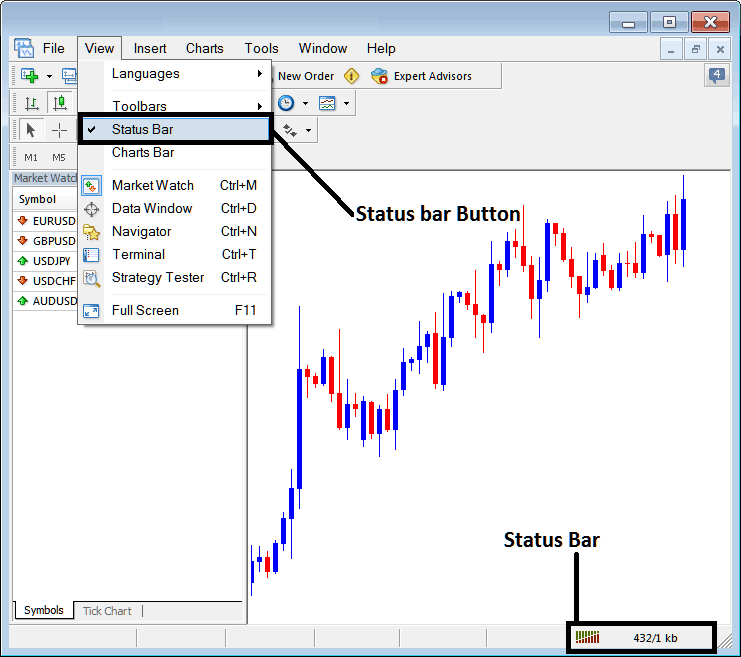
How to check if there is an online connection on the MT4 Software
MT4 Metals Trading Platform Connection Bars on the Status Bar - Green Bars indicate and show that the connection is online and Red Bars illustrate that connection is offline. The connection might be either your internet service provider or metals broker server. Most of the time it will be your internet service provider as the brokers have 2 to Three simultaneous servers and there is no way all of them can be offline even if it is for 1 second.