How Do I Set Buy Stop Gold Order in MetaTrader 4?
How Do I Set Buy Stop XAUUSD Order on MetaTrader 4?
To set a Buy Stop XAUUSD Order in MT4 Platform - Use "New Gold Order" window panel in MT4 platform "Tools" menu.
Place New Gold Order in Tools Menu on MT4 Software
A new gold order to buy or sell a trade can be found on the tools menu within the MetaTrader 4 Platform. The Button key for placing a new gold trade is displayed below. (MetaTrader 4 Key board Short-Cut Keys "F9")
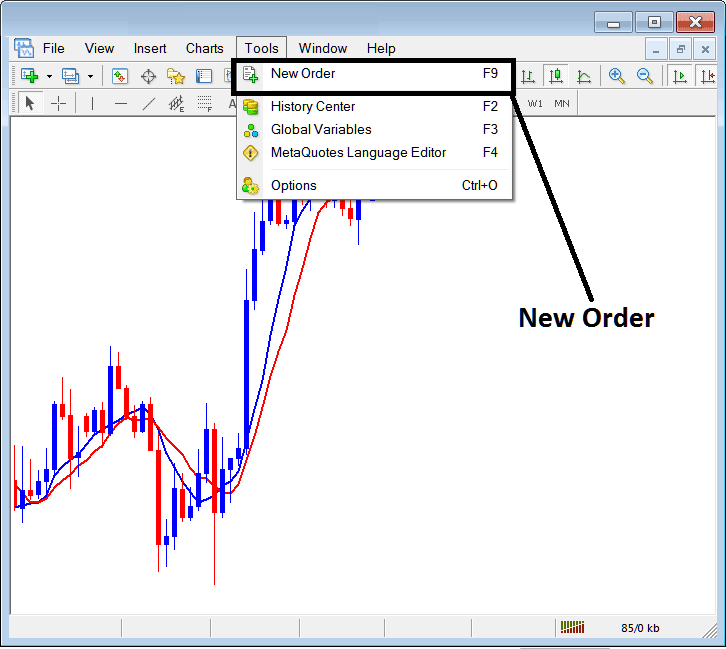
Set Buy Stop Gold Order in MT4
Placing a New XAUUSD Order
As a gold trader, once you select the new gold trading order button as illustrated and illustrated above the following pop up window will appear. This pop up includes the settings for placing a new trade transaction.
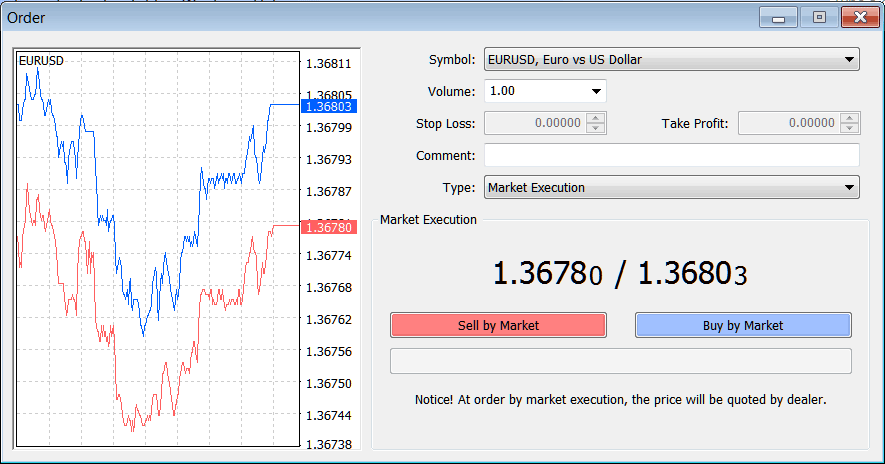
Set Buy Stop Gold Order in MetaTrader 4 Gold Trading
Select the instrument that you want to set a Buy Stop Gold Order for - then open it is gold chart & from the xauusd chart set the Buy Stop Gold Order using the Buy Stop Gold Order setting procedure described on this example illustrated & explained below:
Trading XAUUSD Open a Buy Stop XAUUSD Order in MetaTrader 4
- Open a Gold Trading Gold Trading Chart
- Right Click on Chart to open the Trade "Order" Window Panel
- On the Trade Order Panel, Choose Pending XAUUSD Order as shown below
- Choose Pending order Type as Buy Stop Gold Order as Show below
- After selecting Buy Stop XAUUSD Order - Click "Place" Order & specify the buy stop xauusd price level where the order will be opened
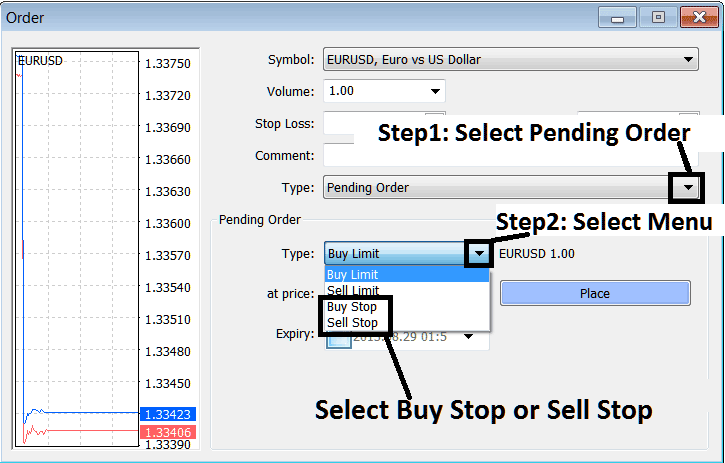
Analyze & Set Buy Stop Gold Order on MetaTrader 4? - How Do I Trade Gold & Set Buy Stop Gold Order in MT4?
Set Buy Stop Gold Order in MT4




