Customizing and Arranging Charts Toolbars on MT4 Software
Charts Toolbars are the most widely used tools in the MT4 platform. Therefore, the name tool bars: meaning a list in bar format of the most oftenly used tools in the platform. These are used mostly for trading, placing indicators, placing technical analysis indicators, placing Expert Advisors or drawing line studies.
There are four main ones are illustrated and displayed below.
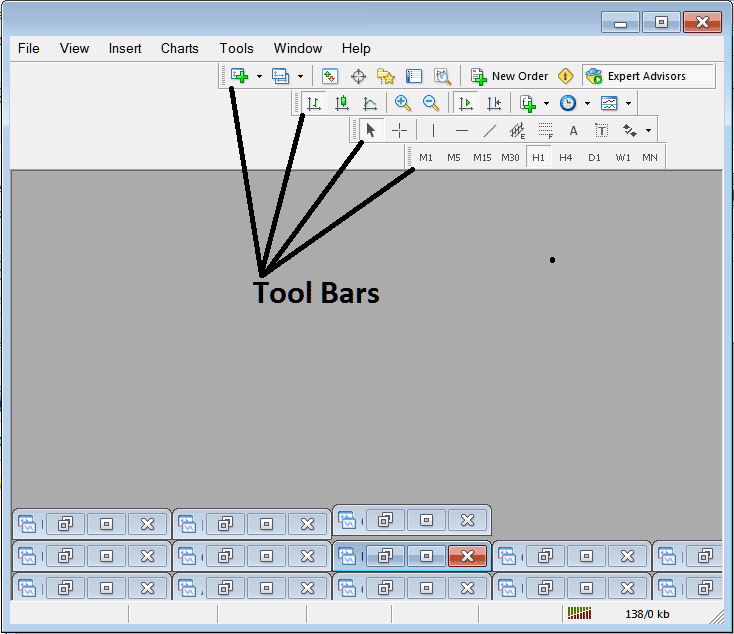
Names of Toolbars
There are 4 main toolbars, these are named:
- Standard
- Charts
- Line Studies
- Periodicity
These are listed below:
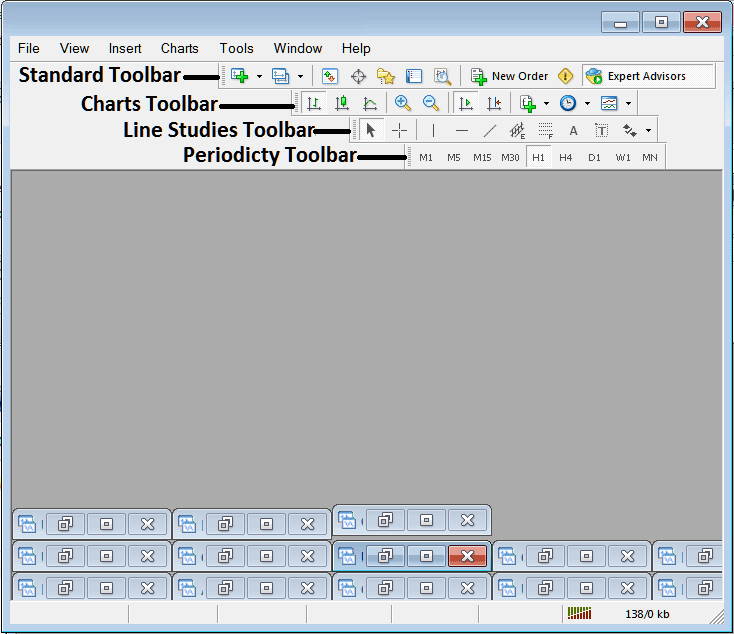
All these Four will be covered in different guides, However, for now let us look at How Do You Customize These Bars?
How to Customize
For customizing, a trader can either move the tool-bar to a different location, maybe a little to the left or to the right. Or another option is to add or remove button keys from its list.
Moving a Tool Bar on Stocks Trading Platform
To move, follow the guide-lines below:
Step 1: Click & Hold Down Mouse Button at the position Shown below.
Step 2: While still holding down the mouse button key, drag the mouse to position 2 as displayed below & release the mouse button, this will move the toolbar to the new position (position 2.)
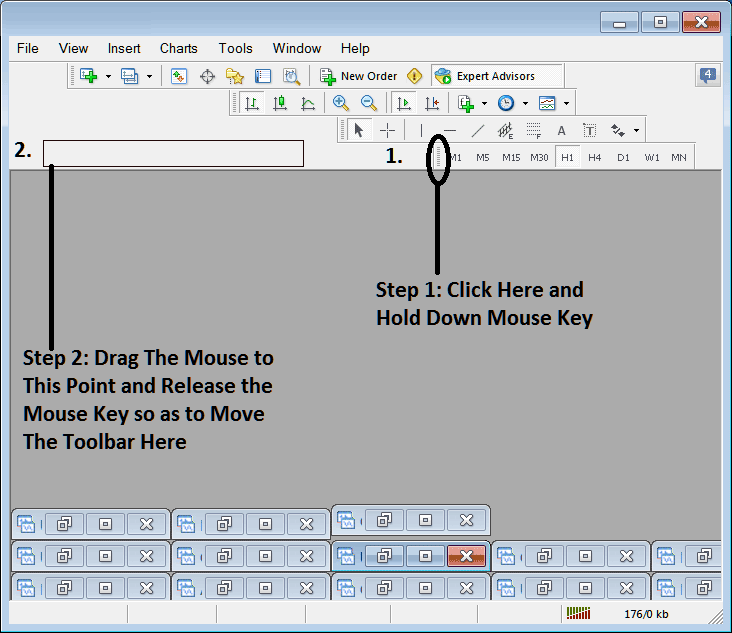
Adding Buttons to Stock Trading Software
Step1: Right-Click the customize button key as Shown Below:
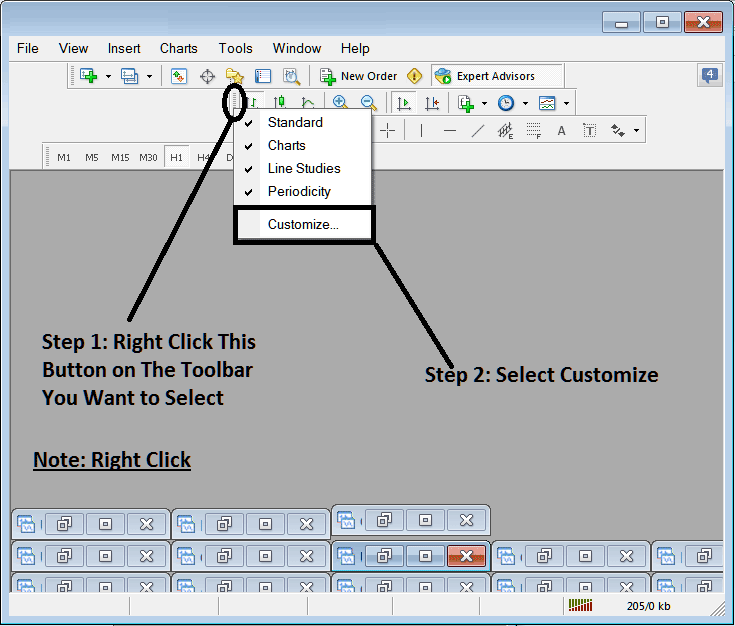
Next Step: For this Examples we shall use the Customize Pop-up Panel
After clicking customize as shown above, the following popup pops up:
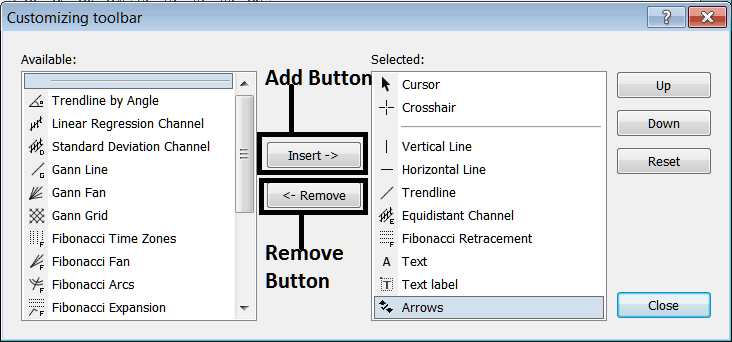
Step1: Select Any Tool on the Left, To add it Click insert button on the middle as displayed above.
For example selecting Stock Trading Fibonacci Expansion and clicking insert will add this indicator in Right side Window named 'Selected'
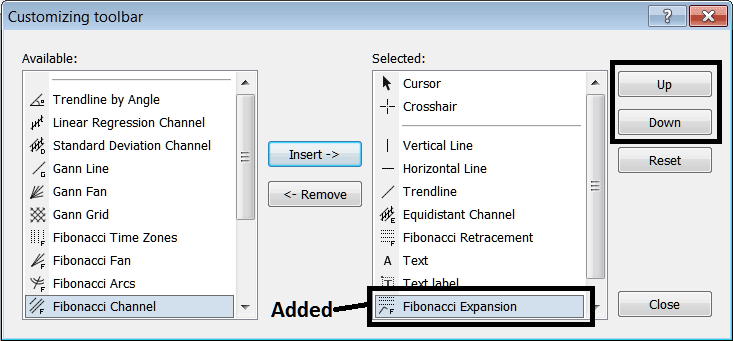
To move the indicator up or down use UP or DOWN Buttons on right side, displayed above:
The Toolbar will now look like:
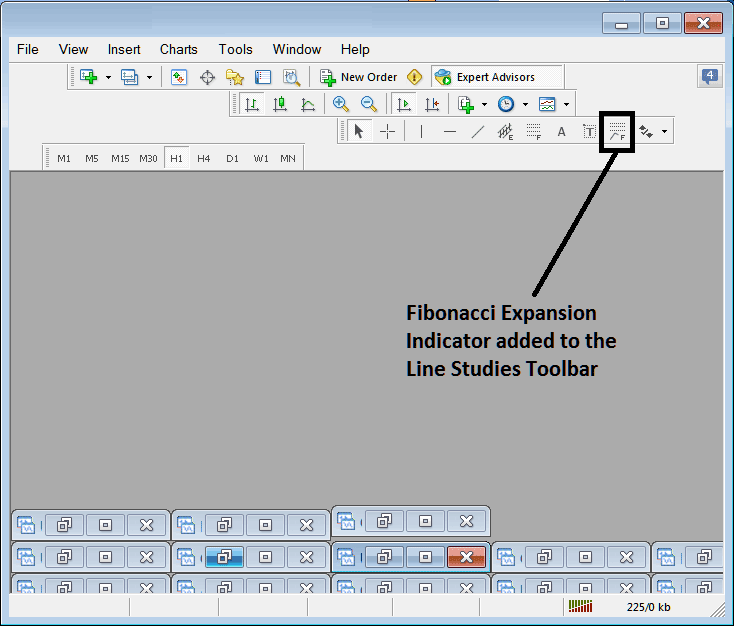
Customizing Toolbars : If there is any tool that is not placed on the list, you can use this option to add it to the list, just like the above examples where Stock Trading Fibo Expansion was not listed and now it has been added. If you don't know where an item is located and on which toolbar, right click in the customize button key on the left side of any of the four toolbars, & view list of all the names of all items that can be added, these will be on the left window on this customize window.
Also you can remove some tools, ones you don't use, so that to save on space also, for example if you trade only with 15 minute, 1 Hour & 4 Hour charts, you can hide all other timeframes on the Periodicity bar and remaining with only these Three timeframes.