Grid, Volumes, Auto Scroll and MT4 Stock Chart Shift Options on MT4 Software
MT4 Grid
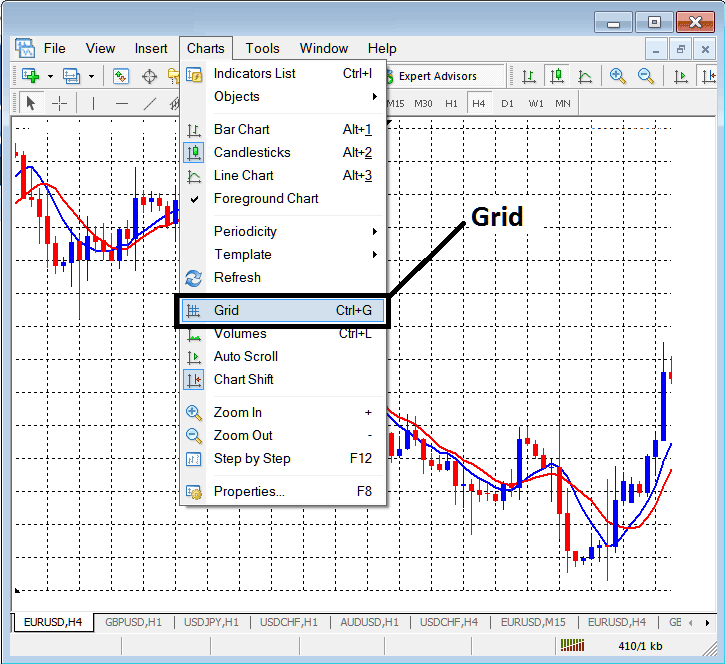
The MT4 grid button on the charts menu option of the MT4 Stock Trading Software is used to draw grid lines as illustrated and shown below. A trader may prefer to trade with grids on the stock chart or not and will use this button key to show or hide the Grid.
The MT4 Grid button key is displayed below (Shortcut for this menu is Ctrl+G)
MT4 Volumes Indicator
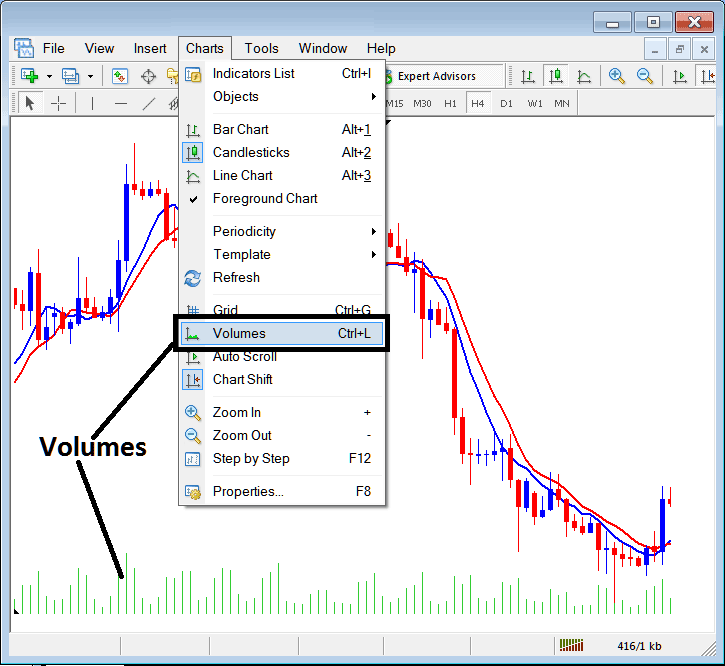
Volumes in Stock represent tick volumes or the number of times the tick for stocks price changes during a particular time period. The more the tick changes the more the volumes. These volumes in Stock are used to estimate the number of stock traders participating in the stock market.
Volumes are drawn as green bars below each stock candle, & height of these green bars represent the tick volume for a particular candle stick. ( Shotcut keys for Volumes: Ctrl+L )
MT4 Auto Scroll
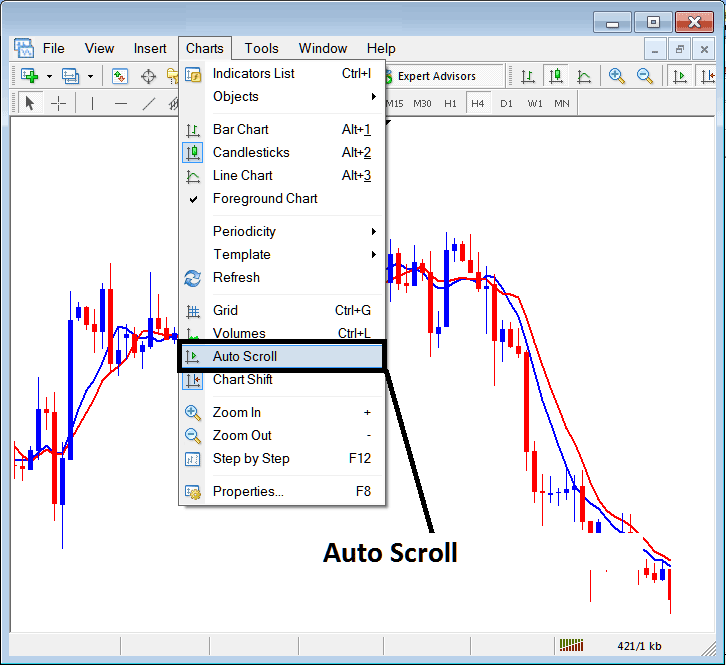
Auto scroll option when activated will automatically scroll to the most recent stock candlestick bar for every stock chart that is opened. Therefore, the most recent information is displayed and as a trader you do not have to scroll to these recent stock candle bars every time you open a new stock chart.
MT4 Stocks Charts Shift
This MT4 Stock Charts Shift button is used to shift the stock chart more towards the center, instead of the last candlestick being right at the right side of the MetaTrader 4 stocks trading platform, the MT4 stock charts shift button will shift the most recent stock candlestick towards the center. Stock traders prefer to trade with most recent stock candlestick shifted toward the middle - this makes it easier to analyze the stock chart price movements when they are more towards the center.
For example, the MT4 Stock Charts Shift button is shown below as an arrow pointing down, by pressing this MetaTrader 4 stock charts shift button key within the chart menus(highlighted below by a rectangle), the last stock candlestick will shift from the right and move up to this point as shown in the MT4 Stock Charts Shift examples shown below.
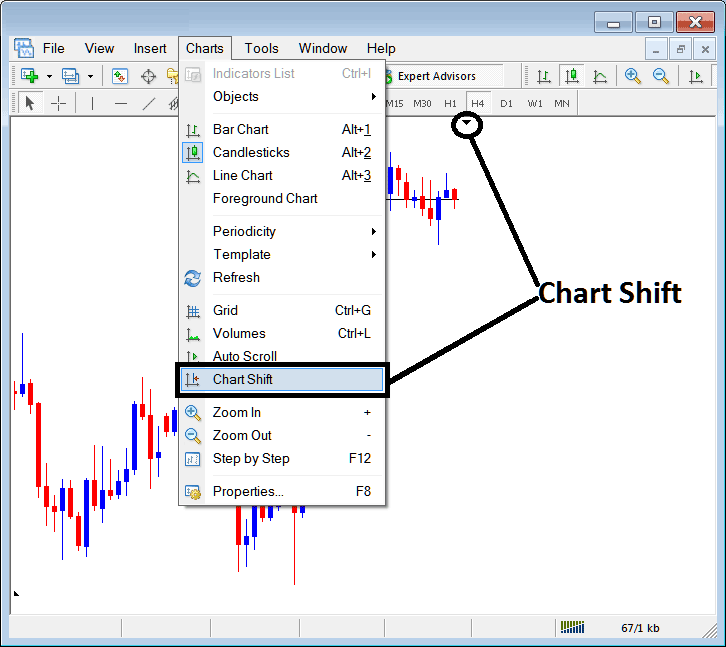
MT4 charts menu options of showing grids, volumes and activating the auto scroll option for automatic scrolling to the most recent candlestick bar and also the MT4 stock charts shift button for shifting the last stock candle towards the center.